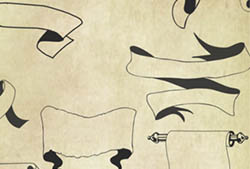
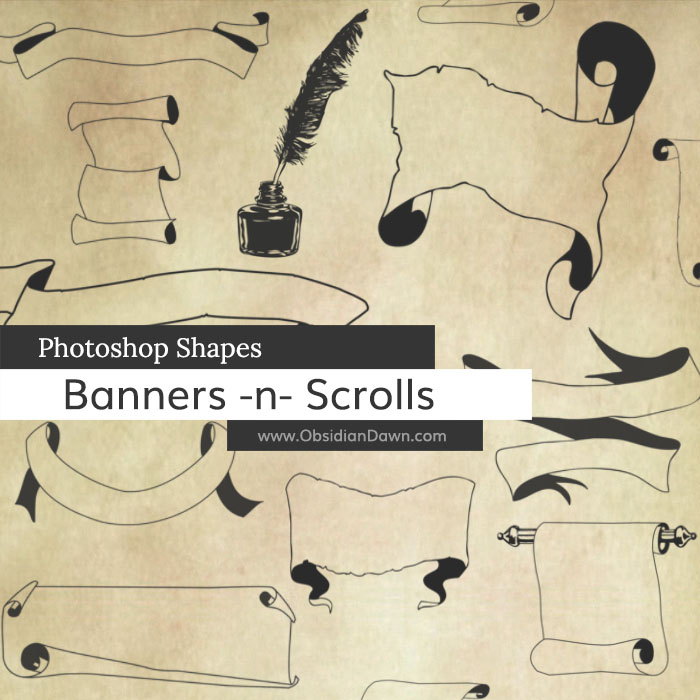
A set of Photoshop & GIMP custom shapes composed of various vector shapes of banners, scrolls, and other bits of parchment. Also includes a fountain pen in the form of a feather, an ink bottle, and a feather inside an ink bottle.

Programs: Photoshop 7+, Photoshop Elements 2+
Shapes: 21
Size: 126KB
Download the shapes
Download the image pack
Please read my terms of use before downloading!
Installing & Using Shapes:
Not sure how to install Photoshop’s custom shapes? Well, it’s almost exactly like installing Photoshop brushes. However, the file goes here:
Windows:
Program Files > Adobe > Photoshop (version) > Presets > Custom Shapes
Mac:
(wherever you installed Photoshop – usually Applications) > Photoshop (version) > Presets > Custom Shapes
Then, to load them:
- open up Photoshop (if you saved them while PS is open, you’ll have to restart PS for them to show up automatically in the list)
- hit “U” to bring up your custom shape tool
- when you hover over that tool, it should say “Custom Shape Tool” – if it doesn’t, right click on that box and select it
- File > New (CTRL-N or CMD-N), and make it whatever size you want – 600 x 600 will do
on the top bar, next to where it says “Shape:” click on the little arrow just to the right of that thumbnail to open the Custom Shape Picker - then click on the small arrow on the upper right corner of that window
- the “SS-banners-scrolls” should show up for you in that list, so select it and hit “Ok” to replace
- you’ll now see the thumbnails of the banners and scrolls – click on whichever one you want to use
- just below your main menu, on the left side, you’ll see the tool preset picker and then three different options for how to use shapes – make sure that “shape layers” is selected (hover over them with your mouse to see what each of them is) – this will make sure that your shape is filled in, and not just an outline of a shape/path
- select the color that you’d like the banner or scroll to show up in as your foreground color
- on your canvas, drag from somewhere in the upper left corner down to the lower right – you’ll see the shape as it’s being created, and once you let go, it will create it
TIP: If you want to keep the proportions the way that they were intended, hold SHIFT down while you’re draggging
Enjoy!


7 Responses to “Banners & Scrolls Photoshop Custom Shapes”
Fabulous! Thanks!
thanks…it’s nice and versatile..
oh these shapes are WONDERFUL!! thank you so much for sharing!! :) Have a FANTASTIC day! :)
[...] Banners & Scrolls Photoshop Custom Shapes [...]
A friend whose graphic artwork I’ve long admired recently sent me her “whos who” list of can’t live withouts. You were on her small and very selective list. I can see why now. I began a couple weeks ago working thru your tutorials and applying your hints.. and of course brushes. My PS world has moved to a completely new level thanks to your talent and generosity. Thank you doesn’t begin to express my gratitude but.. thank you!!
[...] DOWNLOAD FREE PHOTOSHOP BRUSHES [...]
WOW! there great,who made them?
Leave a Reply
Other Links
Member Center
Getting Started
Affiliates
Helpful Links
Follow Us
By Program
Latest Downloads
Popular Now
Web Design and All Content
© 2004-2009 Obsidian Dawn