
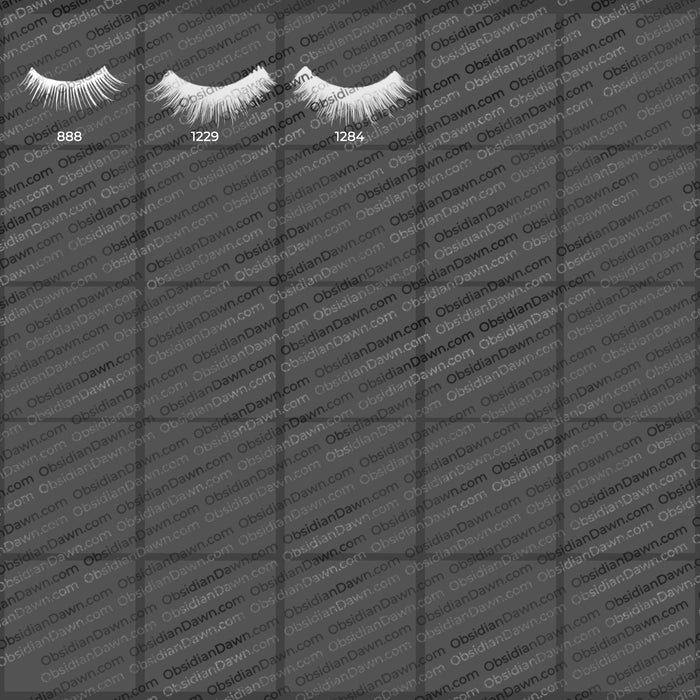
Eyelashes Photoshop & GIMP Brushes

Posted in: Brushes | Tags: , , , , .

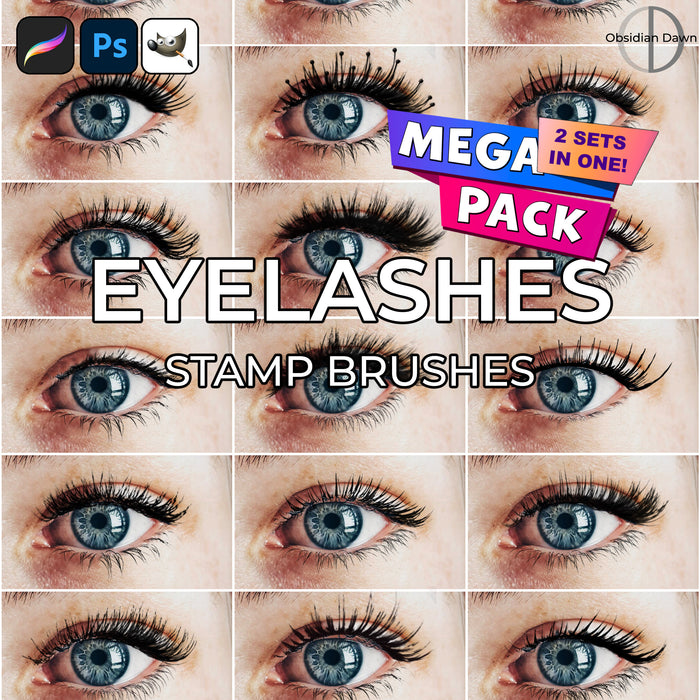
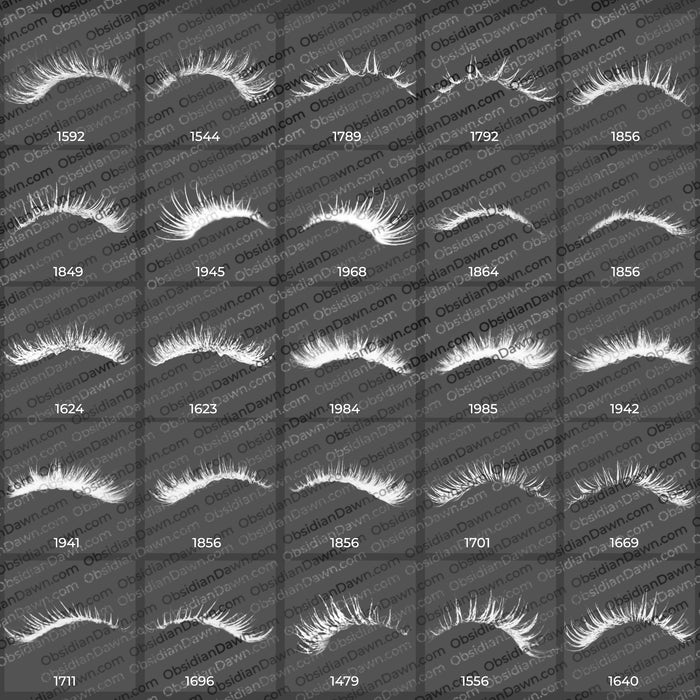
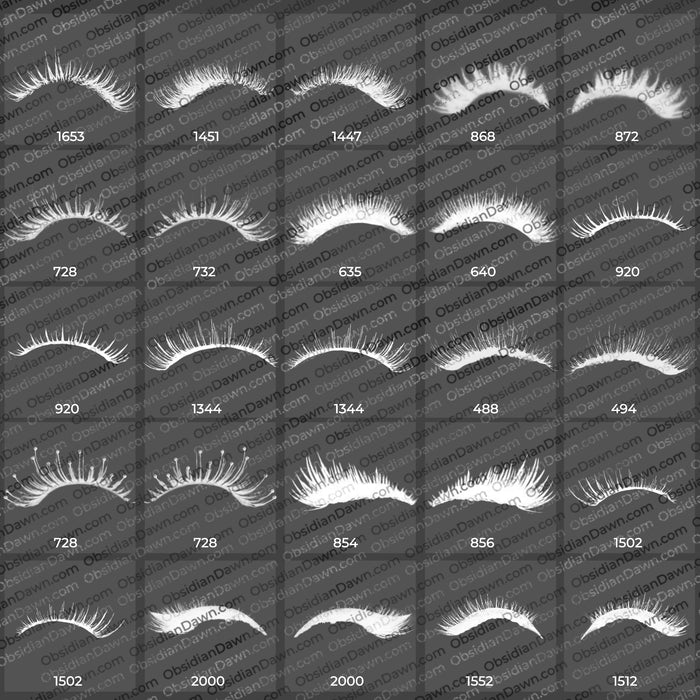
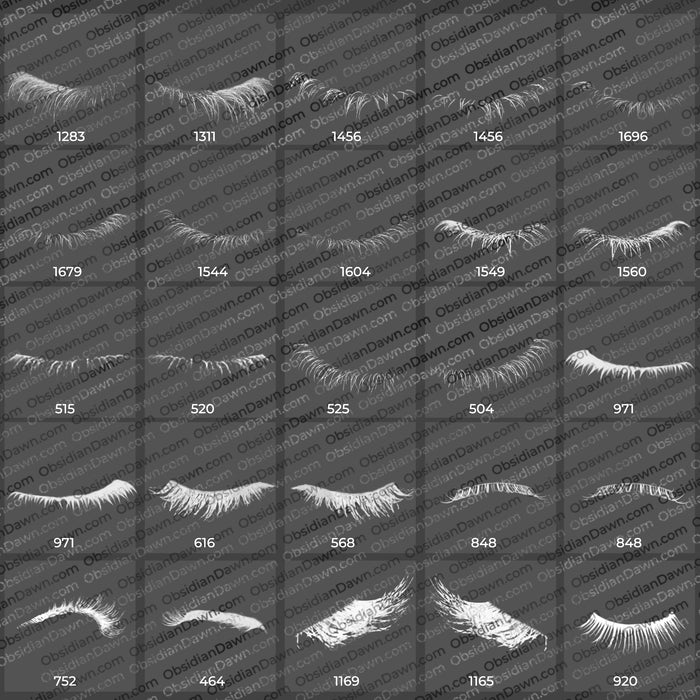
A set of Photoshop & GIMP brushes composed of various shapes of eyelashes.

I’ve seen a few other brush sets out there for this kind of thing, but they all seemed to be of closed eyes, or the basic shape of fake eyelashes when they’re in the case. These are made up of mostly open eyes, and most were taken straight on (front view). There’s a few closed, a few lower lashes, one or two from a side-ish view, and a few sets of funky/wild eyelashes. It includes both left and right eyes, for ease of use. They average about 900 pixels in size.

This set was requested at one point or another, and I finally got around to buying some fake eyelashes and putting them on for some pictures. The shape may need to be adjusted slightly, depending on your model’s eye shape, but I’ve found that they work pretty well on most eye shapes without needing much. Enjoy!

Check out our video tutorial on how to make the most of these Eyelashes brushes in Photoshop (also includes how to use the Eyeshadow brushes, as well).

Eyelashes Brushes

Programs: Photoshop 7+, Photoshop Elements 2+, Gimp 2.2.6+
Brushes: 34 (18 unique)
Size: 3.04MB

Eyelashes Brushes
How to Install?
Terms of Use
 

Download the image pack (for those without Photoshop & GIMP)

Be Sociable, Share!
  • Twitter
  • Facebook
  • email
  • StumbleUpon
  • Delicious
  • Google Reader
  • LinkedIn
  • BlinkList

460 Responses to Eyelashes Photoshop & GIMP Brushes

  1. barbara says:

    Stephanie : gracias por responderme! :)

    • idol says:

      thanks for the info.. but I actually am looking for more tips on how to create gorgeous eyelashes.

      I have this website about eyelash products but the site do not have a logo or header image yet.. i want to learn how to do it but its very difficult… any more tips? references?

  2. Lionnw says:

    Thank you so much! Those brushes are awesome.

  3. Brittney Cavallari says:

    LOVE these! Thank you!

  4. Shon says:

    Please Help. I can’t figure this out and it’s driving me crazy. I’m trying to download eyelashes brushes. Everytime I hit Download, a message pops up saying: Do you want to save SS_eyelashes_zip (2.97 MB) from s3.amazonaws.com? It gives the option of a dropdown save which lists bolded Save and Save As and unbolded Save and Open. It also gives me to option to cancel. Everytime I hit Save or Save As and name it, I get another messge saying: XX_eyelashes_zip couldn’t be downloaded. Gives me the option to retry or cancel. Please help. Why can’t I download this file?

    • Stephanie says:

      Hmm. Well, that’s a browser issue, so there’s only so much I can help with that.

      However, one problem people have with downloading sometimes is if they have an addon/plugin for their browser that regulates downloads in some way.

      It may also have been a temporary problem. Try it again?

      Otherwise, I’m not entirely sure what to tell you. I get lots of downloads on these per day, and just tried it myself and it worked.

      Another option for you may to be to try another browser – there’s free ones out there like Google Chrome or Firefox that don’t have some of the problems with downloads that may be inherently tied in to, say, Internet Explorer.

      And lastly, if you still can’t get it, I’d be happy to email it to you.

    • Jaydeeeeee(: says:

      1. click open 2. select Computer and find gimp then go back to your eyelash page select & copy all and paste them in gimp foler :D:D

  5. queen says:

    what was fucking aweosome eyelashes ! tengs ! :DD

  6. Scott says:

    Hi stephanie,
    I just found your site after watching a video tutorial on Layers Magazines website about adding eyelashes.
    I watched your video tutorial and I downloaded and bought your Eyelashes Brushes, Eyeshadow Brushes, Cobwebs Brushes, Halloween Vectors Brushes & Shapes, Spanish Moss Brushes.
    I decided to Buy them outright not to not Credit you for them, but rather to Support your hard work making these available.
    I just play around with Photoshop and just updated mine from CS2 to CS5, thought it would be Nice to add some makeup now and then to some photos, and also not worry if I forgot to give you credit, most likely I will, just wanted the Option and be all Legal.

    I hope most are doing the same.
    Thanks

  7. ella says:

    hi, these look incredible! the download isn’t working for me though :( is there any way you could email them to me? my email is ******** if you could- i would be so grateful! beautiful work!

    • Stephanie says:

      The only thing that should keep the download working for you is if you’re using some sort of download plugin within your browser. Disable it and you shouldn’t have any trouble. My script counts your download and then redirects to the true, hidden location of the file. Some download plugins don’t work with it, for whatever reason. And if you’re not sure about having a download plugin, try one of the free browsers out there – Firefox, Chrome, etc. You should be able to download them with no trouble with those.

      In the meantime, though, here’s the eyelashes. :)

      PS – removing your email from this page so you don’t get a ton of spam emails

  8. Jaimee says:

    Hi there, I downloaded the lashes as instructed and I get to putting the lashes on my picture and change the sizing and colour and I click and nothing happens, I have a layer for the eyelashes but they just wont appear when I click. I followed the tutorial and many others that people have made for your lashes. I’m new at this and these look great. Can you tell what I’m doing wrong

  9. Stephanie says:

    @Jaimee: I’m not entirely sure, to tell you the truth. I’m in the middle of a cross-country move right now, and have limited access to Photoshop to check it.

    Make sure you’re making a new layer to put the eyelashes on. Make sure you don’t have a selection somewhere that’s not including the portion where you’re clicking with the brush, or it won’t work. Other than those two things, there’s no reason I can think of for it not to work.

    If there’s a layer problem, then you’ve changed something in your default Photoshop settings when it comes to making new layers. I’m not even sure how to do that, much less fix it. I’m sorry!

    You may want to go look at my tutorials about installing and using brushes, perhaps that’ll help.

  10. sarasweetie99 says:

    Can I use photoshop elements 7?

  11. Shakhi says:

    Hey pls help….i download this brushes but it,s not opened….when i try to open it,s found use web service to correct programme…what will i do….

    • Stephanie says:

      Click on “How to Install?” right next to the download button. That will bring you to a page that explains how to unzip them, how to install them, etc.

  12. Pingback: Stylish Surreal Portrait | Sempronk

  13. bambina says:

    hi i recently downloaded ur eyelashes for gimp how ever wen i put them in to the gimp brushes folder they still do not show up on my`brushes urrrgh

    • Stephanie says:

      They’ll work in GIMP. I have instructions on how to install them if you click the “How to Install?” button next to the download button. Limited instructions, since I’m not a GIMP user. Beyond that, you’ll need to do an internet search for using Photoshop brushes in GIMP.

    • Amanda says:

      This may not be the problem but I just successfully installed them in GIMP and you have to unzip the file before you put it in the GIMP brushes folder.

  14. tammy says:

    HELP ASAP!!!
    i have a macbook os and i dont know where to download the eyelashes HELP

    • Stephanie says:

      The OS doesn’t matter. Click on the big button that says “How to Install?” right next to the download button, and you’ll find instructions.

  15. nohelia says:

    hi.. can you send me the brushes ’cause i cant downloaded so.. please!

  16. Anon says:

    SOMEONE STOLE YOUR BRUSHES AND HAS BEEN MAKING A PROFIT OFF OF THEM:

    https://marketplace.secondlife.com/p/PROMAGICPSD-11-11-EYELASHES/2341196

    Just thought you would like to know :)

  17. Julie says:

    hi, thanks for your brushes. They’re stunning!

  18. Amanda says:

    The brushes are just what I needed. I do have a question about use. I read your terms of use but what about portrait photography? It isn’t a published product but I will be building a portfolio website where I may put images edited with your brushes. Should I just put a link to you on the site?

    • Stephanie says:

      If you’re using them in something like portrait photography, you would either have to a) credit me alongside each photo where the brushes were used or b) purchase a license for the set(s) you’ll be using. A license absolves you of any need to credit me at all, and may be the easiest thing for you in a case like this. If you don’t mind crediting me alongside each photo though, that works, too!

      Hope this helps. :)

  19. Mark Kelly says:

    Hi Can you please help. I followed the instructions and saved the brushes into the correct folder. cs6 cant seem to see the files as they are jpgs and it only had the option to look for *ABR files. What am I doing wrong? Thanks Mark

  20. Mark Kelly says:

    Scratch that downloaded wrong file thanks anyway awsome site by the way ta Mark

  21. Ejaz Khan says:

    Hey,
    I would like to thanks for posting Eyelashes Brush, really it’s best site for all creativity person

  22. Pingback: Como transformar uma pessoal comum em um Avatar (Navi). | Orange Design

  23. Thank you so much for these brushes!! you saved me so much time on a current project I’m working on!!! and the headache…lol

  24. Pingback: Como transformar uma pessoa comum em um Avatar – Tutorial | Orange DG

Leave a Reply

Your email address will not be published. Required fields are marked *

You may use these HTML tags and attributes: <a href="" title=""> <abbr title=""> <acronym title=""> <b> <blockquote cite=""> <cite> <code> <del datetime=""> <em> <i> <q cite=""> <strike> <strong>