Now that I’m moved/unpacked/generally settled in, I’ve reactivated the CD purchases. So if you’re one of the people that’s been emailing me to ask about them, you can find all of Obsidian Dawn’s CDs here.
I’ve also decided to just go ahead and place the PayPal links for commercial licenses right on the licenses info page. So anytime you want anywhere from 1-30 commercial licenses, you can just go there and click on the link, make the payment, and either let me know via PayPal note or email which set(s) you’re purchasing. I’ll then send you the PDF granting you the legal rights to use them without crediting me.
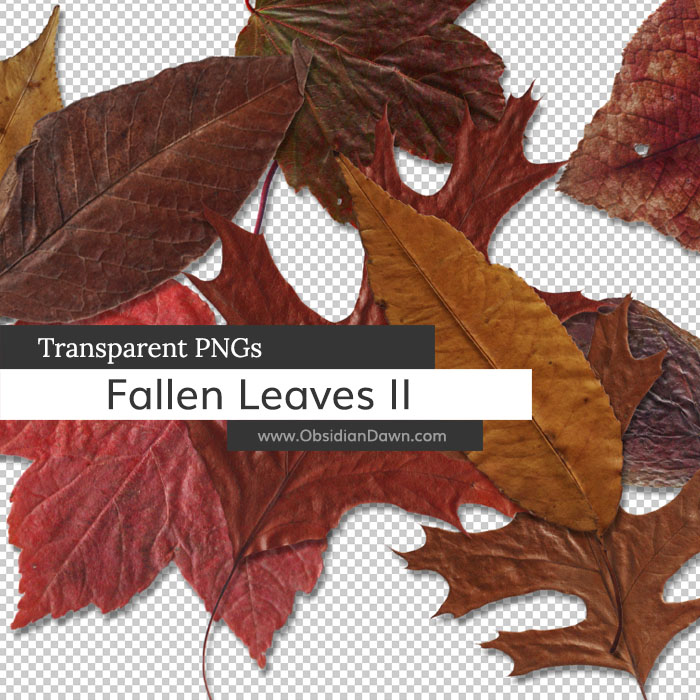
Today’s release is a second set of various photos of fallen autumn leaves as transparent PNGs. It can be used in any program that will support *.PNG files. (Photoshop, GIMP, PSP, and many more) These images are extremely high resolution, with the average being about 2300×2000 pixels @ 300 dpi.
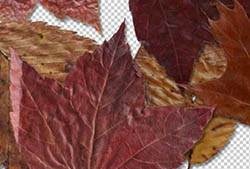
Included are various types and colors of leaves, all picked up from the freshly fallen multicolored autumn foliage. You’ll find some red, orange, yellow, brown, etc, leaves within – all on transparent backgrounds.
To use them, it’s as easy as opening up the file and copy/pasting into your own design.

If you’re looking for more leaves, check out our first Fallen Autumn Leaves Transparent PNGs set!
Programs: Photoshop, GIMP, PSP, and many more
Images: 12
Size: 38.3MB
Please read my terms of use before downloading!
Photoshop Brush Tip:
If you’re going to make a collage of leaves like I did in my preview image, one of the most important things to do is to rotate the images as you paste them down, so they’re not all sticking straight up and down. You can do a CTRL-T (or CMD-T on a Mac) to bring up the transform tool, which you can then use to resize and rotate the images as you place them.
You may also want to add each of them on their own layer so that you can then go back and add a drop shadow to make the leaves look like they’re really resting on top of each other.


10 Responses to “Fallen Autumn Leaves II Transparent PNGs”
I love your work! I have one suggestion…if you could put the subject in the email “subject.” I save your emails and go back to them when I’m looking for something in particular. Just a thought…
Thanks for all your hard work!
Stacy Lees
hi stephanie, thank you so much for these! glad to know you’re settled and comfy! :)
Wonderful, Stephanie….thank you!
@Stacy Lees: I’m afraid that this email is sent out automatically by my RSS feed. I’ll look for an option for something like that, and see if I can’t change it to that… there SHOULD be an option for that, and I’d have thought I would have used it had it been there. But maybe it’s there now, it’s been a while since I set it up. Thanks for the suggestion! :)
Thank you so much. Good info also.
Awesome job!!! Thank you so much!
Thanks so much, so glad to see you are getting settled again.
thanks for sharing this info
Awesome
thanks for sharing
Sir,
When I am working with these brushes, always I remember “OBSIDIAN DAWN”
Thank You very much
Leave a Reply
Other Links
Member Center
Getting Started
Affiliates
Helpful Links
Follow Us
By Program
Latest Downloads
Popular Now
Web Design and All Content
© 2004-2010 Obsidian Dawn