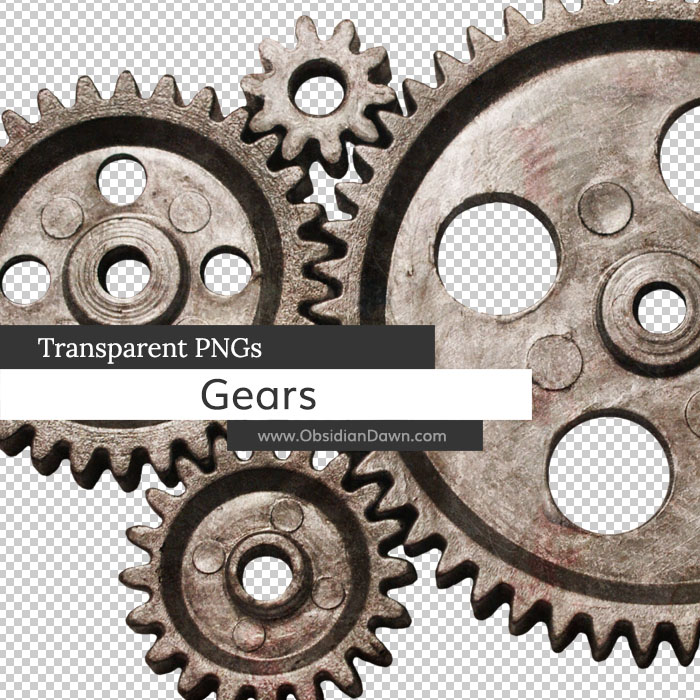
This set of gears as transparent PNGs can be used in any program that will support *.PNG files. Photoshop, GIMP, PSP, and many more – even Microsoft Paint! Most of the images are fairly high resolution, with an average size around 1200 pixels.
Included are several gears on their own, put together, and also a group view from an angle. Great for your steampunk designs!
This is the first of our transparent PNG sets, so allow me to explain how you would use them. These are pretty straightforward. They have a transparent background, so when you open this file, you will be able to copy/paste them right into your own designs and not need to do much else to them. They are ready to use! Commercial licenses are still available as with our other resources, at $3 per set.

Programs: Photoshop, GIMP, PSP, and many more
Images: 8
Size: 11.8MB
Please read my terms of use before downloading!


19 Responses to “Gears Transparent PNGs Images”
Thank you so much, Stephanie! These are awesome! Have a great day!
Thanks for all you do!
Thank you so much Stephanie!! :D
Thank you!
Stephanie, you are just exploding with all this good stuff! Great work as always!
O wow stephanie these r kool thank u
Thanks so much. Keep up the great work.
Steph – YOU ROCK!
Pure awesome, as always.
These are awesome, thanks for your hard work!
oohhh wow wow, what can i say but awesome, keep it coming, great work…..by the way Happy Holidays to all……….smile
Awesome set – thank you!
idk how 2 use this it sucks…some1 help me!!!!!!!!!
i dont know how 2 use this
some1 heeeeeeeeeeeeeeeelp meeeeeeee!!!
plzzzzzzzzzzzzzz
OMG You guys ROCK, this is exactly what I needed. SWEEEET!!
Thanks alot, obsidiandawn RULES!
I liked this thank you for sharing with us
They DO NOT work in gimp… 2.6.3…
Please test!
@Mike: I guarantee you that GIMP can open these PNGs. Even Microsoft Paint can open them now-a-days. :)
I couldn’t find a website that explained how to OPEN PNGs in GIMP, because it really should be as simple as double clicking the file. However, here’s one that explains how to SAVE a PNG in GIMP, and that’s what this is. :) http://graphicssoft.about.com/od/gimptutorials/tp/save-PNG.htm
Sounds like the file may have been corrupted when you downloaded it? Also, are you unzipping it first? :)
Thank you Stephanie for sharing this gear graphics with us. I am looking forward to use this graphics at a suitable location soon.
Leave a Reply
Other Links
Member Center
Getting Started
Affiliates
Helpful Links
Follow Us
By Program
Latest Downloads
Popular Now
Web Design and All Content
© 2004-2010 Obsidian Dawn