
Oct 19 2009

Glitter -n- Smoke Photoshop & GIMP Brushes

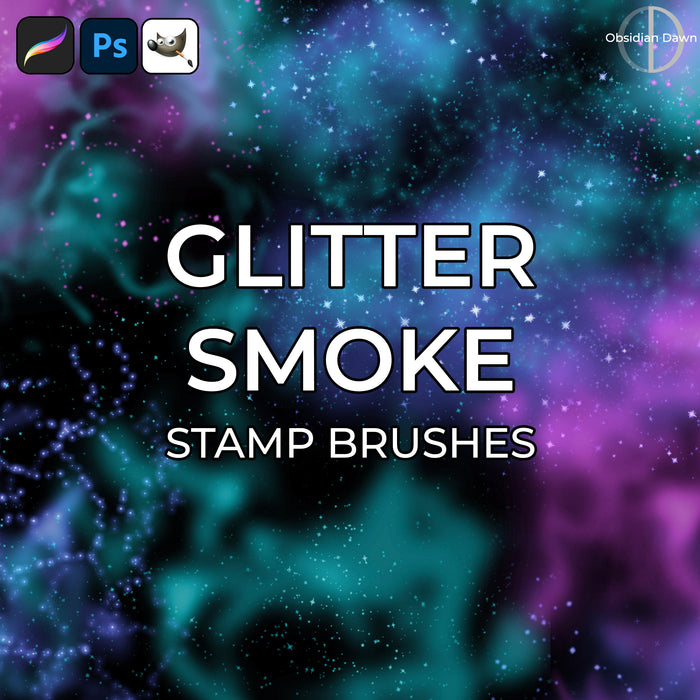
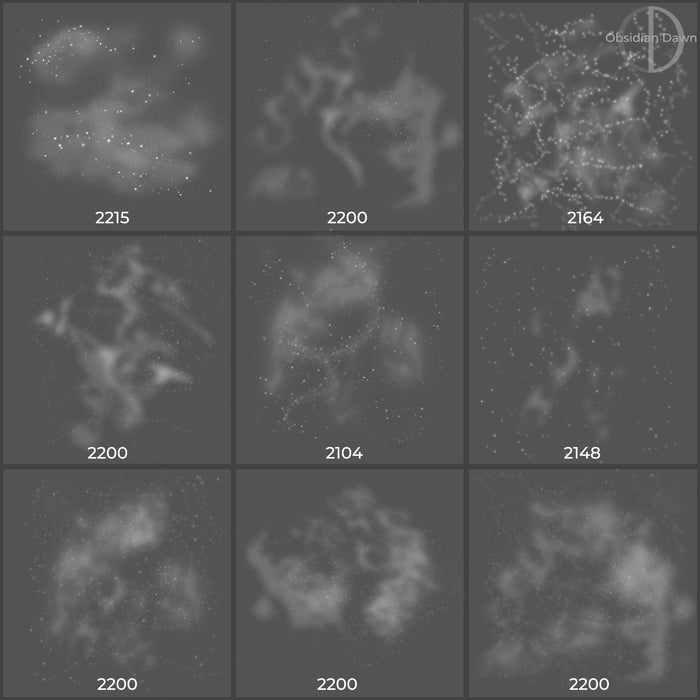
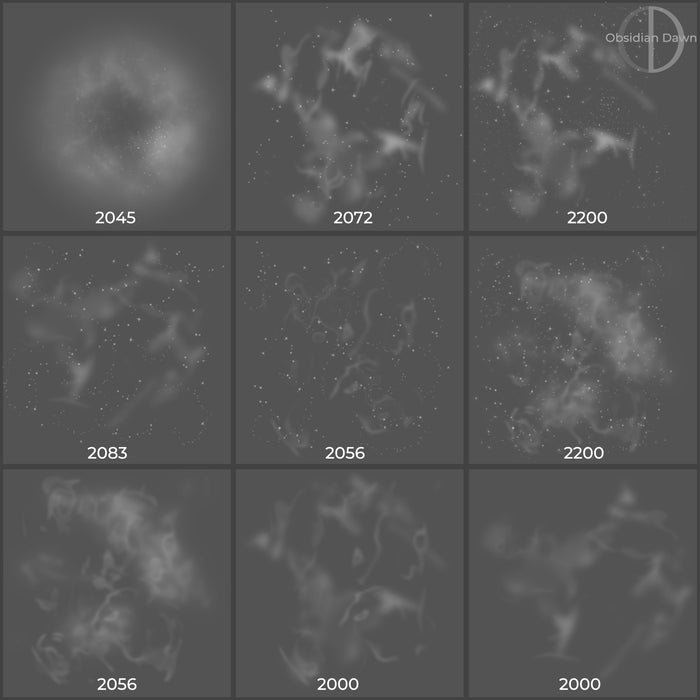
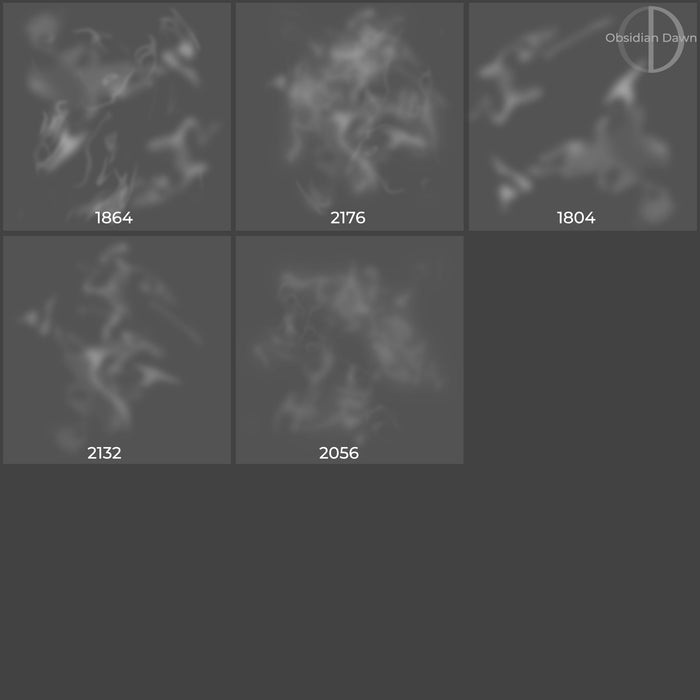
This set of Photoshop & GIMP brushes is composed of various dustings of glitter and smoke. Several types of glitter, several types of smoke (some cloudy, some swirly), all mixed together. I’ve also provided a few brushes of the smoke on its own, so that you can use it that way, too. (I’ll be coming out with an actual smoke brush set one of these days, but I’m still working on that.) These would work great for space scenes, as the dust looks like various space nebulae. They’d also work great for fantasy (pixie dust, magic, etc etc).

They are all extremely high resolution, with an average size of about 2200 pixels.

To get these to look like they do in my preview image, use the brush on its own layer and then apply an “outer glow” with a strong, bright color.

Glitter -n- Smoke Brushes

Programs: Photoshop 7+, Photoshop Elements 2+, Gimp 2.2.6+
Brushes: 27
Size: 20.8 MB


>> Download the brushes
>> Download the image pack

Please read my terms of use before downloading!

You can read how to install & use these brushes here.

25 Responses to “Glitter -n- Smoke Photoshop & GIMP Brushes”

  1. butterflyiii2006

    I just got these fabulous brushes and can’t wait to go play with them….
    With tut in hand– I’m excited.. Because NOBODY has better quality brushes then Obsidian Dawn…. I have been a fan and a follower for awhile now– and I personally think she’s got the BEST brushes out there…Just my personal opinion.
    Thanks for all your beautiful art that you share with us….
    Butterflyiii2006

  2. LivE

    thanks so much, stephanie! have a wonderful day! {{{hugs}}}

  3. oooh WOW! These look amazing! Thank you so much for sharing your wonderful artistic talent with us!!! :)

  4. j565

    Wow! Thanks for sharing this great gift!

  5. Fabulous! Thank you so much for this! Gonna try your tip with the glow. :)

  6. Edna B

    These look awesome. Thank you so much. And thanks for the tip on how to use them.

  7. Traci

    Outstanding! Thanks so much, Steph!

  8. I don’t use brushes alot, but I’m learning! Thanks for these :)

  9. Sandy_in_MD

    Wonderful set! Thanks so much Stephanie!

  10. Kerry

    Thank you thank you thank you :D I adore your brushes!

  11. Hedda

    Fantastic – thank you once again for all the lovely brushes you provide. :)

  12. leafoley

    great brushes, thanks

  13. Thank you! I love your brushes. I have to go play with these. LOL

    Su

  14. Thanks for these, love your brushes!! I’ve even twittered about you a few times to get your name out there some more :D :D LOVE LOVE LOVE your stuff!!

  15. Sandy

    I am in love with your brushes! Thanks so much! You have a beutiful talent! :-)

  16. Hi, I just found your website from another blog I was reading through. I am having such a hard time learning Photoshop and I hate feeling so stupid while it seems like everyone else ‘gets it’. My husband and I just bought Photoshop CS4 because we had Photoshop 6.0 installed on our computer forever and desperately needed a newer version, even though I still never figure 6.0 out…I still don’t understand the layers and how to use all the tools and what not, except the healing and clone tool, that’s about it.

    I really want to learn how to use CS4 for fantasy photo’s like my friend Amanda does here: http://endlesslightcreations.blogspot.com/2009/10/i-faces-its-official.html (You may have to just copy/paste this link into your browser to see her work)

    She used Elements for that and other photo’s like it so I was worried that we should have gotten Elements too, but then I was told that CS4 can still do all of those fantasy photo’s AND so much more, but I still just can’t figure this out. I googled and printed out all of what the tools do but I don’t know how to use them in what order and I still don’t understand the layers. I even watched Photoshop video tutorials and even some Youtube tutorials about this but still am not comprehending the whole thing! (Yes, I am one of those unfortunate slow learners and I have adult ADD, which sucks!) but the idea of taking a class to learn is near impossible since I still have kids at home to watch during the daytime and my husband works nights so I can’t expect him to be there to watch them if I took night classes even. UGH, it’s so hard to figure out. Any idea for a way to learn this fantasy art and even some of the other tools, layers that are simple and easy to understand for someone like me who has ADD…? I don’t have it severe but I do struggle with some comprehension and big time distractions which get in the way from me learning things. So even sometime when I desperately want to learn something new, for instance I am a Photographer and love my Nikon and try to learn everything I can about it, but even still with my most favorite passions my learning curve makes it so difficult to ‘get’. Anywho, sorry to blab so long….but do you have any suggestions, maybe a site or book that helps explain this photo fantasy and other functions that CS4 can do in a VERY simple format, or is there no such thing as the word ‘SIMPLE’ being in the same sentence as ‘Photoshop’? lol

    Thanks for listening! I put your site under my ‘Favorites’ for the future so that when I finally am able to figure this out I can come back here to add your awesome brushes, glitter and smoke, and other tools. After I put my kids to sleep for the night tonight I plan to come back on here to read your Tutorial Tab…maybe (hopefully?) it’ll explain something about CS4….

    Sincerely hopeful,
    ~Sarah Cecilia

  17. MJ

    awesome brushes, thank you so much!

  18. thanks for sharing your work, I love seeing new things posted to play with!

  19. nice work thanks for sharing and hope to see more in the future :)

  20. Thank you. Lovely work. :)

  21. Wow! Thanks for sharing this great gift!

  22. Jamu

    good brushes! but not that good… i don’t think you can call these really quality photoshop brushes. i have seen some really better ones. but nice job on these. :) might use them!

  23. @jamu: Well to each their own!  Perhaps some of my other sets would be more your style.  Sorry that you didn’t enjoy them as much as most people do, and have a happy holiday season!

  24. cinafra

    These are wonderful! Thank you for sharing!

  25. MtnMist

    Thank you so much for sharing your talent.

Leave a Reply

See Your Image here - Submit Now!
Obsidian Dawn on Facebook