
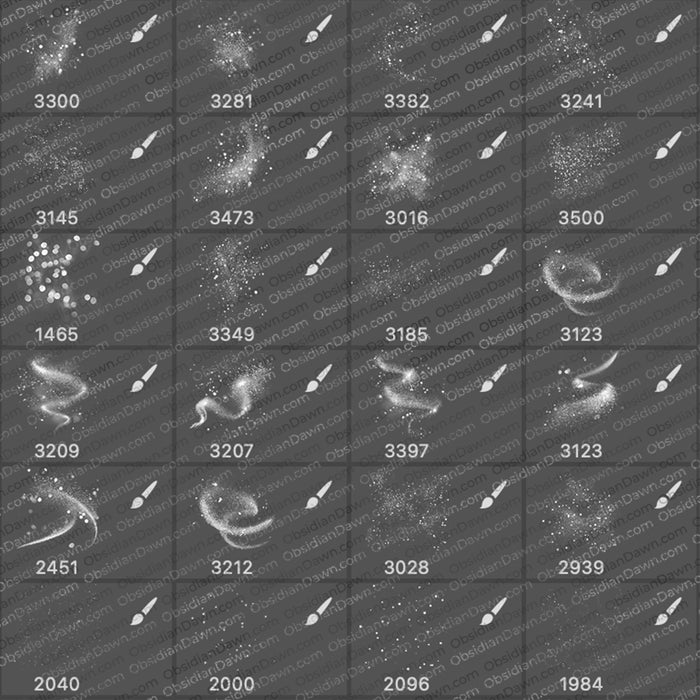
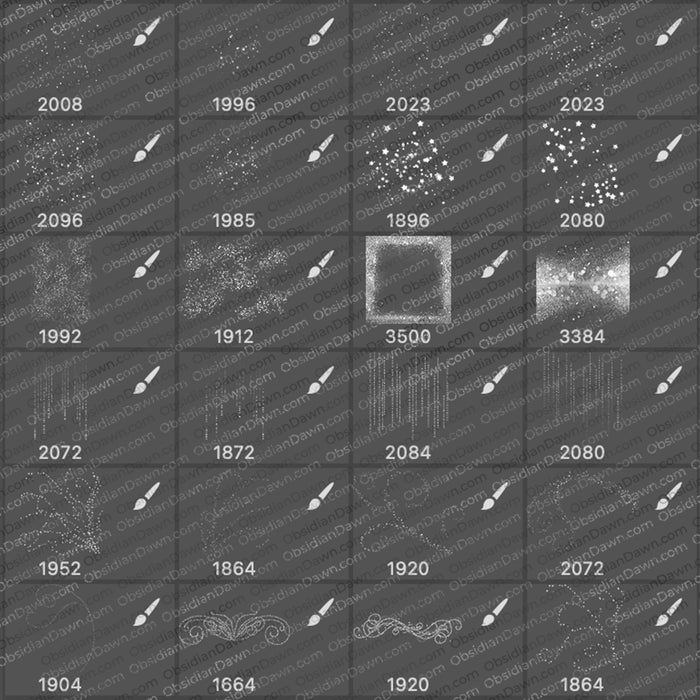
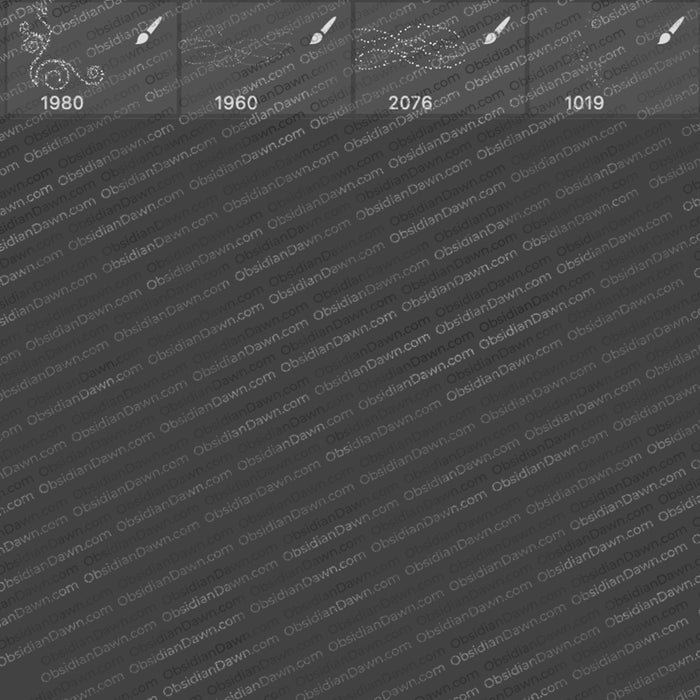
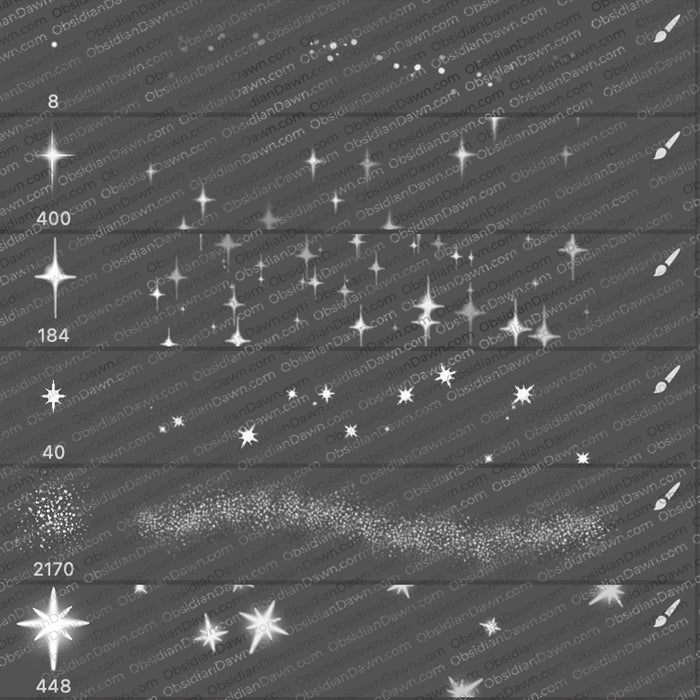
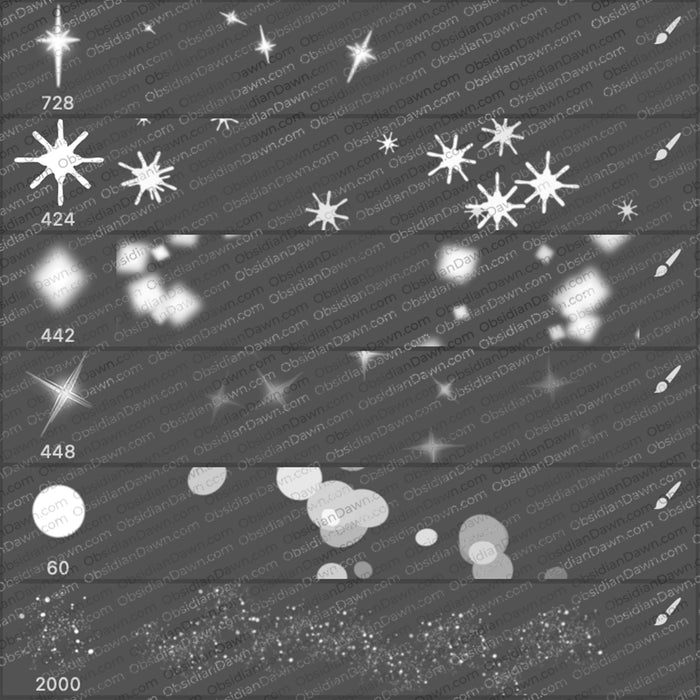
A set of Photoshop & GIMP brushes composed of various glitter and sparkles of all kinds!
Includes: various clusters of glitter and sparkles (easily overlappable to create as much glitter as you could ever want or need), several glittery & misty brushes in various designs, some glitter in the shape of various swirls, some heart-shaped glitter, snowflake-shaped glitter, a few individual glittery shapes, and much more!

Be sure to also check out our High Resolution Glitter Photoshop & GIMP Brushes!
Programs: Photoshop 7+, Photoshop Elements 2+, Gimp 2.2.6+
Brushes: 28
Size: 667KB
Download the brushes
Download the image pack
Please read my terms of use before downloading!


76 Responses to “Glitter Photoshop & GIMP Brushes”
nice job..tks
Hi, I used alot of your brushes etc hereh http://hl-silvi.deviantart.com/art/Desperation-at-the-Edge-103038662
Hope you like it XD
fantastiche grazie mille
wooooooooooow gr8 jobs guys, very nice
How do you use this file (.abr) in Gimp? Thanks!
@Alisha: Sorry, but I’m not sure how to load them into GIMP. I did a search on the internet, though, and here’s what it says:
GIMP Brushes are installed by extracting the ZIP file and dropping the brushes into x:\Document and Settings\\.gimp-\brushes\
They should then show up in your list of brushes. I’m not sure how to change brush sets, but if you’re a GIMP user and you’ve used brushes before at all, you should know that part, I’d think. Hope this helps!
Hello, i downloaded a few of the eyelash and eyeshandow brushes, but when i came to open them they were in a zipped folder and would not open them, how do i do it any1 please??? iam using photo shop, a new user tho so not very good on it, if any1 can help me please do thanx x
Sarah-Lou: Just about anything that you download on the internet is compressed, or “zipped” up – just like these. Here’s an explanation on how to unzip stuff: http://netsquirrel.com/articles/zip.html
Once you get it unzipped, here’s a tutorial that explains how to install and use Photoshop brushes: http://www.obsidiandawn.com/installing-photoshop-brushes-tutorial (there’s also a link to this tutorial in the sidebar on Obsidian Dawn)
Hope it helps!
Thanks very much! you did a great job!
Thanks very much!
Very nice! Used them here: http://demonnyoko.deviantart.com/art/1000-views-colored-105638046
Thank you so much for the use of your brushes! They are fabulous!
Very pretty and attractive!!!
thank you for sharing!
I love these, but I can’t seem to get them to work on GIMP.. I have the newest version, 2.6.3 I do believe. Not sure about the last number..
Victoria: Are you and placing them into one of the directories that I list in my tutorial here?
If so, I’m not sure what else the problem could be, I’m afraid. I’m not a GIMP user, but I’ve received numerous accounts from GIMP users that they most definitely do work in GIMP.
Good luck!
Thank you!!!
Wonderfull design. Thanks you .
great design thanks
Thanks!!!!!! Nice job!!!
now I can use these things for my anime! I LOV YOU
i totally love your designs..too bad my memory cannot accomodate all of these beauties..^_^
thanks much for sharing and for giving inspiration to newbies (like me)..
hope you dont mind if I download some of these..
This is one of the best brush sites ive come across. Also thanks for all the tips. Just starting to mess around with pictures and loving all that can be done. I have a lot to learn… Thanks!
thanks a lot!!!
Very nice brush set, thanks.
hello, i come from hongkong, i just download the wonderful imaged pack, becos i use photoimpact, thanks a lot!
Is there a trick to making these brushes sparkly? I’ve played around with the colours a bit but cant seem to make them look as the pic above does. Also I noticed when I installed your brushes, one came with your name and website on it. Can this be customised to put my own details in? Thanks.
I used your brush here. Thanks for sharing :)
thks very mu-ch
thanks very much
[...] [...]
Thank you.
Thnx guyzz….really a very good job.you guyz had design all these brushes like eyelashes, eyeshadow, lips etc so i was just curious to know that if it is possible to design the dresses too u know just like the models wear then it will gonna be more fun n good…..thnx again n i m waiting for ur reply…..
keep it up guyzz
@Tina: I’m afraid that dresses wouldn’t work all that well as Photoshop brushes. :( You’d be better off using images for that, I’d say. Sorry!
Glad you’re enjoying them, though. :)
Thank you so much for sharing your AWESOME work! :) Have a LOVELY weekend!! :)
wow i love it.. thanks soo much..i love it
thank you!
muy buena y util son tus diseños
[...] set combines the ideas of two of our most popular sets here at Obsidian Dawn: Glitter and Swirls & Flourishes II. Hope that you [...]
[...] [...]
i love these brushes!
can they be used with photoshop cs2?
thanks so much!
thank you so much for replying!
have downloaded them now, cant wait to make some pretty pictures!
thanks again :)
[...] 下载 | 下载页面 [...]
[...] images themselves, find website here: [link] [...]
Wow!! This is nice. Thanks…
Thank you : D
[...] The flueron in the bottom right is a glitter brush. Its the first result when you Google “glitter brush”. Thanks obsidiandawn. [...]
AWESOME. THANKS
cool. thank you..
Hi! I have a problem, and it’s quite anoying!!
I downloaded the brushes and I got them into Photoshop,
but then when I paint with them they’re all “UNCLEAR”??
Like the pixels aren’t good?
It looks like really bad quality, but on the example-picture it doesn’t?
Is it a wrong pixel-size of my picture I have or???
I have a lot of others brushes, and they are all clear and nice?
@Question???: These brushes are made to be very small, and they’re made to be USED very small. If you’re trying to use them too large, then they WILL become all pixellated. Try my newer glitter set, it’s bigger. :) The link is above on this page, or here: http://www.obsidiandawn.com/glitter-ii-photoshop-gimp-brushes
i think this brush is perfect
Thank you for all the info you puted on the site. But I have a question: I also installed (as you tell us in this site) the glitterbrush but if I use him… he doesn’t glitter at all. What did I do wrong? How can I make this brush glitter? I installed it like you said on your site. Please help.
Tineke
@Tineke: Well, that’s something that brushes are unable to do, really. They will give you the SHAPE of glitter, because that’s what Photoshop & GIMP brushes are, really. In order to make it actually glitter, you’d have to animate it, and that isn’t one of Photoshop’s forte’s, I’m afraid.
If you’re looking for that kind of effect, most people use Paint Shop Pro for it, I do believe. Although the program is hugely limited as far as what it can do compared to Photoshop, that’s one thing it’s pretty good at. :)
Sorry I couldn’t help more!
Thanks so much, this is beautiful brush!
Thankyou :)
These were great!
nice thanks………………………………………!!!
Thankx!! Great website. My recommendation!
THANK you VERY VERY
thank you sooooo much!!!!
eu num to entendendo e nada o gente voces falao em ingles ne vo falar em ingles mais so de BREIZON – BRASIL hello! love you ivete sagalo is claudia leite yes!!!
adorrooo
LOVE= AMOR
aww *w* thks, look so nice!
???confused! lolllll
@miley: Well, check out my FAQs and it should answer any of your questions. :)
[...] DOWNLOAD PHOTOSHOP BRUSHES [...]
[...] Glitter Photoshop & GIMP Brushes [...]
[...] 下载 | 下载页面 [...]
Thanks a lot, Ms. Stephanie! Really great brushes. =)
Thanks so much! I’ll enjoy these!
[...] Glitter Photoshop And GIMP Brushes [...]
[...] Glitter Photoshop And GIMP Brushes [...]
[...] Glitter Photoshop And GIMP Brushes [...]
[...] Glitter Photoshop And GIMP Brushes [...]
thanks for sharing ……..god bless u always :)
[...] och dessa målar du enkelt fram med (O) eller en vanlig pensel. Du kan också hämta en pensel här. Lägg mest stjärnor runt näsan och under ögonen, liknande bilden under. Duplicera ditt [...]
Leave a Reply
Other Links
Member Center
Getting Started
Affiliates
Helpful Links
Follow Us
By Program
Latest Downloads
Popular Now
Web Design and All Content
© 2004-2009 Obsidian Dawn