
Glowing Circles Photoshop & GIMP Brushes

Posted in: Brushes | Tags: , , , .

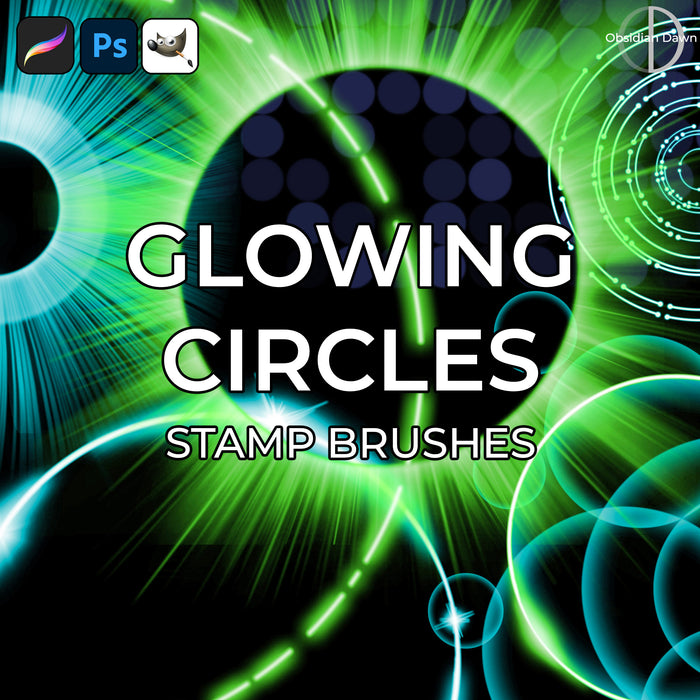
This set of Photoshop & GIMP brushes is composed of various shapes of glowing circles. Most are single, but there’s some groupings of circles together, as well. They should work wonderfully for all kinds of things.

They are all extremely high resolution, with an average size of about 2300 pixels. Enjoy!

Glowing Circles Brushes

Programs: Photoshop 7+, Photoshop Elements 2+, Gimp 2.2.6+
Brushes: 27
Size: 35.2 MB

Glowing Circles Brushes
How to Install?
Terms of Use
 

Download the image pack (for those without Photoshop & GIMP)

Tip:

If you’re interested in making them look like they do in my preview image, start with a dark background. On a new layer, use the brush in white. Add a layer style of “Outer Glow” to that layer, and choose a strong, vibrant color. Play with the opacity and perhaps change the blend mode from “Screen” to “Normal”, and there you go!

Be Sociable, Share!
  • Twitter
  • Facebook
  • email
  • StumbleUpon
  • Delicious
  • Google Reader
  • LinkedIn
  • BlinkList

33 Responses to Glowing Circles Photoshop & GIMP Brushes

  1. belle says:

    Fabulous! Thanks very much.

  2. pegzz says:

    These are so great! Thank you!!

  3. Helen-1 ... :) says:

    THANK-YOU !!! …:…:… YOU ARE SO VERY GENEROUS I WILL ADD THESE TO MY ‘OBSIDIAN DAWN’ COLLECTION.

  4. Mungo says:

    Brilliant, thank you

  5. Edna B says:

    These are great. Thank you so much.

  6. Roberto says:

    Hi Steph, once again your generous heart comes shining through, thank you soooooo much for this set of brushes, can’t wait! And happy Thanksgiving!

  7. JoyceB says:

    Thank you, Steph…..these are beautiful!

  8. Eganko says:

    So cool. Just another wonderful set. Thank you so much!

  9. jg says:

    thanks for the awesome brushes.

  10. faith says:

    Amazing!!! Thank you so much!

  11. Sandy_in_MD says:

    Fabulous set – thank you so much!

  12. dinadawn says:

    The brushes look good. Is anyone else having trouble downloading them?

    • Stephanie says:

      Looks like there’s been a few hundred successful downloads in the past day or so. Perhaps the problem was temporary? Give it a shot again, and if it doesn’t work for you still I can try emailing them. :)

      • dinadawn says:

        Thank you. I was unable to download the brushes with Firefox but was able with Chrome. Thanks for all your great brushes.

        • Stephanie says:

          Sounds like a download manager of some sort may have been interfering with it in Firefox. I download them in Firefox without a problem, but some download managers may cause it not to work. Glad you got them, though

  13. Tracy says:

    I was able to download with Firefox with no problem. Thank you so much for these great brushes, I very much appreciate them!

  14. yolie says:

    man this is allsome…

  15. Su Hall says:

    Oh, wow! These are awesome, girl! Thank you so much!

    Happy Holidays to you and yours!

    Su

  16. Ritesh srivastava says:

    Sir, your brush is so attractive. Thanks sir!

  17. madison says:

    I can not find the download button plz help

    • Stephanie says:

      It’s just a little bit below the preview images. It has a “B” icon next to it and says “Download the brushes”. You can always do a CTRL-F and search for the word “download”, too. ;) I have installation instructions in a link in my sidebar.

  18. Janine says:

    HII

    how work it for Gimp, you have a video for meh with explain how you get it in gimp
    grtz.

    • Stephanie says:

      I have a tutorial that explains it. I’m sure there’s videos on YouTube that explain how to install Photoshop brushes into GIMP, as well. For my tutorial, click on “Installing Brushes” in my sidebar.

      Enjoy!

  19. Sil de Lange says:

    Amazing brush really thanks ^^

  20. Gimp Brushes says:

    Those brushes are okay bot not really high quality. On my website
    i link to high quality gimp brushes. keep the good work going on Stehanie!
    Greetings!

    • Stephanie says:

      I’m not sure exactly what you mean by not high quality. They’re high resolution – as high a resolution as you can get, practically. No pixellation, etc. Now, if you’re just not partial to these particular brushes, I have hundreds of other ones to choose from. Some are a higher quality than others, and that’s why I write whether they’re high resolution or not on them. But all of the high resolution brushes I offer are of professional quality.

      Perhaps this was just a way to get your website linked (even though I have an automatic “nofollow” on all links, so it will do no good as far as search engines go), but in case it wasn’t, I thought I’d give you the benefit of the doubt and not just erase it and respond.

      I work for hours and hours on every set, though, so while I understand that you may not like a particular set or think it’s useful, I don’t appreciate you saying that they’re not very high quality.

  21. Gimp Brushes says:

    Sorry i think we missundersood us Stephanie, by “not high quality” i don´t ment the resolution or the general “quality” od the brushes, they are top ;)
    I ment the colour harmony of the brushes. Sorry for my very ill-chosen expression… Maybe thats the reason the brushes look for the first sight a bit “queerly”. I just wanted to tell you that the “preview” pic don´t show the quality of this great set with a lot of work inside ;)

    Btw i saw that the link is nofollow, that was not the reason that i wrote this ;)
    I just wanted to pass a remark. Thanks!

    • Stephanie says:

      Ahh, I see. So you’re just saying that the preview image doesn’t do them justice, and I chose some odd colors. Gotcha. Well, that’s certainly understandable. I try to vary my color choices, and I’m sure they’re not always as good as they could be.

      Sorry about the misunderstanding, and thank you for your comment! :)

  22. RedAngel says:

    is so niceee!ma i like it!

  23. L. D. S. says:

    I’m having trouble downloading this one. Firefox keeps saying there’s an error in the host file.

    • Stephanie says:

      Hmm. I just downloaded and extracted them successfully in both Firefox and Safari. Perhaps it was a temporary problem?

      If not, and you continue having trouble, but want these brushes – let me know and I can email them to you.

  24. Julie says:

    I’m new to photoshop so am using a couple of these to experiment with some things – I took a photo of my freshly-washed horse and put a “glimmer” on her. It’s great! Thank you so much for both the brushes and the clear instructions for using them.

  25. Janice Fisher says:

    Just wanted to say thankyou so very much for all your wonderful brushes I do appreciate the time and effort you must have put into them.You are very kind

Leave a Reply

Your email address will not be published. Required fields are marked *

You may use these HTML tags and attributes: <a href="" title=""> <abbr title=""> <acronym title=""> <b> <blockquote cite=""> <cite> <code> <del datetime=""> <em> <i> <q cite=""> <strike> <strong>