
May 21 2008

Graduation Sketches Photoshop & GIMP Brushes

Category: Brushes | Tags: , , , , ,

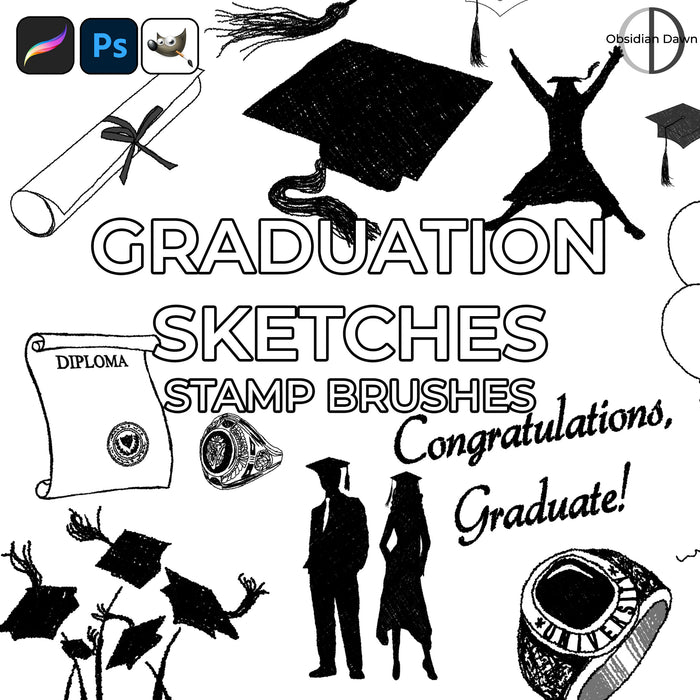
A set of Photoshop & GIMP brushes composed of various sketches of graduation related stuff! They’re all high resolution, average size being about 2000 pixels.

Included are lots of caps, tassles, caps being thrown into the air, a “congratulations graduate” message, a few diplomas, some class rings, silhouettes of graduates wearing caps and gowns, and much more!

Graduation Sketches Brushes

Programs: Photoshop 7+, Photoshop Elements 2+, Gimp 2.2.6+
Brushes: 24
Size: 6.8MB


>> Download the brushes
>> Download the image pack

Please read my terms of use before downloading!

Random Brushes Tip:

You can add texture to a brush fairly easily (although, working on high resolutions on slower computers, you may have a bit of trouble… adding texture to brushes this way can definitely slow the brush down).

  • Select the brush that you want to paint with.
  • Then, hit F5 to bring up your brushes tab (unless you already have it open, of course).
  • Click on “Texture”
  • You can choose the texture that you want just like you would choose a pattern. Click on the small arrow next to the thumbnail, and it will bring up a list of all the available, currently loaded textures. (To load more, you would then choose the arrow on the top right of that window and choose from amongst the available listed pattern sets, at the bottom of that list.)
  • You can change the scale of the texture using the “Scale” slider. This makes the texture smaller or larger.
  • “Depth” specifies how deeply the paint penetrates into the texture. Type a number, or use the slider to enter a value. At 100%, the low points in the texture do not receive any paint. At 0%, all points in the texture receive the same amount of paint, therefore hiding the pattern.
  • “Minimum Depth,” therefore, determines the minimum depth to which paint will penetrate.
  • “Depth Jitter” will make the depth change randomly as you paint, to give it more of a randomly splotchy look.
  • You can also change the “Mode,” which defaults to “Subtract.” Play around with how each one looks in the preview at the bottom of the window.

11 Responses to “Graduation Sketches Photoshop & GIMP Brushes”

  1. Allison

    I downloaded this brush and it’s not this brush… it came up as another brush and it didn’t have any graduation stuff. I really want this brush, please fix it if you can!

  2. Allison: I just checked this, and it IS the graduation sketches brushes. The image pack seems to be correct, as well. Are you sure that you were looking at the right file?

  3. FynaLuna

    thank you for share.

    I used it, thank you : )

  4. scrapbubba

    Thank you!

  5. sekar

    I downloaded this brush thank you sekar

  6. I downloaded this brush and it’s not this brush… it came up as another brush and it didn’t have any graduation stuff. I really want this brush, please fix it if you can!

  7. I am not sure what may have happened for you, but I just tried it, and this is most definitely the right brush. Try it again, perhaps?

    Let me know if it still doesn’t work for you!

  8. odessa

    I cannot download this brush file. When I click the link, it opens in a new Explorer window and i get the message that says “This ID doesn’t exist!”

  9. @odessa: This one’s fixed now, too. :) There was an error with one of my information files last night, hence all the temporary not-working downloads. And here I thought it was me! ;)

    Anyway, working now… sorry for the inconvenience.

  10. odessa

    Thanx for fixing the link.I downlded the brushes successfully and they are great!

  11. Hala

    your brushes are great. you are the best !

Leave a Reply

See Your Image here - Submit Now!
Obsidian Dawn on Facebook