Aug 14 2006

Handwriting Photoshop & GIMP Brushes
Category: Brushes | Tags: , , ,

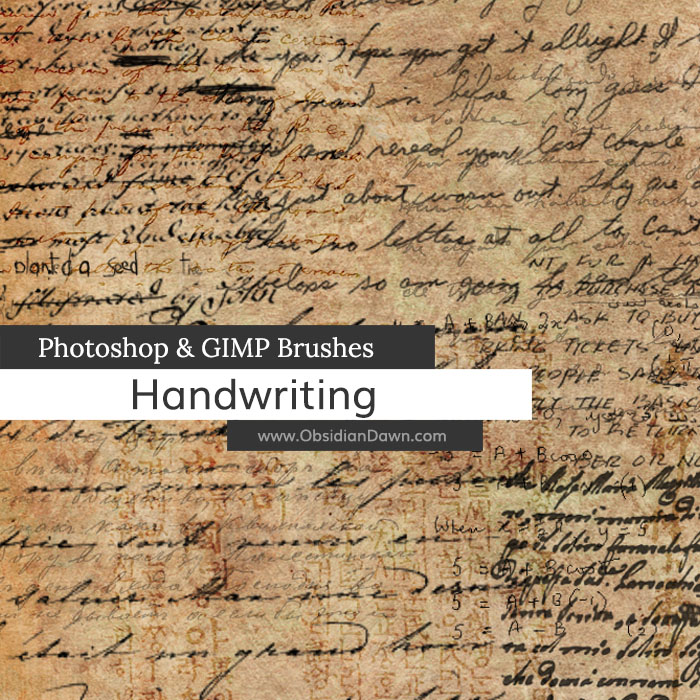
A set of Photoshop & GIMP brushes composed of various handwriting samples.

Handwriting Brushes

Includes: Arabic, Chinese, English-Cursive, various English class notes (math, physics, chemistry, etc), English-children’s, English-calligraphy, English-children’s, English-printed, English-ALL CAPS, French, German, Hindi, Italian, Japanese(kanji), Chinese (Hanzi), Korean (Hangul), and many more!


Programs: Photoshop 7+, Photoshop Elements 2+, Gimp 2.2.6+
Brushes: 47
Size: 4.23MB


>> Download the brushes
>> Download the image pack

Please read my terms of use before downloading!

34 Responses to “Handwriting Photoshop & GIMP Brushes”

  1. Ashley

    Hi, I am part of the yearbook committee at my high school and we are really interested in using some of your brushes to help complete the look of a few of our pages. I would like to ask for permission to use your brushes and we will give you full credit in our colophon which is in the back of every single yearbook. The yearbook staff would greatly appreciate this, so if you could e-mail me back at razorback_track15@yahoo.com with an answer or further questions please do so as soon as possible. Thanks!

    Ashley P.

  2. Ashley: Certainly, Ashley. You’re more than welcome to use them, yes, as long as you credit me within the yearbook for their usage. Sounds good!

    Thanks for checking. :)

  3. I cannot thank you enough for these wonderful brushes – they’re an absolute favorite! I was delighted to be able to use them on the header for my new blog design – thanks for offering such quality work for free!

  4. Elvira

    Hello,

    my friend has asked me to work as designer for her new charity campaign. I would like to ask for permission to use your handwriting brushes to design layout for her page. Of course we will give you the credit for the brushes and I’m also planing to start my own website. I will than put the link of your page on my website.

    Thank you in advance and kind regards

  5. Elvira: You’re more than welcome to, yep! Blessings on your new charity endeavor!

  6. cathy

    Doesnt seem to work in my gimp

  7. Cathy: If you have version 2.2.6 and above, it should work. I’m afraid I can’t give you directions, as I haven’t ever tried GIMP before. I do plan on downloading it and making an installing brushes in GIMP tutorial someday, but I just haven’t had time to learn all of that quite yet. You should be able to search and find how to use Photoshop 7 brushes in GIMP alllllll over the internet, though!

    In fact, I did one for you, and here’s a forum topic that confirms that you can use them, and explains how: http://gimper.net/viewtopic.php?f=8&t=3359&st=0&sk=t&sd=a&sid=5cc2ebbc3f9d07ea462a740c30fedf1a

  8. Maddie

    Completely confused on how to download this….

  9. @Maddie: Click on the capitalized “DOWNLOAD THE BRUSHES” to get them, then check out the links in the sidebar explaining how to unzip (if you’re unsure) and the other on installing brushes.

    Hope this helps! :)

  10. Maddie

    I’m not sure what you’re saying, but thanks for helping :D. I get a little screen called Downloads that appears, then I click Open. But I was wondering what file I would go to inside my computer. I know I start out with My Computer, but I have no idea where to go to next. I have Photoshop Elements 6.0.

  11. @Maddie: Click “Save” instead of Open. Then it will ask you where you want to put it. Find your desktop, and put it there so that you can find it easily again. Then follow this: http://www.obsidiandawn.com/how-to-unzip-a-file

    Then follow this: http://www.obsidiandawn.com/installing-photoshop-brushes-gimp-tutorial

    Those will walk you through how to unzip the file and then how to install it into your Photoshop for usage. The very end of that second tutorial explains a bit about how to use the brushes at the end there, too. Basically, play around with them once you’ve got them loaded and you’ll see what they do fast enough. :)

    Good luck!

  12. Maddie

    My Downloads page says only Open, and Remove. Thanks for the tips, I’ll go check the websites. Thanks again

  13. Thank you so much for these brushes! They’re wonderful, and are perfect for what I do. (the kanji is mostly what I use)

  14. Alicia

    I just started to use GIMP a few weeks ago, to do some srapbooking for my mom – and I hated the brushes it came with. But! – after downloading these, I fell in love with GIMP!

    Thank you so much for allowing me to use these!

  15. I used a couple of your brush sets for expimenting with GIMP. These are simply amazing, Thank you for sharing them. The finished image is in my gallery at the above address if interested.

  16. pkillian

    Can I use these for personal use only, I am not publishing them. thank-you

  17. Manel

    these are absolutely the best!!!!!!!!!!!!!!!

    Thanks for sharing

  18. Emma

    These brushes are amazing :)

  19. Dew

    i would love to use these brushes, except for some reason, it wont let me download them!!! i had already downloaded a lace brush, but when i tried to download this brush, it would just reload the page!! i dont know if it is the brush, or if it is my computer, but im awfully disappointed…(i wanted to try them out right away > <)

  20. @Dew: Hmm. They’re downloading for me just fine. Perhaps it was an odd, temporary event? Try it again – it should work! If it doesn’t work, then there’s some settings in your browser somewhere that’s disallowing it.

    Good luck, and sorry I couldn’t help more!

  21. Ashley

    Hi there! I am part of the Newspaper staff, and I’m designing a graphic for a story that involves a math teacher. And I surfed along the net and found this set of brush that has the brushes I need. Can I have your permission to use this brush set, and publish it onto our school newspaper? If you can reply soon, that’ll be great. Thanks!

  22. vijeth suvarna

    its a wonderful brush…..which make me 2 tink abt my pastschool days

  23. cess

    hi there! can i use it for photoshop cs4?
    is it free to use all the brushes.

    thanks in advanced. :)

  24. @cess: Yes, and yes. When it says that they work in Photoshop 7+, that includes all the Photoshops after 7, including the CS series.

    As far as it being free, it IS, but you need to credit me for their usage that way. You can read about my terms of usage here: http://www.obsidiandawn.com/terms-of-use

  25. Ilse Batten

    Thank you so much for this kind gesture. I have no idea of how to use these but will experiment. Saw what someone had done on flickr with them and was enchanted

  26. Celly

    Omg these were really cool!
    I just recently joined this page, but I have found so many cool brushes here! I have been to many different pages, but this one is really the best one! :)
    Thankyou for making such cool brushes :)

  27. Sarayu

    OMG! thanks soooo much for these brushes! my work looks marvelous thanks to you!!! great work! THANKS! ^_^

  28. evilkitty75

    lol thx stephanie these r perfect for the *looks round* weddin
    invites im designing …O_~ ..

  29. Rosalinda

    Is it OK if I use your brushes for a church flyer……its a flyer that gives information about a youth revival.

  30. June

    these are awesome!!!!

Leave a Reply

See Your Image here - Submit Now!
Obsidian Dawn on Facebook