
Aug 14 2006

Kanji Photoshop & GIMP Brushes

Category: Brushes | Tags: , , ,

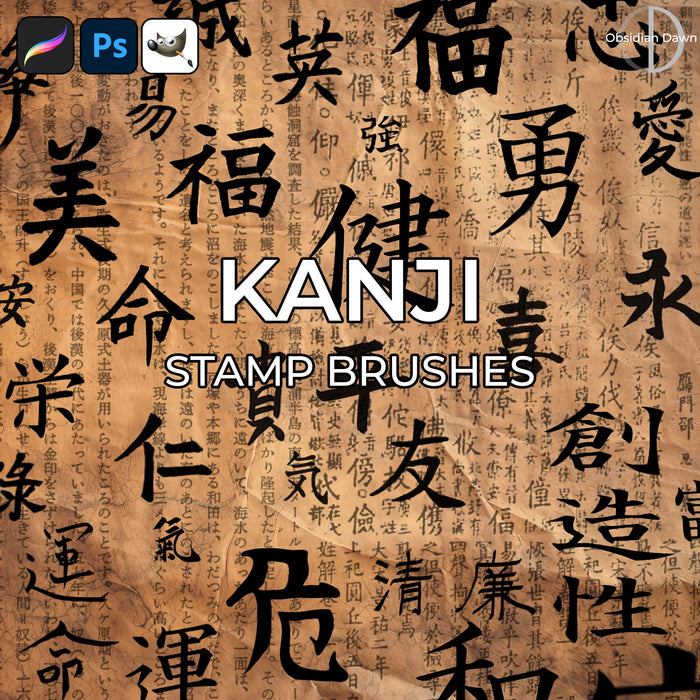
A set of Photoshop & GIMP brushes composed of various calligraphic characters in kanji. Each brush is named what the symbol means.

Kanji Brushes

Includes: beauty, courage, dangerous, eternity, good luck, happiness, health, honor, love, peace, serene, truth, wealth, wisdom, whole pages full of text, and MANY more!

Programs: Photoshop 7+, Photoshop Elements 2+, Gimp 2.2.6+
Brushes: 40
Size: 1.56MB


>> Download the brushes
>> Download the image pack

Please read my terms of use before downloading!

17 Responses to “Kanji Photoshop & GIMP Brushes”

  1. mIKhAelA

    The brush isn’t named at all… So I’m really confused.. Can I ask what all their names are? Thanks by the way~ :D

  2. mIKhAelA

    ummm… if im right, is it the one in the image pack? (just knew it now)

  3. @mIKhAelA: The brushes are named, too. If you hover over a brush in the brush preset picker (the window that pops open when you go to select a brush), it’ll state what the name is.

    Or you can look in the image pack, sure. Either works. :)

  4. Koryander

    I love how you acurately have the correct brush strokes and spelling! I spent ten years of my short (20 yeared) life learning Kanji! You rock!

  5. AnteK

    that doesn’t work for GIMP though

  6. @Antek: It does, actually. You just have to make sure you have a recent version. It’ll work in GIMP versions 2.2.6 and onward. Go download the newest version, and I promise it’ll work! :)

  7. AnteK

    oh right grand thanks:D
    i downloaded the image pack anyway

    and one more question, sorry
    if i download GIMP 2.2.6, will all the brushes i’ve downloaded be deleted or will they stay in the same folder?

  8. @Antek: It should just install over the old version. But I don’t use GIMP personally, so don’t take my word for it for sure. You may want to copy them before you do it to make sure you don’t lose anything! But, I really doubt they’ll go anywhere. Good luck! :)

  9. [...] Kanji Photoshop & GIMP Brushes | Obsidian Dawn [...]

  10. Roz Willoughby

    Fantastic… thanx

  11. chase

    thank you sooooooooooooo~ much for making these. i used them on a deviant ID (http://theheartsdarkwish.deviantart.com/art/my-1st-ID-130969161) i gave you credit, dont worry ;D

  12. Did"

    I confirm, the brushes aren’t named and it raises a lot of problems. Can you indicate names, please ?

  13. @Did: I absolutely promise you that they are. If you are using Photoshop 7, CS, CS2, CS3, or CS4 they WILL show up with names. I’ve used them successfully with every one of those versions, and the names show up just fine by hovering over the brush in the brush preset picker, or by setting it so that the brush name is shown.

    If you are using GIMP, this may not work, but that’s not something I can fix. That’s a Photoshop to GIMP functionality issue, if that’s the case. Please let me know how you’re trying to view the names if you still can’t get this to work in Photoshop!

  14. lildevil

    ive downloaded 3 brushes packages , what the hell am I doing wrong ? I d di everything u said and for some reason gimp just says failed unkown type , please help lol

  15. @lildevil: Are you extracting them from the ZIP file that they come in? If not, you need to do so. Double click on the ZIP file you downloaded to extract it, it’ll ask where, and then make sure you’re putting them into the right folder. (Check my “Installing Brushes” link in my sidebar for instructions.) Is your GIMP version 2.2.6 or higher? If not, you’ll need a newer version.

    If neither of these helps, I’m not sure what to tell you. If you’ve read my tutorial on installing, and it’s still not working, you may have to check with a GIMP community to see what the problem might be. I’ve never used GIMP. I make these as Photoshop brushes, and I could give you all the help you need with Photoshop… but they DO work with GIMP, too… I just can’t help you with that one, sorry!

  16. Zap

    So these will come with the meanings of the symboles?
    Well, I’ll probably find out when I download’em huh? xD
    I think I’m gonna have fun with these, I dont know why I didnt download’em before… maybe I’m stupid!!! xD

Leave a Reply

See Your Image here - Submit Now!
Obsidian Dawn on Facebook