Leaves Photoshop & GIMP Brushes
Posted in: Brushes | Tags: , , , .

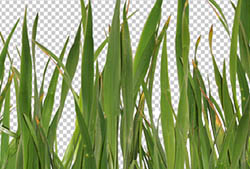
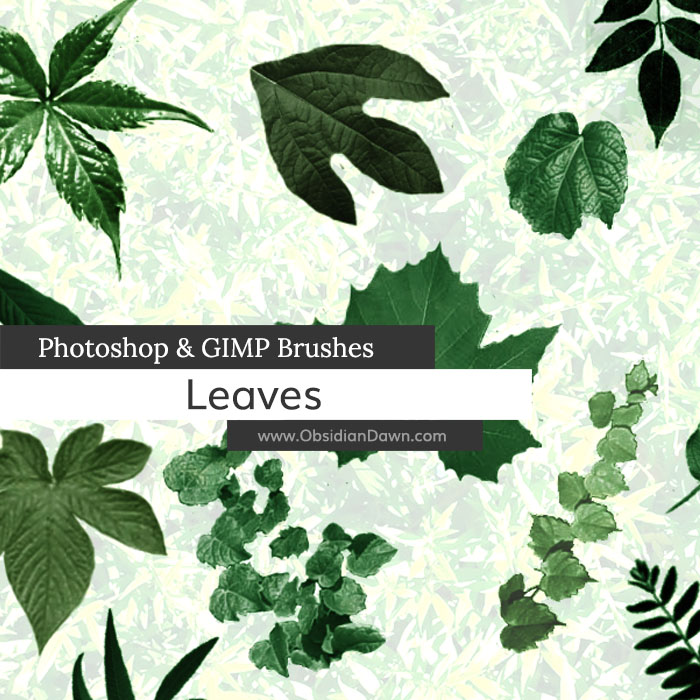
A set of various types of leaves, including individual leaves, vines, and several different clusters.

Includes: sassafras, sycamore, mulberry, virginia crawler, pawpaw, honey locust, hercules club, water hickory, and various others that I wasn’t sure what they were.

Leaves Brushes

Programs: Photoshop 7+, Photoshop Elements 2+, Gimp 2.2.6+
Brushes: 28 total (18 unique, some in various orientations)
Size: 705KB

Leaves Brushes
How to Install?
Terms of Use
 

Download the image pack (for those without Photoshop & GIMP)

Share and Enjoy:
  • Digg
  • Facebook
  • Twitter
  • del.icio.us
  • StumbleUpon
  • Blogplay
  • Google Bookmarks
  • Print

22 Responses to Leaves Photoshop & GIMP Brushes

  1. Plukie says:

    Thank you very much, exactly what I was looking for ;)

  2. Evelyn says:

    These are fantastic! Love the way they come out :) Beautiful for making beautiful things :) TY!

  3. k4sh1r0 says:

    nice. thanks

  4. Pingback: Free Photoshop Brushes | Richardcqz dot Com

  5. JoeE says:

    Thank you. I really like your brushes. I’ve been using them ever since I found them through the Philter Phrenzy at graphics.com. I always give you credit when using them in renders. Check out my gallery at Renderosity under the name popeslattz.

  6. raynewalker says:

    It’s so hard to find Elements 2.0 brushes. Yours are stunning, especially this set. Thank you for sharing your talent and fabulous designs with the rest of us.

  7. LynnK says:

    I can’t say it any better than raynewalker’s comment and I post a link to your site wherever I can. Thank you so much.

  8. Sassy says:

    Thank you so much for all the amazing gifts you’ve shared, these are just perfect for a project I’m working on right now. Thanks again!

  9. mike says:

    thanks a lot, really helped me

  10. Lilypad says:

    Thank you very much, love these brushes. Is there a way to make these color, sorry I am new to this

  11. Stephanie says:

    @Lilypad: Check out my tutorials. “Removing Transparency from Brushes” works directly with a leaf from this set to show you how to make it look realistic. :)

  12. Pingback: Pattern Inc » Eco-Friendly Design Tutorials and Resources Round-Up

  13. Pingback: Eco-Friendly Design Tutorials and Resources Round-Up | Best Wordpress News™

  14. Pingback: Eco-Friendly Design Tutorials And Resources Round-Up « hi-pk.com

  15. Pingback: TRICKS FORUM » Eco-Friendly Design Tutorials and Resources Round-Up

  16. Pingback: TOPGFX » Blog Archive » Eco-Friendly Design Tutorials and Resources Round-Up

  17. Pingback: Eco-Friendly Design Tutorials and Resources Round-Up « Tips for online tech users, Designers, Blogger, Learners…

  18. Pingback: Eco-Friendly Design Tutorials and Resources Round-Up » abdie.web.id

  19. Pingback: Eco-Friendly Design Tutorials and Resources Round-Up - cFox

  20. Pingback: Eco-Friendly Design Tutorials and Resources Round-Up Web Burning Blog

  21. Pingback: Eco-Friendly Design Tutorials and Resources Round-Up | LionWebMedia.com

  22. kasumi says:

    thank you..they are amazing.. ><

Leave a Reply

Your email address will not be published. Required fields are marked *

*

You may use these HTML tags and attributes: <a href="" title=""> <abbr title=""> <acronym title=""> <b> <blockquote cite=""> <cite> <code> <del datetime=""> <em> <i> <q cite=""> <strike> <strong>