
Feb 13 2008

Light Swirls Photoshop & GIMP Brushes

Category: Brushes | Tags: , , , , ,

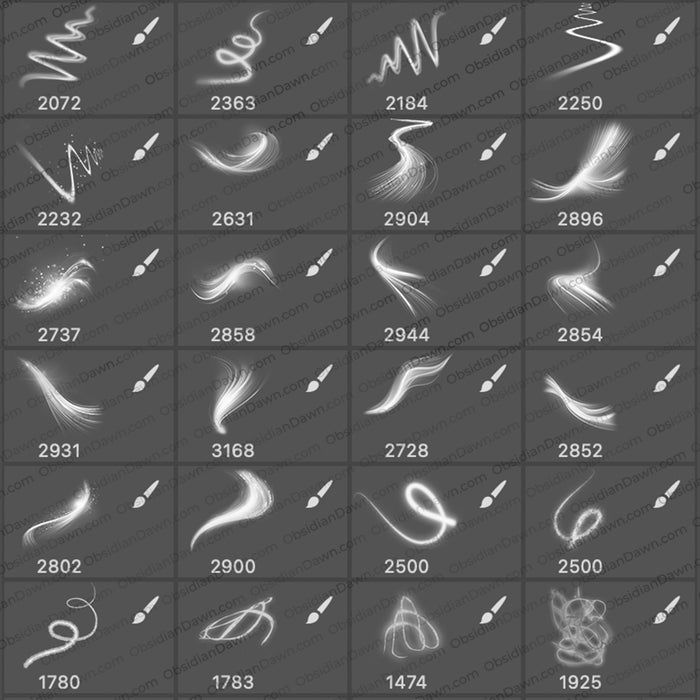
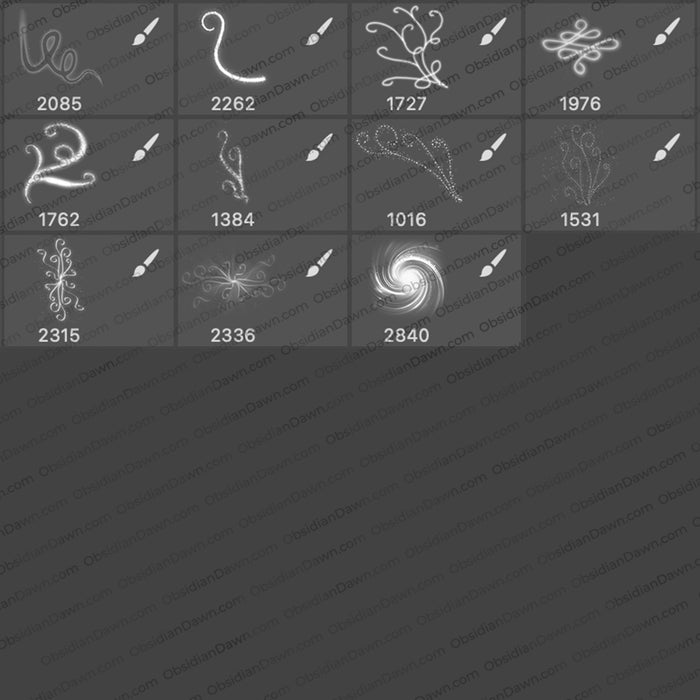
A set of Photoshop & GIMP brushes composed of swirls of light. These are all original designs, some with a glittery effect. The average size is about 1800 pixels, so they’re high resolution!

Light Swirls Brushes

Programs: Photoshop 7+, Photoshop Elements 2+, Gimp 2.2.6+
Brushes: 22
Size: 15.6MB


>> Download the brushes
>> Download the image pack

Please read my terms of use before downloading!

Brushes Tip: To get these to look like my preview image…

  • start with a dark background
  • make a new layer (SHIFT + CTRL + N for PC) (SHIFT + CMD + N for Mac)
  • select the brush in this set that you’d like to use
  • making sure white is your foreground color, click somewhere on the canvas to use the brush
  • click on the “Add a Layer Style” button at the bottom left of your layers palette (or choose Layer > Layer Style from the main menu) and then choose Outer Glow
  • set the blend mode to “Normal” and choose a strong, saturated color (bright red would work well, light pink would not)
  • play with the “Size” slider until it looks how you want it, and then hit OK

15 Responses to “Light Swirls Photoshop & GIMP Brushes”

  1. M10tje

    I don’t have photoshop or gimp but i always use your brushes with Swishmax.
    Thats a program for webdesign in flash.

    It works very good with that program.

    M10tje from Belgium

  2. Gursharan Singh

    Well, i can say only a word “Awesome!”
    I’m a self learning artist and really needed the type of brushes for making some Fantasy Art

    Thanks Guys…..

  3. Mordana

    This is Beautiful …You have great talent … ^^
    Do not ever forget
    Can I ask you something …??
    I am a student of fine arts academies, soon I will create a web page …
    I thought if I could use a few of your brushes .. Of course I will put your link on my web page… :)

    Thanks in advance!!! :D

  4. @Mordana: You’re more than welcome to, yep! Thanks. :)

  5. Teresa

    Very cool! Thank you so much!

  6. Thanks for sharing this wonderful art works.The brushes really help me in my fantasy design..Thanks too for the great tip!

  7. Sandy_in_MD

    Very pretty – thank you!

  8. [...] meddlesome images brushes, squeeze picture container here: [link] Terms [...]

  9. cindy

    how come wheen i open then on gimp they dont glow

    HELP ME WITH THIS PLEASE

  10. @cindy: Because, as you can read at the bottom of this post, I had to do stuff to them to get them to glow like that. :) I explained how to do it in Photoshop, but I’m not sure at all how to do it in GIMP. Sorry. I’ve never used GIMP in my life.

    You could look up how to add layer styles or glows to stuff in GIMP, and I’m quite sure you’ll find about a gazillion results, though. Good luck! :)

  11. evilkitty75

    the GIMP is easy steph n ya ur right she has to play with filters

    im so proud kuz i figured out that effect myself ^.^

Leave a Reply

See Your Image here - Submit Now!
Obsidian Dawn on Facebook