These graphic design resources are free, but there are some limitations to how they can be used. So, please read my terms of use.

Within, you will find thousands of Photoshop brushes (my specialty), custom shapes, graphics, images, transparent PNGs, tutorials, Illustrator vectors, web graphics, and more!

Obsidian Dawn's resources are all original and unique designs. We also sell commercial licenses.

Crop Circles Photoshop & GIMP Brushes

Posted in: Brushes | Tags: , , , , | 16 Comments

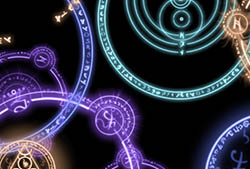
This set of Photoshop & GIMP brushes is composed of crop circle shapes. They’re all beautiful radial designs, so even if you have NO use at all for crop circle brushes, you’ll certainly find a need for these somewhere. Many of them are also shapes in Sacred Geometry.

There is no texture added to these. They are the shapes only. That way, you can apply them to an existing crop texture (or whatever) and create the circles. (Tip: If you’re not looking at your crop from straight above it, make sure you use these on a new layer, so that you can use the Edit > Transform tool to skew their dimensions to look like they’re lying down in the field.)

These are all very high resolution images, with the average brush size being about 2000 pixels.

Read More...

Painting Realistic Skin Textures in Photoshop Tutorial

Posted in: Tutorials | Tags: , | 23 Comments

This tutorial will walk you through how to create realistic skin textures in Photoshop. It accompanies a new brush set that I’m releasing for all versions from Photoshop CS3 and onward. It will explain how to paint with the brushes, blend to create beautiful skin textures, as well as how to add pores and freckles to the skin.

This set is really made for digital painters. If you’re not already accustomed to painting portraits in Photoshop, it may not come of much use to you. But for the digital painters out there that use Photoshop for your painting, this set will help you create skin textures and blend colors like never before.

You’ll need to grab my Skin Textures Photoshop Brushes to follow along with this tutorial.

Unlike my other tutorials, this one is done through YouTube. You can watch the video tutorial below. If you can’t see details well enough, make sure you check the settings at the bottom of the video to make sure that you’re watching the HD version (1020p is what you want – the ability to change this will show up once you hit play, in the bottom middle of the video). You can then view it full screen using the bottom rightmost button, and you should be able to see everything clearly.

Read More...

Skin Textures Photoshop Brushes

Posted in: Brushes | Tags: , , , | 32 Comments

This set of Photoshop & GIMP brushes is composed of brushes used for painting realistic skin textures. There is a tutorial that I’ve posted to go along with it. To make the most of this brush pack, you’ll want to watch it.

Painting Skin Textures in Photoshop Tutorial

Unlike all of my other sets, this set was made to work only in versions of Photoshop from CS3 onward. I’m afraid that Photoshop 7 didn’t have the ability to do with the brushes the kinds of things – mostly blending and smudging – that I wanted this set to be able to do. And the next newest version of Photoshop that I had to make them in was CS3. I’m not sure if they can be used in GIMP or not, but I assume not.

Most of these are not terribly high resolution, since in most cases they won’t need to be. They’re about 800 pixels on average, but should be scalable up to the maximum brush size without any loss of quality if you actually need them that large.

For those of you that are not digital painters or who don’t generally paint portraits, this set does wonders on photos, as well. Use it on someone’s skin to smooth up that skin and make it look professionally airbrushed. It also works great for creating textures in backgrounds and such.

Read More...

Fur Painting Photoshop & GIMP Brushes

Posted in: Brushes | Tags: , , , , | 22 Comments

This set of Photoshop & GIMP brushes is composed of brushes used for painting animal fur. There’s some single hairs, some doubles, and some groupings of several hair strands together. All of them are made to scatter and change their angle just slightly, so as to make the fur look realistic. They will also just slightly alter their hue, saturation, and brightness to allow for the distinguishing between individual hairs, as you can see in the preview image.

Most of these are not terribly high resolution, since in most cases they won’t need to be. They’re about 1000 pixels on average, but should be scalable up to the maximum brush size without any loss of quality if you actually need them that large.

I’m writing a few tips on using these below, so scroll down if you’re experiencing problems using them or just want some help in making them look as realistic as possible.

Read More...

Icicles Photoshop & GIMP Brushes

Posted in: Brushes | Tags: , , , , | 19 Comments

It’s that time of year again! This set of Photoshop & GIMP brushes is composed of various shapes of icicles. There’s some singles, a few that have stuck together into a double icicle, and some groupings for quick and easy placement across long areas. Some icicles are thick, some are thin… some are more transparent, some are frosty white.

They are all extremely high resolution, with an average size of about 2400 pixels. Enjoy!

Read More...

 
Page 2 of 4112345...102030...Last »