These graphic design resources are free, but there are some limitations to how they can be used. So, please read my terms of use.

Within, you will find thousands of Photoshop brushes (my specialty), custom shapes, graphics, images, transparent PNGs, tutorials, Illustrator vectors, web graphics, and more!

Obsidian Dawn's resources are all original and unique designs. We also sell commercial licenses.

Rolled Paint Photoshop & GIMP Brushes

Posted in: Brushes | Tags: , , , | 37 Comments

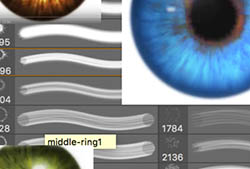
This set of Photoshop & GIMP brushes is composed of various shapes of rolled paint – the kind that you roll on with a paint roller, that is. It includes several single rolled strokes, many put together, and also includes some that you can paint your own paint strokes with. This just includes the kind of textures made from a regular roller – no special effect kinds of paint here. They are all high resolution, with an average size of about 2300 pixels.

Read More...

Scratchout Photoshop & GIMP Brushes

Posted in: Brushes | Tags: , , , | 38 Comments

This set of Photoshop & GIMP brushes is composed of various scratches. They could be used for all kinds of things, from creating an erased blackboard kind of effect to anything that you need to put a scratch texture on. They are all high resolution, with an average size of about 2500 pixels.

This is a fairly large download (almost 55MB).

Read More...

Speech Bubbles Photoshop & GIMP Brushes

Posted in: Brushes | Tags: , , , | 38 Comments

No, I haven’t disappeared off the face of the earth. I’ve been out of town a bunch, though, hence all the quietness and lack of releases. I’m also currently working on painting a book cover, and under a pretty tight deadline, so I haven’t had a lot of free time. Expect things to pick back up in another week or two.

This release has been requested several times now, so I thought I’d finally get around to making a set.

This set of Photoshop & GIMP brushes is composed of various shapes of speech bubbles. It comes with both the bubble shape itself and a second brush for adding an outline to that bubble, if you so desire (see the preview image for what I mean).http://www.obsidiandawn.com/wp-admin/post.php?action=edit&post=1936 They are all high resolution vectors, with an average size of about 2000 pixels.

Read More...

BannerSnack & Tech/Gears Contest Winners

Posted in: Misc | Tags: | 11 Comments

First off, I’m finally announcing the winners of the Tech/Gears Contest winners from last month. Here are the winners and their prizes. They will be contacted (or have already been contacted) shortly.

Tech/Gears Contest

First Prize
Winner: Italian Statuary, by Jo
Prize: Five free commercial licenses of your choosing & a free copy of the Obsidian Dawn Compilation CD
Italian Statuary
Second Prize
Winner: Future Primitive, by Shannon
Prize: Commercial licenses for the Tech & Gears brushes, and a copy of the Obsidian Dawn Compilation CD
Future Primitive
Third Prize
Winner: The 7 Deadly Tech Sins, by Lazaros
Prize: a copy of the Obsidian Dawn Compilation CD
The 7 Deadly Tech Sins

BannerSnack Contest

For the BannerSnack contest, 3 winners were chosen randomly from the comments using Random.org. The winners were Tammy, Mary, and Katrie. They will all be emailed shortly with their BannerSnack premium codes!

Thank you to all who entered!

Creating Faux Bokeh Backgrounds in Photoshop Tutorial

Posted in: Tutorials | Tags: , | 74 Comments

This tutorial will walk you through how to create a faux bokeh background in Photoshop. For those of you that are unsure about what bokeh is, it is a Japanese term used in photography. It is used to describe the qualities of the area of a photo that is out of focus, and is used to help draw your eye to the subject of the photograph. Some pretty cool things happen with bokeh, too. Especially where lights or heavily lighted areas are concerned. Have you ever looked at a photograph or been watching a movie, perhaps where it was dark out, and the lights in the background are all blurry, but instead of just being blurry they appear as these odd gatherings of circles and/or polygons? I didn’t notice it all that often until I started looking, and now I see it everywhere!

You’ll need to grab my Bokeh Photoshop & GIMP Brushes to follow along with this tutorial. This tutorial is specifically geared toward Photoshop users. If you’re a Photoshop Elements or GIMP user, you should still be able to follow along, though the steps may not be exact for you.

Let’s get started!

Read More...

 
Page 5 of 41« First...34567...102030...Last »