
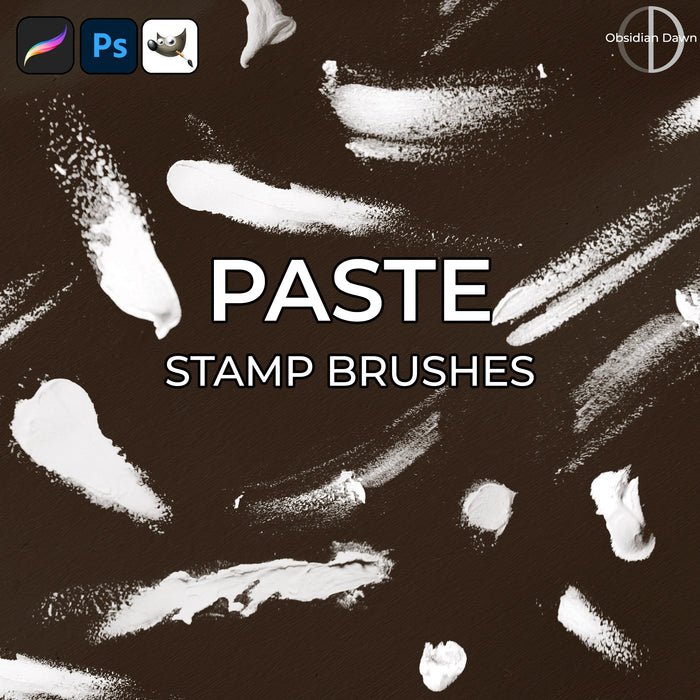
Paste Photoshop & GIMP Brushes

Posted in: Brushes | Tags: , , , .

A set of Photoshop & GIMP brushes composed of various paste marks. Most are smudges made with my finger, others are just globs of paste. Many of the brushes in this set would work great as finger painting smudges, btw! These average around 800 pixels in size.

These were fun to make!

Paste Brushes

Programs: Photoshop 7+, Photoshop Elements 2+, Gimp 2.2.6+
Brushes: 28
Size: 1.96MB

Paste Brushes
How to Install?
Terms of Use
 

Download the image pack (for those without Photoshop & GIMP)

Share and Enjoy:
  • Digg
  • Facebook
  • Twitter
  • del.icio.us
  • StumbleUpon
  • Blogplay
  • Google Bookmarks
  • Print

3 Responses to Paste Photoshop & GIMP Brushes

  1. Vix says:

    These are cool – thanks Stephanie x

  2. Iyah says:

    Hi, I need help!
    how come when I download the “download brushes” I can download it.
    It says “Adobe reader could not open SS-paste.zip because it is either not a supported file type or because the file has been damage (for example,it was sent as a email attchment and wasnt corretctly decoded.”
    Plsss….help!tnx much!

    • Stephanie says:

      I don’t think Adobe reader can open ZIP files, can it? You need to unzip the file first, to which there is an explanation in the “How to Unzip” link in my sidebar. Beyond that, there’s also an “Installing Brushes” that will explain how to install them in Photoshop and GIMP.

      Hope this helps!

Leave a Reply

Your email address will not be published. Required fields are marked *

*

You may use these HTML tags and attributes: <a href="" title=""> <abbr title=""> <acronym title=""> <b> <blockquote cite=""> <cite> <code> <del datetime=""> <em> <i> <q cite=""> <strike> <strong>