
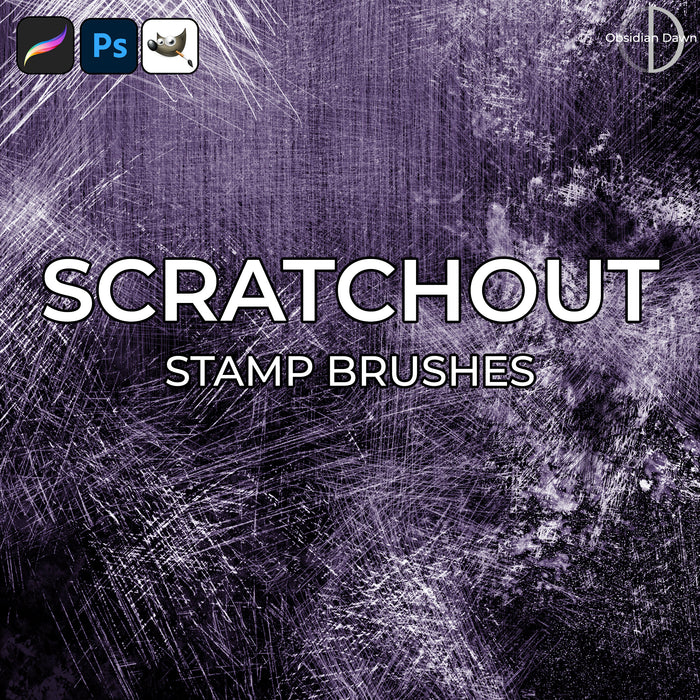
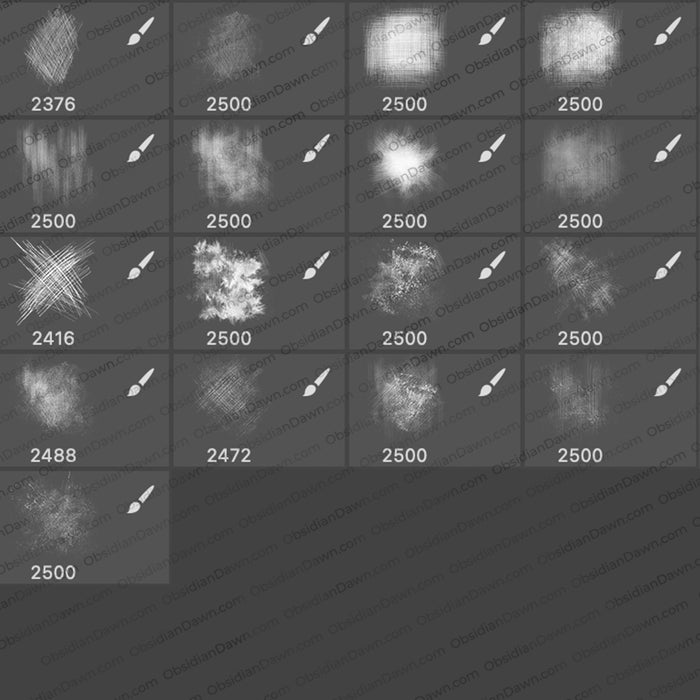
This set of Photoshop & GIMP brushes is composed of various scratches. They could be used for all kinds of things, from creating an erased blackboard kind of effect to anything that you need to put a scratch texture on. They are all high resolution, with an average size of about 2500 pixels.
This is a fairly large download (almost 55MB).

Programs: Photoshop 7+, Photoshop Elements 2+, Gimp 2.2.6+
Brushes: 17
Size: 53.4 MB
Download the brushes
Download the image pack
Please read my terms of use before downloading!
You can read how to install & use these brushes here.
Photoshop Tip:
Learn Photoshop’s shortcuts! It will save you tons of time. Some of my more commonly used shortcuts are (Mac commands in parentheses):
CTRL-A (CMD-A): Select all
CTRL-D (CMD-D): Deselect
CTRL-C (CMD-C): Copy
CTRL-SHIFT-C (CMD-SHIFT-C): Copy all visible layers
CTRL-V (CMD-V): Paste
x: switch foreground & background colors
CTRL-T (CMD-T): Transform
CTRL-SHIFT-T (CMD-SHIFT-T): Repeat Last Transform (very useful for radial designs you’re making using copy – does NOT work with Warp)
[ and ]: Make brush size larger or smaller
CTRL-F (CMD-F): Repeat last filter effect
CTRL-U (CMD-U): Hue/Saturation adjustments
CTRL-I (CMD-I): Invert colors (I use this one a lot when making brushes, since I make brushes with a black background initially sometimes, then invert)
CTRL-ALT-I (CMD-OPTION-I): Image Size adjustments
CTRL-ALT-C (CMD-OPTION-C): Canvas Size adjustments
CTRL-E (CMD-E): Merge layers (or merge currently selected layer down)


31 Responses to “Scratchout Photoshop & GIMP Brushes”
Thanks Loads!! :)
Thanks for sharing these brushes. I have a feeling they are going to be very useful.
Thank you so much. These will make an interesting blend. Hmmm… LOL
Su
Thank you very much for sharing these brushes!
Thank you so much!
Thank you for these amazing brushes! Love the scratches!!! Thanks for the shortcuts too. I learn something new every time I come to your site :)
Wonderful, Stephanie….thank you!
Many thanks for the brushes. I’m going to experiment with them. They look really cool.
Really useful, a big thank you:)
This is EXACTLY what I was looking for! Thanks so much for all your work!
Thank you again for all your brushes. They have been truly helpful in saving me time. Peace.
These are great – thank you, Stephanie!
Thanks, can’t wait to try them out!
Great work. As always. I also create brushes and make tutorials so I can value a good work when I see it.
Thanks so much! You are always so generous!
Thank you for these fabulous brushes!
Thanks so much. I enjoy playing with this stuff so much!
These look awesome! Thank you so much for these!
u the best Steph! :)
These are fabulous! Thanks so much for sharing!
Thanks for the great brushes and the shortcuts list.
What a great resource this site is!
great thanks a bunch :-)
[...] En la web Obsidiandawn se puede descargar brochas gratis, para acceder directamente a la entrada aqui. [...]
Thanks for the shortcuts ;)
steph i used ur brushes for loadsa art work i tryed to post a link for u to see on the old site but it didnt work …. i may make a page for ppl to show off what they have made with ur help!! ^.^
lol i mean i tryed to post a link wen ur site looked differewnt now i see
its the same place just looks different LOL anywhooooo
ill check the group out n post some o my stuffs thx for the reply steph!!!
Thankyou so much :)
Another Winner! thank you Dawn!
Thank for this brushes
Thaanks for the great brushes Steph!
Thanks again
Q
Leave a Reply
Other Links
Member Center
Getting Started
Affiliates
Helpful Links
Follow Us
By Program
Latest Downloads
Popular Now
Web Design and All Content
© 2004-2009 Obsidian Dawn