
Snow & Snowflakes Photoshop & GIMP Brushes

Posted in: Brushes | Tags: , , , , .

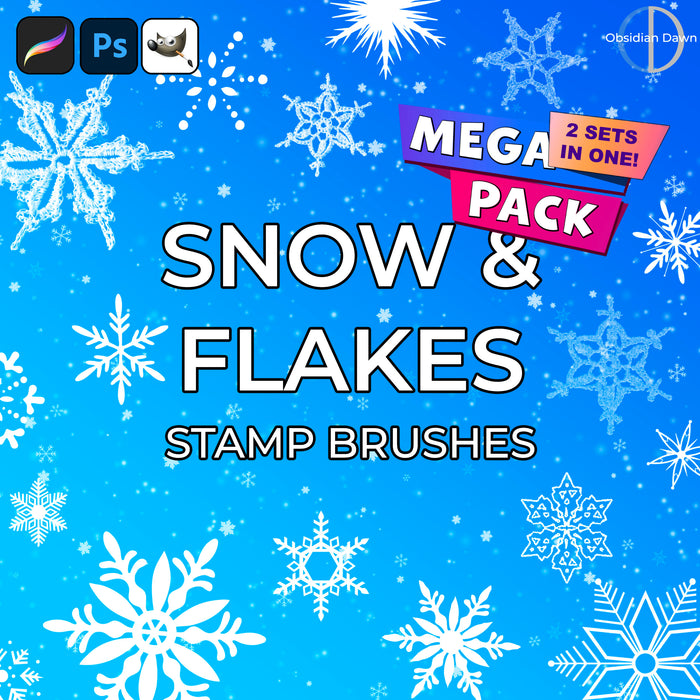
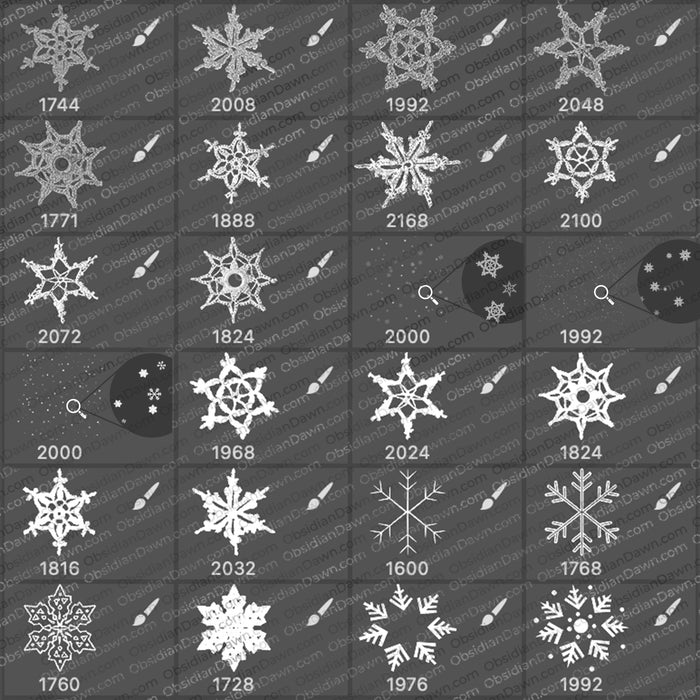
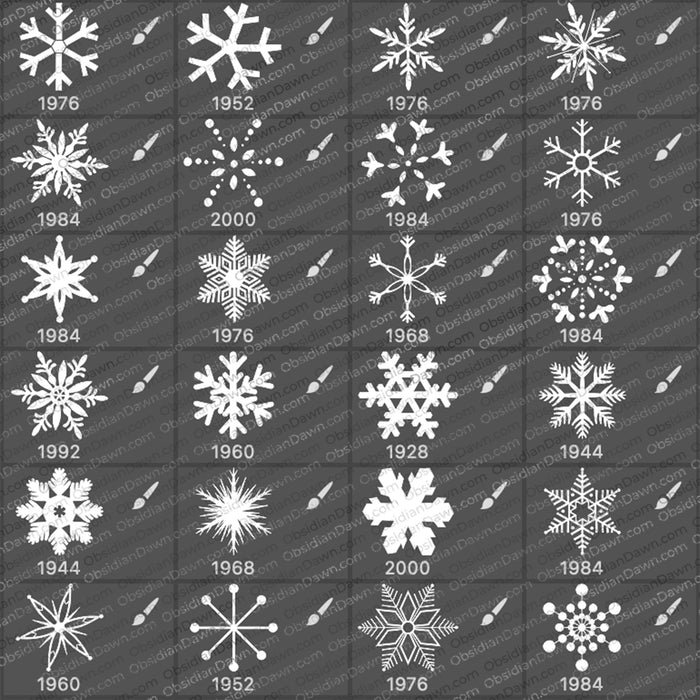
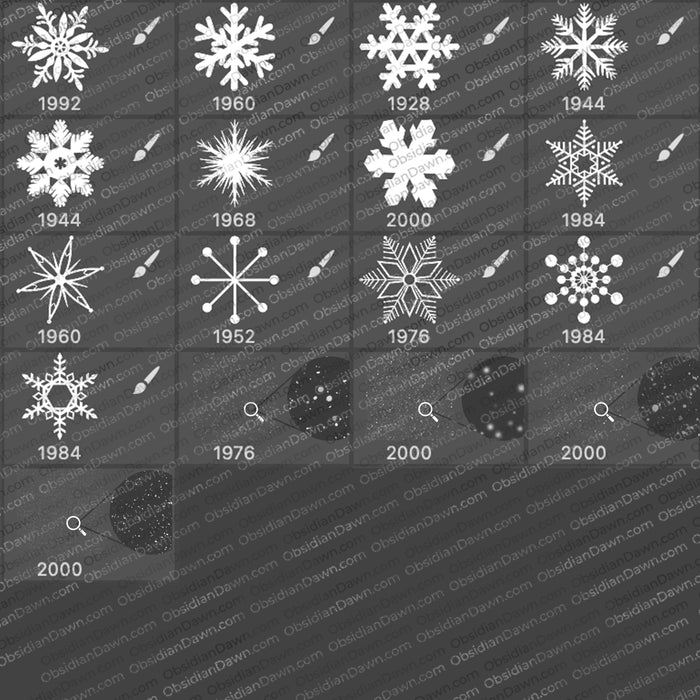
A set of Photoshop & GIMP brushes composed of various snow and snowflakes. This includes various flakes in different shapes, of course, but some of them are patterned, others are vector, some are crocheted, there’s some scattered flake shapes, as well as some made to look like real snow that you can add to any scene to make it look like it’s snowing!

Snow & Flakes Brushes

These brushes were made for NAPP, and were made available on their website several weeks before I released them here. You can find out more information on becoming a member of NAPP and Photoshop User magazine here.

Programs: Photoshop 7+, Photoshop Elements 2+, Gimp 2.2.6+
Brushes: 26
Size: 15.7MB

Snow & Snowflakes Brushes
How to Install?
Terms of Use
 

Download the image pack (for those without Photoshop & GIMP)

Be Sociable, Share!
  • Twitter
  • Facebook
  • email
  • StumbleUpon
  • Delicious
  • Google Reader
  • LinkedIn
  • BlinkList

50 Responses to Snow & Snowflakes Photoshop & GIMP Brushes

  1. Jessica says:

    Thanks, Stephanie. I know this sounds dumb, but I’ve just done some internet searching and I can’t seem to find the difference between having brushes “installed” and “loaded”. People seem to use the two terms interchangably. If I put the .ABR files into presets>brushes, doesn’t that automatically load them?

    Also, I was just thinking, if I’m making a Christmas card, would I need to put credits on there somewhere since I’m using your brush (and for whatever digital scrapbook kit I use?) I’ve never seen credits on a Christmas card before, but I thought I’d ask. Thanks!

  2. Suzy says:

    Thanks for these — ya never know when you might need some snow, right?

  3. Stephanie says:

    @Jessica: If you made a card with them, then yes, you would either need to put the credits on there OR purchase a commercial license. Commercial licenses are $3 per set, and when you purchase them I send you a PDF document absolving you of the need to credit me alongside the use of that brush set, so anytime you use that brush set from then on, you wouldn’t need to credit me. T-shirts, cards, etc are EXACTLY what the commercial licenses are for. :)

    You can read more about them here: http://www.obsidiandawn.com/commercial-licenses

  4. JoyceB says:

    Thanks again, Stephanie…:-)

  5. Jon says:

    Fab! Thanks just saved me an age. Happy Christmas!

  6. Spawny says:

    nice 10x guyz Merry X-Mas!!

  7. Madilyn says:

    These are amazing brushes, but they take along time to download for me. It’s worth it though. Keep up the AWESOME work.

  8. breadmocha says:

    Thank yooooou! XD

  9. terry says:

    These where the first brushes i got :)

  10. terry says:

    Thanks lots :) MAKE MORE PLEASE! please make a brush in the shape of a person.

  11. terry says:

    Madbetta, are you there?

  12. Pingback: Create an Icetastic Ice text effect in Photoshop CS5 | RnetTV

  13. Mungo says:

    It’s always Christmas with people like you sharing their talent, thank you for your gifts

  14. Stéphanie says:

    Thanks they’re great :) xx

  15. great brushes. i like the snowflakes. they are very nostalgic.

  16. Mike says:

    Thanks, very useful set for the comming winter!

  17. Andrea says:

    Hey :)
    Just wanted to say thx for those cool brushes!
    Used them here today: http://www.flickr.com/photos/pucki/5201256146/
    cheers,
    Andrea

  18. Chris says:

    Thanks so much for these lovely snowflakes. They are just what I was looking for. Happy Holidays!

  19. If a web layout like this is made, how would i add the links to each section or each one of the tabs

  20. amit says:

    i would iove to use them,its awesome thank you.

  21. Those are really amazing brushes. Just what we need to an upcoming design project. Thanks for the wonderful idea.

  22. What are brushes? I’m having some trouble figuring it out. Is it just like snow that is animated on the page – or is it a blog background? Sorry for the dumb ? – I’ve never heard of these before today & I was just looking for a graphic of a present (which I found).

    Is it easy to download it and add to Blogger?

    • Stephanie says:

      They’re shapes, made for Photoshop or GIMP. So you need to have one of those programs (or any graphical design program that makes use of brushes) to use them. I have further answers to this on my FAQ page, as well. :)

  23. Pingback: Free Christmas Photoshop Brushes on the Holiday Eve | Photo Gallery Blog

Leave a Reply

Your email address will not be published. Required fields are marked *

You may use these HTML tags and attributes: <a href="" title=""> <abbr title=""> <acronym title=""> <b> <blockquote cite=""> <cite> <code> <del datetime=""> <em> <i> <q cite=""> <strike> <strong>