
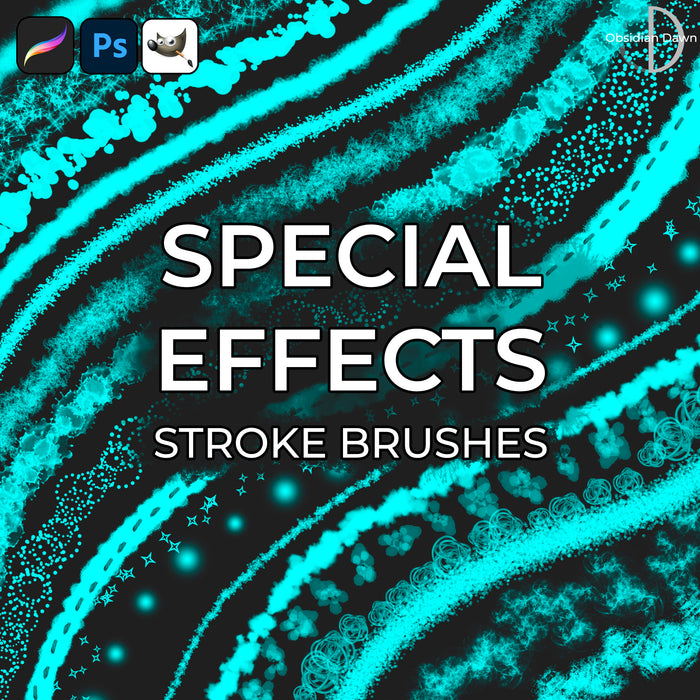
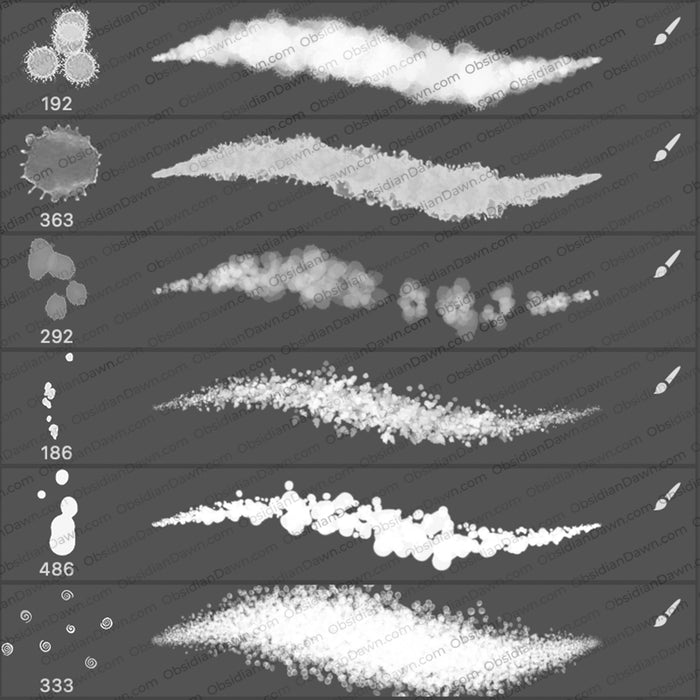
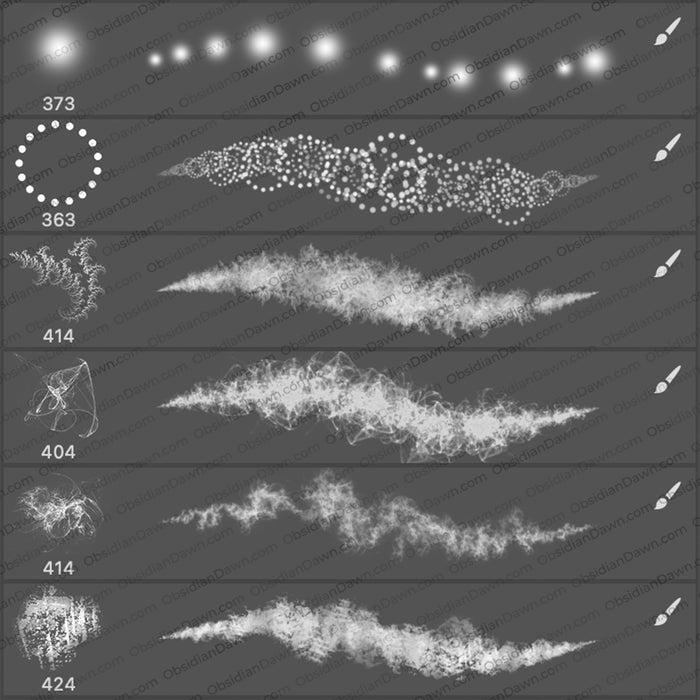
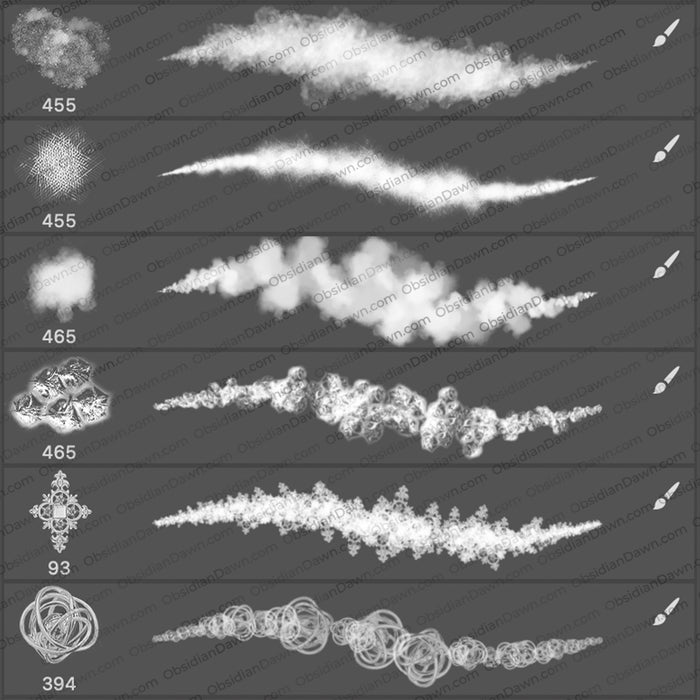
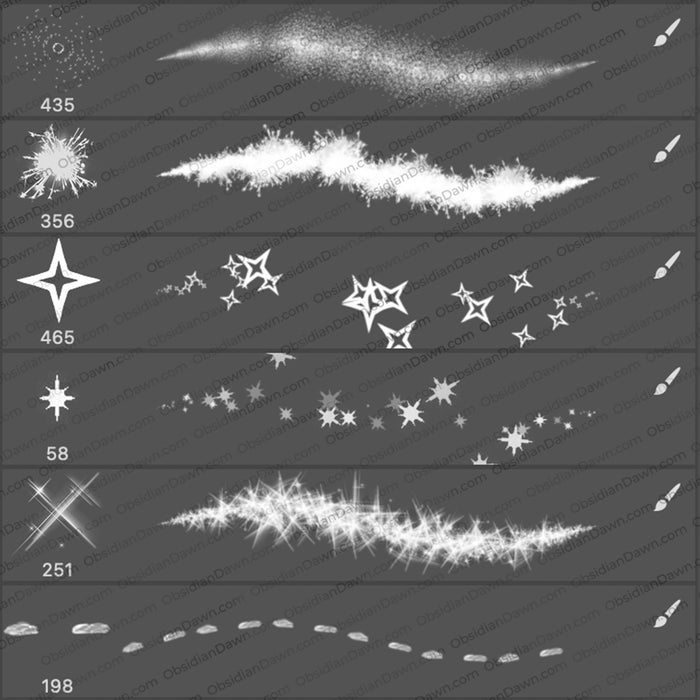
A set of Photoshop & GIMP brushes composed of various special effects or textures.
They are something a bit different than your traditional “stamped” Photoshop brush. These have various effects added to them to make them look different as you paint or draw with them.
The lines that you see in the preview image is what the brush looks like as you paint/draw with it.

Includes: grungy type effects, overlapping circles, various glowing dots, splotches, glitters, etc.
Because of the nature of these brushes, there is no image pack to accompany it.
Programs: Photoshop 7+, Photoshop Elements 2+, Gimp 2.2.6+
Brushes: 24
Size: 5.6MB
Please read my terms of use before downloading!
Brush Tip: To best see what each of these brushes will look like when you use it, you can vary the way that your Photoshop brushes show up for you in your brush preset picker by following these steps:
- click on your brush tool
- click on the small arrow next to the brush preview to open the brush preset picker
- click on the arrow on the upper right side of the small window that opens (where you usually choose which brush you’re using)
- choose “Stroke Thumbnail”
Those options listed in that section are all the different ways that you can view your Photoshop brushes, so try each just to see what it does! You can use this to switch between all kinds of ways to view your brushes, including large and small thumbnails, stroke thumbnails, an image and the name of the brush, etc.


11 Responses to “Special Effects Photoshop & GIMP Brushes”
I love your brushes!!!!!
And your tips helped me a lot because I’m still a beginner in Photoshop.
Regards!!!
Oh lovely, thankyou!!
I love the brushes, but it appears I can only see 5 of them, not 24. :-(
thank you very much, this is extreamly helpfull for people like me. people who have photoshop elements 7.0. we cant cant edit and add effects on the brushes such as jitter (which is the key effect ive been trying to get).
you can add this to brushes (not nearly as in deph as you can on the actual photoshop, ive used the newest photoshop before), but not eraser brushes, smudge brushes, blur brushes and all other brushes…
so thank you very much, you can trust me when i say that i will be using this alot.
Thank you so much for sharing your brushes! They are just wonderful!
Thanks so much, Your generosity is a great help for me
Thank you, Stephanie….:-)
Thanks so much for allowing us to used all of your brushes. This will help a lot. I’m a graphic artist, and probably i will buy one soon.
Fun set – thank you!
I’ve just stumbled across your work from googling a photoshop issue I was having, and then came upon the wondrous collections of your free brushes, tips, and art-related resources. If you ever happen to read this comment; Thank you so much for making this free and being so generous. ^.^
It means a lot to so many people out here in the world. Keep it up!
Tudo muito lindo…Thank you!
Parabéns
Leave a Reply
Other Links
Member Center
Getting Started
Affiliates
Helpful Links
Follow Us
By Program
Latest Downloads
Popular Now
Web Design and All Content
© 2004-2009 Obsidian Dawn