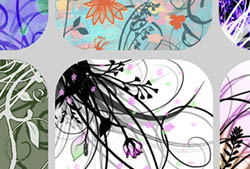
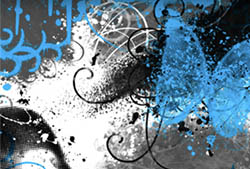
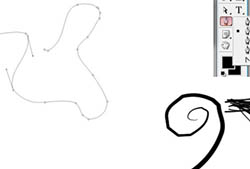
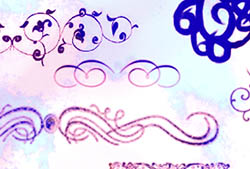
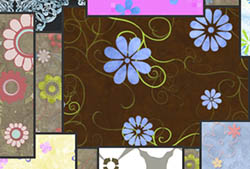
A set of Photoshop & GIMP brushes composed of various swirls, ornamental designs, and flourishes.

Be sure to check out our Swirls & Flourishes II Photoshop & GIMP Brushes set!
Includes: numerous swirls of all kinds, including some corner brush swirls
Programs: Photoshop 7+, Photoshop Elements 2+, Gimp 2.2.6+
Brushes: 37
Size: 1.01MB
Download the brushes
Download the image pack
Please read my terms of use before downloading!


22 Responses to “Swirls & Flourishes Photoshop & GIMP Brushes”
I love these brushes. They’re beautiful. Thank you. Just what I’ve been looking for.
thank you!!!! love those swirls!
awesome…
thank u for the brush!
Thanks a lot!
oh that beautiful brushes thank`s
those make my photoediting career perfect
This is definitely what I’ve been searching for! I’ve been looking for tutorial, but could not find them. :<
Either way, these are a great way to imagine how different swirls could make some amazing details. :)
Excellent – just what I was looking for; thank you very much indeed!
[...] Swirls & Flourishes Photoshop Brushes [...]
Thank you so much*
Really nice brushes!!!
Thank you!
Hi O.D,
I was wondering if I wanted to use your brush to get some church t-shirts printed, do I need the commercial license?
What beautiful brushes. Thank you.
Oh these are outstanding. Thank you!
Hi, once again. I didn’t use the brushes yet, but I’ve already installed a couple. I have a question. This credit thing. How do you do that? Thnx
@Alex: Well, it’s as simple as putting “Brushes by ObsidianDawn.com” next to or on whatever your design is that you’re making with them. If it’s something you’re displaying on the internet, just mentioning it wherever you post the image is great. If it’s on a t-shirt or something that you can’t really put credit on, then that’s what my commercial licenses are for (you then will not need to credit me, if you have a license). You can read all of this here (the links are in my sidebar):
http://www.obsidiandawn.com/terms-of-use
http://www.obsidiandawn.com/commercial-licenses
how do you move the brushes to GIMP? i cant figure it out
I am having so much trouble, please help. I want to use these on my photos and have photoshop 7 but im not sure how to download and where do i go to use them? thank you so much in advance for your help.
@diana: Check my sidebar, where it says “Getting Started” and click on “Installing Brushes”. That’ll explain it all. :)
Thank you so much, these a beautiful:)
Thank you. I forgot to put credit on my website header, http://blueshred.com so I will just put a reciprocal link at the bottom of my page sometime tonight. Thanks for the brushes!
thanks
Thank you so much, these a beautiful:)
Leave a Reply
Other Links
Member Center
Getting Started
Affiliates
Helpful Links
Follow Us
By Program
Latest Downloads
Popular Now
Web Design and All Content
© 2004-2010 Obsidian Dawn