May 16 2008

Travel Sketches Photoshop & GIMP Brushes
Category: Brushes | Tags: , , , , ,

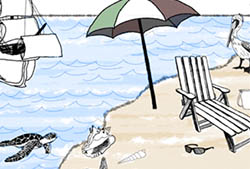
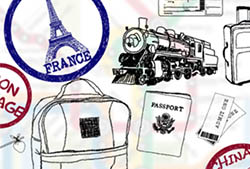
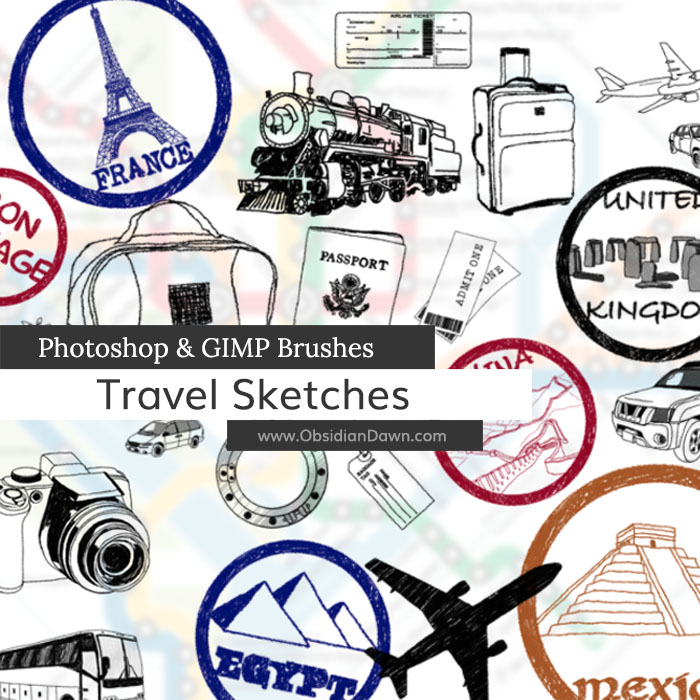
A set of Photoshop & GIMP brushes composed of various sketches of travel themed elements. These were all drawn by hand! They are high resolution, with the average size being about 2100 pixels.

Includes hand drawn stamps from various countries and “wonders of the world,” airplanes, bag, baggage tag, bus, camera, map, passport, ship, suitcase, tickets, train, several driven vehicles (car, SUV, etc), and much more!

Travel Sketches Brushes

Programs: Photoshop 7+, Photoshop Elements 2+, Gimp 2.2.6+
Brushes: 29
Size: 15.0MB


>> Download the brushes
>> Download the image pack

Please read my terms of use before downloading!

Random Photoshop Tip:

Did you know that all of those various windows in Photoshop can be opened and closed? You don’t need to leave them open, if you don’t really use them.

Additionally, there’s a small section where you can “stash” the windows temporarily, if you don’t want them cluttering up your working area. In the upper right, there should be a grayed out section that probably already has a few tabs worth of windows stored there. If you want to move a window there, click on the top bar of the window and drag it into that grayed out area. If you want to move a window from that area into your working space, click and drag the tab down to where you want it, and it will show up as a window again.

If you accidentally close a window you didn’t mean to, no worries! You can get it back again. Under the top menu, click on “Window” and it will show you a listing of all the available windows. A check box next to a name means that the window is currently active, or visible. Clicking on a window once will make it active/visible, and clicking on it again will hide it once again.

2 Responses to “Travel Sketches Photoshop & GIMP Brushes”

  1. Tim Blunk

    thanks for the hard work!

  2. yay! thanks so much!

Leave a Reply

See Your Image here - Submit Now!
Obsidian Dawn on Facebook