Oct 7 2008

Urban Designs Photoshop Custom Shapes

Category: Shapes | Tags: , ,

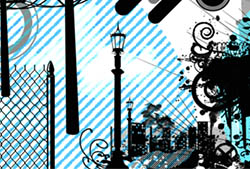
A set of Photoshop & GIMP shapes composed of various urban designs, as vectors.

Includes things like barbed wire, buildings, chain link fence, various circles, street lamps, miscellaneous vector designs, razor wire, smoke, a smokestack, vector splatters, telephone poles, and more!

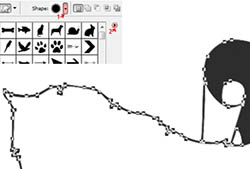
Urban Designs Shapes

Programs: Photoshop 7+, Photoshop Elements 2+
Brushes: 31
Size: 819KB


>> Download the shapes
>> Download the image pack

Please read my terms of use before downloading!

Also available as PS & GIMP Brushes!

Photoshop Shapes Tip:

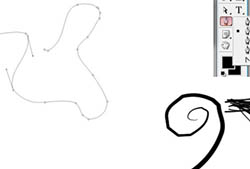
One of the beauties of Photoshop shapes is that they can be made any size, and not lose any quality. Another great one, however, is that they can change in proportion and shape very easily, also without any loss of quality. That’s because you’re working on the path that outlines that shape, rather than a bunch of pixels put together to form an image.

To keep the same proportions as you use a Photoshop custom shape, hold down the SHIFT key as you click and drag. You can let go of the SHIFT key at any time, or hold it down at any point while you’re clicking and dragging to create the shape…. just to see what you’re changing by holding it down, try it.

Try something like Edit > Transform and choose any of those options. Play around with your shape, and you’ll see how easily it is changed in shape, without losing any quality.

Once you’re sure you’re done with it, you can right click on the shape’s layer in your layers palette and choose “Rasterize.” This will convert your path into a plain old pixellated image again and make it harder to edit it, so don’t do this until you’re sure you’re done playing!

13 Responses to “Urban Designs Photoshop Custom Shapes”

  1. evilkitty75

    u made the brushes 2 right kuz i made this with the pack hope ya like!!!

  2. evilkitty75

    http://www.servimg.com/image_preview.php?i=6&u=13152639

    sorry the pic didnt work heres the link thx!!

  3. Sorry to ask here but I can’t seem to find this on google.
    How do you open .csh files in gimp?

  4. Robsteranium: I don’t know if you can. These are specifically made for Photoshop, and I don’t think GIMP can support them. But, I may be wrong.

    You can use the brushes from here, but probably not the Photoshop shapes and almost certainly not the Illustrator Vectors.

  5. lvdesigner

    I just wanted to say THANK YOU so much!!!

    I LOVE your designs.

    God bless & have a beautiful day ;)

  6. Jessica

    Where do you find this in photoshop. I have tried opening a few times and looking under brushes but couldn’t find anything. I also looked under shapes and couldn’t find anything. Some guidance would be much appreciated.

    Thanks

  7. @Jessica: Check out the end of this post, which explains how to install and use shapes: http://www.obsidiandawn.com/banners-scrolls-photoshop-custom-shapes

    Good luck!

  8. muzart

    uhm awesome brushes… i like ….

  9. Sandy_in_MD

    Awesome – thank you!

  10. ok

    To install your brushes, just select the brush tool from your left hand palette in CS and click on the little arrow beside the brush size. Your brush palette drops down. You then click the little arrrow to the right of the palette to reveal the full menu list.
    Select load brush from the menu and browse to where your brush is, select and OK. (Do remember to unzip your brushes first). Enjoy

  11. vielen Dank für die tollen Freebie Shapes,
    wünsche Dir noch einen schönen Tag.
    LG
    Silvia

  12. Thanks, this shapespack made my day!

Leave a Reply

See Your Image here - Submit Now!
Obsidian Dawn on Facebook