Oct 30 2006

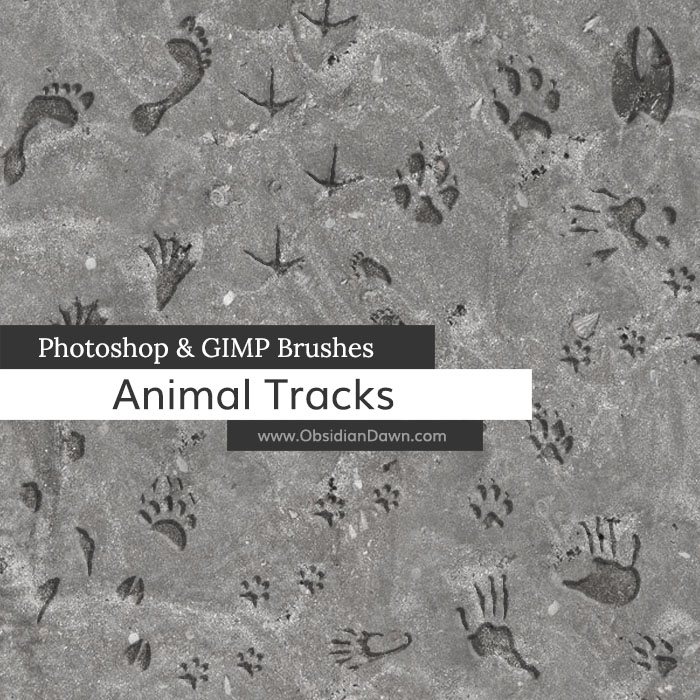
Animal Tracks Photoshop & GIMP Brushes
Category: Brushes | Tags: , , ,

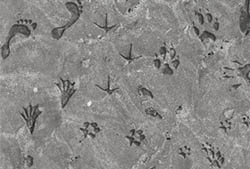
A set of Photoshop & GIMP brushes composed of various animal tracks (hoof prints, paw prints, etc.)

Animal Tracks Brushes

Includes: armadillo, bear, beaver, coyote, crow, deer, dog, fox, housecat, human, opossum, rabbit, raccoon, skunk, squirrel, wolf, and more!

Programs: Photoshop 7+, Photoshop Elements 2+, Gimp 2.2.6+
Brushes: 32
Size: 372KB


>> Download the brushes
>> Download the image pack

Please read my terms of use before downloading!

17 Responses to “Animal Tracks Photoshop & GIMP Brushes”

  1. Evelyn

    Hi! Love these brushes as well as a few more of yours! Yes I am considering useing these on some labels so will be needing the license unless it’s ok to put obsidian dawn on my label? thanks so much for your creative art work.

  2. @Evelyn: If you can put “Brushes by Obsidian Dawn” or “Brushes by http://www.obsidiandawn.com” ON the item/label itself, then sure – that’d be fine. Or you can purchase a license, whichever you’d rather.

  3. cassie

    omg i love these brushes the so cute

  4. Coach Williams

    I am wondering how do I load these brushes. I like them as well, and would like to load them into Photoshop CS4.

  5. Thank You Steph, I found it!!

  6. [...] Brushes (5 in the set)Animal Prints (32 brushes)A-Z Animal Brushes (70 in the set)Hatchling BrushesPhotoshop Animal Tracks Brushes (32 in the set)Photoshop Cat Brushes (16 in the set)Bird Brush Set (17 brushes)Horse BrushesVarious [...]

  7. I LOVE This Site! Thanks For Doin Such a Great Job!

  8. Emma

    Thanks a bunch for these. =]

  9. Celly

    Really cool! Thankyou :)

  10. Celly

    Btw, I am making a logo for a website we have for our dogs, do you mind if I use some of these on it?

  11. Thank you! CU Freebies Only Forum Sent Me!
    Thanks For Sharing your Time and Talent with us!

  12. pitofina

    thank you a lot, it so amazing……

  13. pitofina

    thank you a lot, it so amazing!

  14. Unknowen

    How do you download them on Adobe Photo Cs3? I’ve done it before but I can’t seem to remember exactly on how I did it last. Could I perhaps be sent some information on downloading the brushes onto the program?

  15. @Unknowen: Check out my sidebar, for the link “Installing Brushes” – that’ll get you started. :)

  16. Unknowen

    Thanks a bunch Steph .. If I can call you that = P
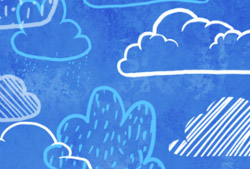
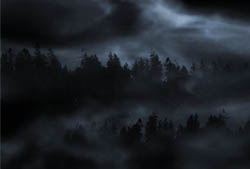
    I’ve been making some really amazing graphics with the help of your cloud paint brushes already *he-he* I love how realistic they make my images look!

Leave a Reply

See Your Image here - Submit Now!
Obsidian Dawn on Facebook