Sep 4 2008

Banners & Scrolls Photoshop & GIMP Brushes
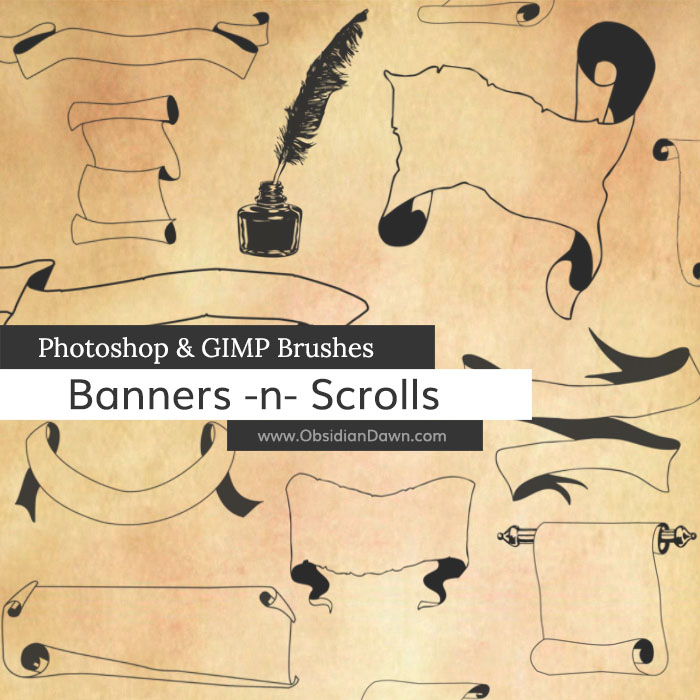
A set of Photoshop & GIMP brushes composed of various vector shapes of banners, scrolls, and other bits of parchment. Also includes a fountain pen in the form of a feather, an ink bottle, and a feather inside an ink bottle. These are all high resolution, with the average size being about 1800 pixels.

Banners & Scrolls Brushes

These are also available as Banners & Scrolls Photoshop Custom Shapes! (which makes for a much faster download)

Programs: Photoshop 7+, Photoshop Elements 2+, Gimp 2.2.6+
Brushes: 21
Size: 1.93MB


>> Download the brushes
>> Download the image pack

Please read my terms of use before downloading!

Random Photoshop Tip:

Ever want to extend a box with rounded corners? But when you Edit > Transform the whole box together, it changes the shape of those corners, making them more or less rounded… and that may not be what you want. (This applies to any shape that you want to extend, not just boxes with rounded corners.) As long as it has a plain background, you can do it by following these steps:

  • First, make sure the box is on its own layer, of course, so you’re not messing with anything around it.
  • We’ll be extending the box vertically, but you could do the same thing horizontally by fixing the steps just a bit.
  • Take the Rectangular Marquee Tool (M) and select the bottom third or so of that box.
    Switch to the Move Tool (V) and start edging that box down using your down arrow key (this will ensure that it stays lined up properly). This should be moving the bottom third of that box down. Stop wherever you want to extend the box to.
  • Now, switch back to the Rectangular Marquee Tool (M) and select a horizontal rectangle from the left edge of the box to the right.. anywhere on the top part of the box where the edges are straight and not rounded from the box’s corners. As long as the box is on its own layer, you can select from a bit beyond the left or right edges of the box - it won’t matter.
  • Now to go Edit > Transform > Scale. Grab the bottom of that transform box and drag it down, until the top part of the shape edge meets the bottom part that we separated from it earlier.
  • You’ve now successfully extended a box with rounded corners vertically, keeping those corners intact. I’ve used this trick countless times in my website preliminary designs, when I started out making a box with rounded corners one size, and decided I wanted it a different size. I’ve used it tons of other places, as well, but I can’t remember where right now. A very handy trick!

Have a great weekend, everyone!

Leave a Reply

Member Center

By Program

Follow Us

  • Fb   Fr   Te   Tw   BC