Nov 17 2004

Blood Spots Photoshop & GIMP Brushes
Category: Brushes | Tags: , , ,

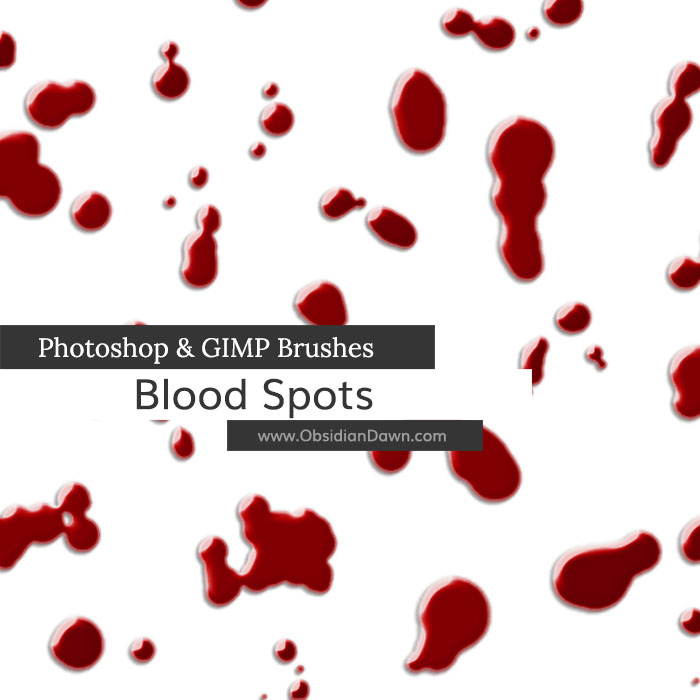
A set of Photoshop & GIMP brushes composed of various shapes meant to imitate drops of blood or any other thick liquid, such as ink.

Blood Spots Brushes

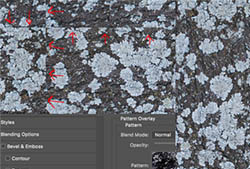
Note: This is made up of the shapes only. The preview image has a layer emboss applied to it. Here are the settings used, if you’d like to imitate it:

  • Drop Shadow – Multiply as Blend Mode, 29% Opacity, 48 degree Angle, 3px Distance, 2% Spread, 2px Size, Default Countour, 0% Noise
  • Outer Glow – Normal Blend Mode, 62% Opacity, 0% Noise, #6e5b5b for color, Softer Technique, 0% Spread, 3px Size, Default Contour, 50% Range, 0% Jitter
  • Inner Glow – Screen Blend Mode, 56% Opacity, 0% Noise, Softer Technique, Edge Source, 9% choke, 3px Size, Default contour, 17% Range, 0% Jitter
  • Bevel & Emboss – Inner Bevel Style, Smooth Technique, 131% Depth, Direction Up, 4px Size, 0px Soften, Use Global Light UNSELECTED, Angle -138 degrees, Altitude: 21 degrees, Gloss Contour: Rolling Slope Descending, Highlight Mode: Screen (white w/ Opacity 84%), Shadow Mode: Multiply (black w/ Opacity 49%)

Programs: Photoshop 7+, Photoshop Elements 2+, Gimp 2.2.6+
Brushes: 26
Size: 828KB

>> Download the brushes
>> Download the image pack

Please read my terms of use before downloading!

6 Responses to “Blood Spots Photoshop & GIMP Brushes”

  1. Rapunzl

    The zip file for the image pack related to this brush is broken. Could you possibly correct?

  2. Rapunzl: Thanks much for the heads up! It’s fixed now.

  3. Rissa

    So to adjust the settings to make the marks look more 3D how do you get into the settings? like the drop shadow / outer glow etc.!

  4. @Rissa: It explains all of the settings I used right on this same page. Hope they help!

  5. Wezetta

    Oh, wow!
    This is awesome for an anime! I’ll use X3
    And…TYSM!!!!

  6. [...] are a couple of brush sets.  One for blood spots and one for bullet [...]

Leave a Reply

Member Center

By Program

Follow Us

  • Fb   Fr   Te   Tw   BC
See Your Image here - Submit Now!