
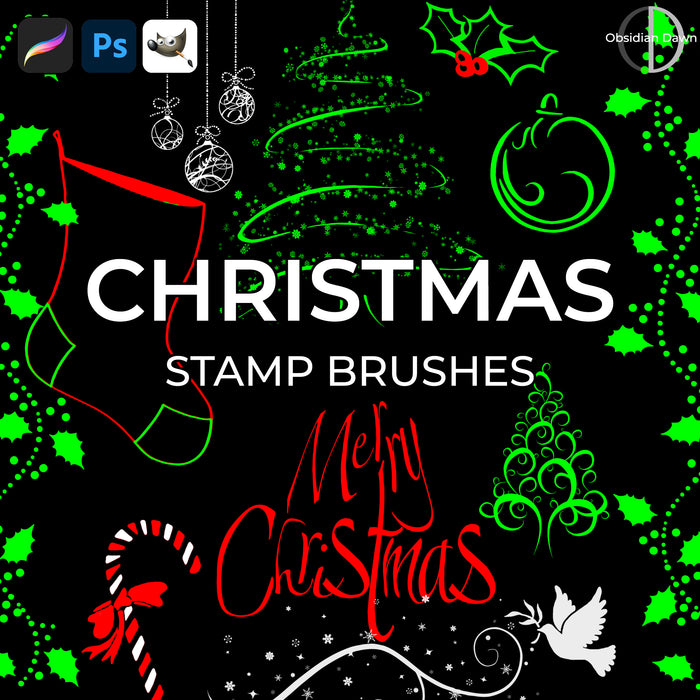
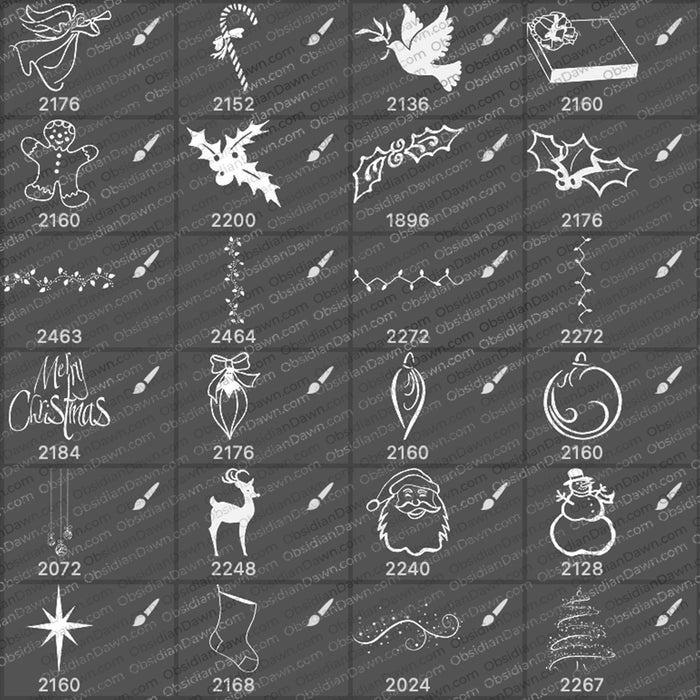
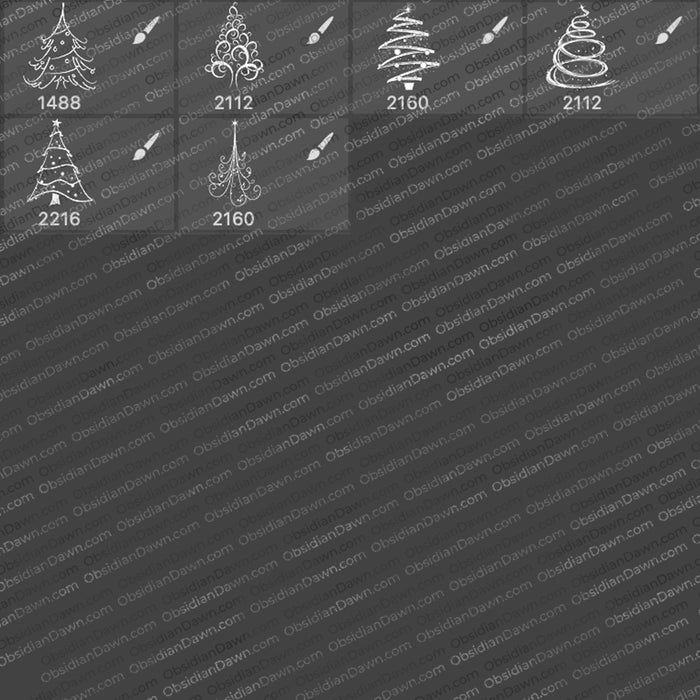
This set of Photoshop & GIMP brushes is composed of various vectors of common Christmas stuff. Includes an angel, candy cane, dove, gift, gingerbread man, lots of holly, some christmas lights and some holly that work great as a border (you can link them up together), “Merry Christmas”, a few ornaments, a reindeer, santa, a snowman, a star, a stocking, some snowy swirls, and lots and lots of Christmas trees!
They are all extremely high resolution, with an average size of about 2200 pixels.
If you’re not sure how to get them to show up in more than one color, check out my “Multiple Colors with Brushes” Tutorial in the tutorials section.
Oh, and if you’re looking for snowflakes brushes (the vector flakes are also available as Illustrator Vectors, too!) …
Snow & Snowflakes Brushes (falling snow & various flakes)
Snowflake Vectors Brushes

Programs: Photoshop 7+, Photoshop Elements 2+, Gimp 2.2.6+
Brushes: 30
Size: 5.2 MB
Download the image pack (for those without Photoshop & GIMP)


m not able to download the brushes, plz help me in doing the same.
happy merry christmas…
@khush: Not sure what’s going wrong for you – it worked for me just now! Perhaps try again, and it wasn’t working temporarily?
Thanks for another great set of brushes!
Thanks so much for these! I can’t wait to unzip them and play!
christmas vectors and brushes. i like it. thanks
I am loving playing with the brushes you have posted. Thanks for being so generous!!
Your Christmas brushes are the best I’ve seen in a while. Thank’s for your generosity.
I really liked your Christmas brushes thank you
Thank you for sharing.
I try to use it by now.
nice collection. I am a visiting first time this site and i think its awesome..
visit this site movies.ewebtutorial.com
Great post, gonna play with these brushes right now!
How do I install the Images??? I am having trouble – I downloaded them – just don’t know how to put them into photoshop?
If you have Photoshop, then what you probably want to download is the BRUSHES, not the images. The images are just black & white, made to be used by people that can’t use the brushes. As far as how to install brushes, check my sidebar and click on “Installing Brushes” – that’ll get you going. :)
Awesome…we have same name!! XD Ok put that aside, I finally reached this page…at least I think. I all downloaded the brushes and played with these on photoshop. Oh Stephanie, (its weird to call same names each other XD), I SO love brushes, images, vectors and images! Gosh, I didn’t know about this until recently someone credited you with providing the website. This is soo awesome! =)) When I’d use them for any purpose reason, I’d be sure to credit you!!! =))
(I have ONE question for you…won’t all of them work on adobe photoshop CS5? Just wonder because I am planning to get updated (I have cs4).)
Yep, they will! All the brushes, patterns, etc. are always (so far at least) forward compatible. Meaning, they’ll always work in new, subsequent versions of Photoshop that come out. So unless they change that trend (which has been going on for at least 6 new versions and over 10 years), you should continue to be able to use these forever.
I’m so glad that you’re enjoying them, Stephanie! :)
Have fun with it, and let me know if you ever have any questions.
Great Christmas brushes, thanks! One question: what is the best way to get the Christmas light brush to look like yours on the display page, with multiple color lights and green cord? Thanks again!
I used the light string brush on its own layer, in green. Then I duplicated that layer a few times, and added a different color overlay to each of them. I erased the cord on each of them, so that the green cord would show through from the first layer. Then it’s just a question of erasing bulbs on each of those top layers to get the right colored layer to show for each bulb.
Love the brushes; thanks so much for the lovley gift! I’m off to play with them now…
Pingback: Weihnachtsmotive mit Photoshop Brushes » PIXELPIPE.de » Grafikblog » Design, Marketing, Werbung, Kunst, PR, Kommunikation
Pingback: Free Christmas Card Vectors and Brushes « Syd Johnson's Blog
Pingback: Some Christmas Free Overlays to Spice Up Your Christmas Cards « Digital Lady Syd's Fun Photoshop Blog
Pingback: Some Free Christmas Overlays to Spice Up Your Christmas Cards « Digital Lady Syd's Fun Photoshop Blog
Pingback: Merry Christmas and Happy Holidays from Digital Lady Syd! « Digital Lady Syd's Fun Photoshop Blog