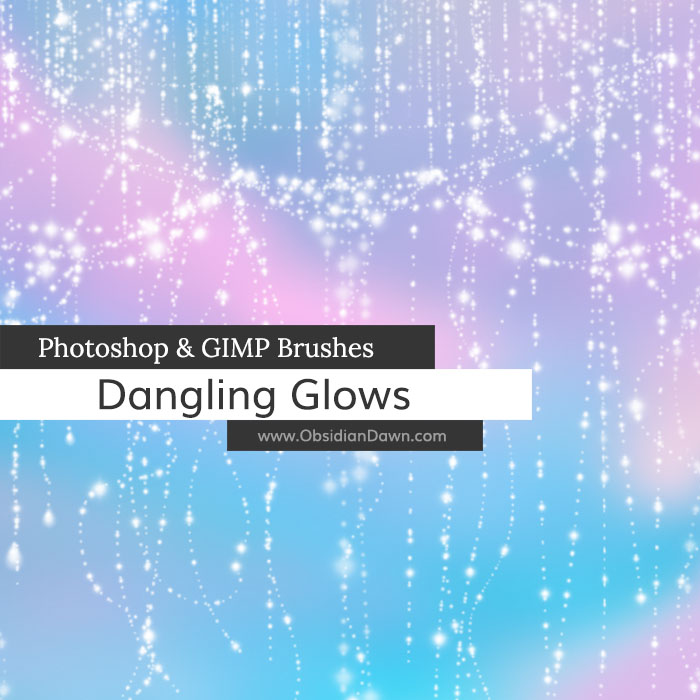
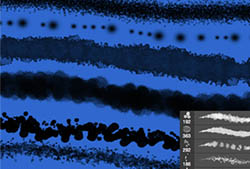
A set of Photoshop & GIMP brushes composed of various dangling glows. I’m really not sure what else to call them! They’re like glitters/glows that have been strung on a string, and they’re dangling or draping in various ways. Curtain shapes, circles, wavy stringy dangles, all kinds of designs. Includes a few “charms” to put on the end of each of the dangling strings (heart, teardrop, butterfly, flower) as well as one of the glow shapes itself, so that you can string together some of your own shapes!

Programs: Photoshop 7+, Photoshop Elements 2+, Gimp 2.2.6+
Brushes: 29
Size: 1.21MB
Download the brushes
Download the image pack
Please read my terms of use before downloading!


22 Responses to “Dangling Glows Photoshop & GIMP Brushes”
one of my friend told me you’re website. i try some of the brushes, patterns and shapes and it’s nice and it helps me a lot to design in adobe photoshop as a beginner. i really appreciate the help you’ve given me. hope that soon you may add some. thank you very much and more power to all who involve in this website.
I love these brushes. They’re so pretty and one of my favorites. =D
YAY. My computer crashed and I lost all my previous photoshop data, including your brushes and the addess of your site. I’m so happy to have found it again. your brushes and other designs are the most beautiful things i;ve seen for photohop and your site is very comprehensive, very helpful! Thank you!
ALL your brushes are terrific !!! Love this one the most !!! Thank you for sharing your wonderful work !!!
Thanks, can’t wait to try them out.
Thank you!!! These are wonderful.
Thank you so much for sharing!
These are lovely….thank you, Stephanie!
Love these, great for making Fae trails!
[...] 下载 | 下载页面 [...]
Nice!! Thankyou…
Very pretty – thank you!
i would love to have this but for some odd reason my computer wont down load this or the lighting bolts.T~T i hate it when my stupid computer f***s up.does any one think they can help me?
beautiful,t hanks a million!
genius. completely
I am a long time artist but fairly new at Photoshop. I took a CS3 class last year and was learning with CS4 software! Uggh! What a nightmare that was! Never worked with Photoshop before then! So i really do appreciate your brushes and style to help me throught the tough spots. I am a Graphic Arts student and just getting to know the software is mind bending. I wouldn’t change it for the world though! I love a challenge and I love what I do!
Thanks Again!
[...] 下载 | 下载页面 [...]
Simply beautiful. thank you for sharing…
nice brushes!
I’m trying to legitimise my operation and get into using Linux and GIMP but my bleedin WACOM tablet is screwed in Linux so I guess that noble venture has met an unseemly end at the hand of ugly gremlins.
You seem well clued up, got any really simple drivers you can point me to in order to get the pressure sensitivity working on my graphire4?
I was really starting to like LinuxUbuntu n all. ::sniff::
@Chris: And you’ve tried Wacom’s website? That’s where I’ve always got mine, whenever I had a problem. I’ve never tried Linux, though – so I’m not sure about all that. It’s certainly a bit harder to find stuff for a more secure OS though, eh? I wish you the best of luck with it, though!
[...] I actually got the idea for these by noticing the trail of small circles on my wall, where the light was shining through the holes in my window blinds. Thought it was pretty, made a set of brushes. They’re also similar to my Dangling Glows Photoshop & GIMP brushes. [...]
Vos pinceaux sont superbes, merci pour tout ce travail que vous nous offrez. Vous êtes une personne très généreuse; encore merci pour tous ces magnifiques partages.
Leave a Reply
Other Links
Member Center
Getting Started
Affiliates
Helpful Links
Follow Us
By Program
Latest Downloads
Popular Now
Web Design and All Content
© 2004-2010 Obsidian Dawn