
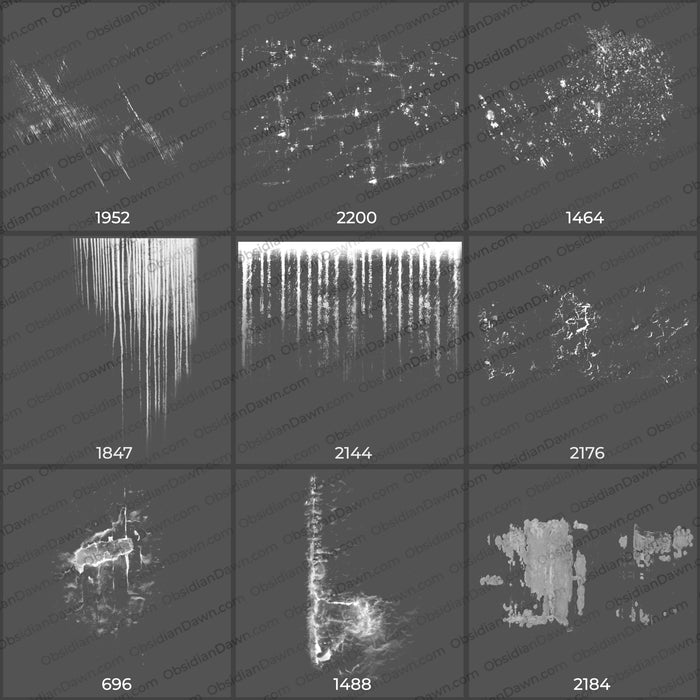
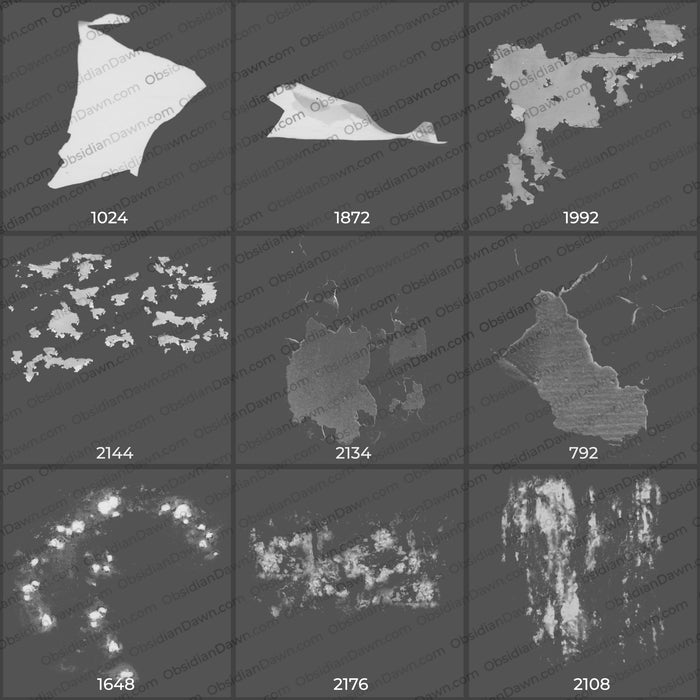
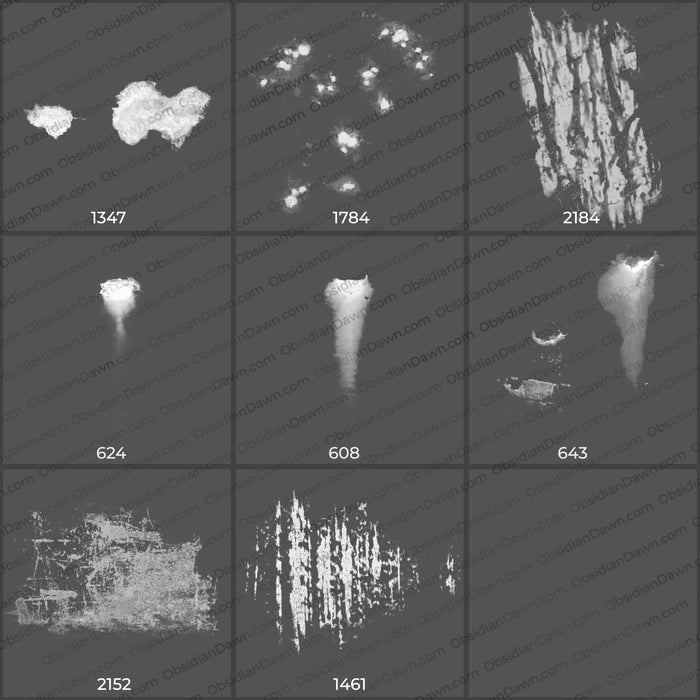
A set of Photoshop & GIMP brushes composed of various “distressed” images. These work great for adding that distressed look to a wall or floor, and also work great for grunge textures. They are high resolution, with an average brush size around 1700 pixels.
Included are things like rust, scratches, rusty holes, drainage stains, dirty and grungy textures, canvas holes, cracking and peeling paint, etc.

Programs: Photoshop 7+, Photoshop Elements 2+, Gimp 2.2.6+
Brushes: 26
Size: 16MB
Download the image pack (for those without Photoshop & GIMP)


Wow wonderful a BIG thanks……………
Many thanks- this will be very helpful.
Keep up the great work.
your stuff is pretty amazing.
AWESOME AWESOME AWESOME.. sorta saved my ass.. *two thumbs up!
Wow wonderful a BIG thanks
Awesome ^-^
Very cool ! thx :*
Hi,
I was wondering if this would create an old world effect on a color photo, very subtle but like this:
http://afancifultwist.typepad.com/.a/6a00d83451d99869e20115716bba6d970b-popup
I like the slightly faded colour on it and the corner distressed effect.
If you know another brush or effect I could use, please let me know, it’s sorta urgent.
Sorry for not being able to get back to you until today, I was out of town. Those brushes will work well for an overall grungy look, but for a corner grungy look, I would check out the use of my Texture brushes, which are under my “Brushes” top menu, then under “Painting”. You’ll use them to paint like you would with a regular brush, and do it around the corners, and it should create a VERY similar effect. Each brush will be different, so find the one you like best and voila!
Hope this helps!
Dear Stephanie,
Thank you replying. I’ll give it a go,
Please can you let me know if the glitters brush was used for the above . I tried to use it but didn’t get the same golden sparkle effect. I am also trying to replicate the old tint nearly TTF feel of the image without blurring it, not so much hazy but a retro feel. advice appreciated.
Kind regards, E
@Ella: I’m not sure about the glitters, and what exactly they may have done with it. I’m afraid I’m more of a painter than a photo manipulator, so I’m not really sure what all they may have done with that. However, the way that I do my glitters in my previews is really pretty… I paint the glitter in white (or light yellow, maybe in this case) on their own layer, and then add a layer style of “outer glow” to that layer, choosing a really strong, bright color. It really makes them pop. Not sure if that’s what you’re going for, or if it’ll help.
As far as for making the photograph look older, you may also look at my “Grungy -n- Dirty Brushes,” which you could apply on its own layer over the whole photograph, then set that layer to “overlay” (or something like it – play around with the layer settings and see which one looks the most like you’d like it to!) and a low opacity (turn the transparency of the layer down to like 5-15%). Stuff like that should help it to look older.
Hope this helps!
As always– a big thank you for all of these wonderful brushes…
Pingback: Кисти разрушения « Photoshop-блог
Thank You, I’m very excited to use these
Very nice! I am looking forward to playing around with these. I was wondering where to put the image pack though? Does it go in the same folder as the brushes? I’m using GIMP and I am by no means an expert. =) I guess I am also wondering what the image pack is for as well.
Thank you!
The image pack is extra. It’s for people that can’t use the ABR file. It’s just the JPGs that I used to make the brushes, so that programs that can’t use the ABR file can still have access to my brushes, in one way or another. :)
Enjoy!
Hi there I wonder if you could help.
I am desperately seeking the brush that I used to make the background for this website with . it was either photoshop or illustrator brush. and was reqctangular.
Pleasse can u help?
wwww.melodylakercreates.co.uk
You mean the big white box that you have the text in? Or the black box that you have the menu in? Anyway, if it’s either of those, it’s not mine. I don’t have any plain rectangle brushes, since you can just make those with Photoshop and it’s shapes.
And I’m not familiar with any other brush makers, I’m afraid. I purposely don’t look at their stuff so that I can stay original.