Aug 30 2004

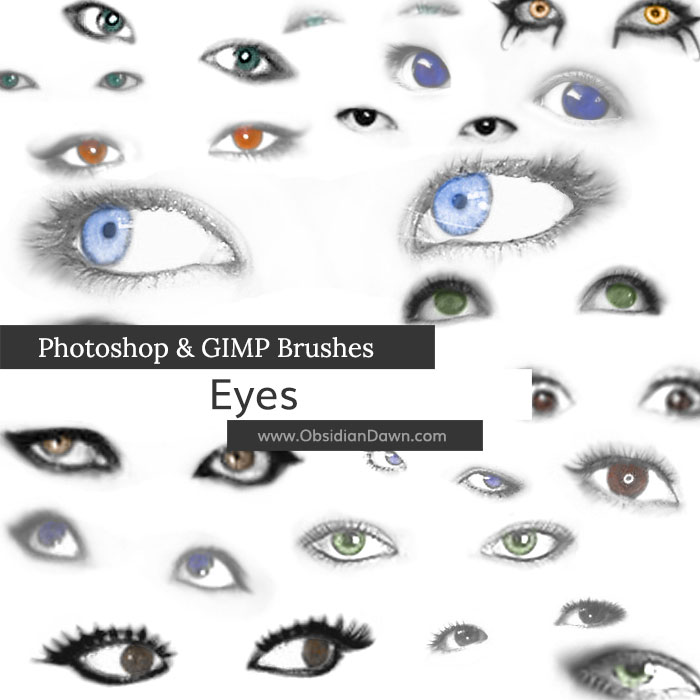
Eyes Photoshop & GIMP Brushes
Category: Brushes | Tags: , , ,

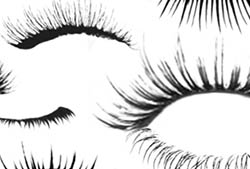
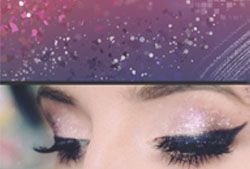
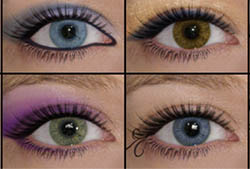
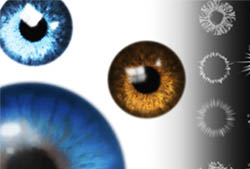
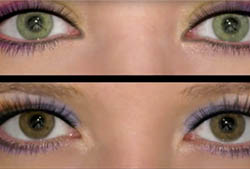
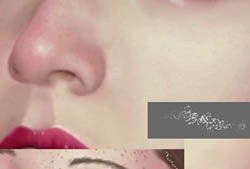
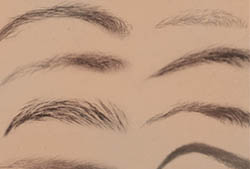
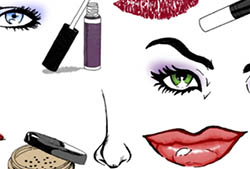
A set of Photoshop & GIMP brushes composed of various eyes.

Includes several women, men, and children, as well as a few sets of women’s with various types of makeup (including one or two gothic styles).

Eyes Brushes

Programs: Photoshop 7+, Photoshop Elements 2+, Gimp 2.2.6+
Brushes: 20
Size: 341KB


>> Download the brushes
>> Download the image pack

Please read my terms of use before downloading!

21 Responses to “Eyes Photoshop & GIMP Brushes”

  1. Lente

    Wow!! It looks really great, thank you very much! :))
    x

  2. cookie

    hi, can you show me how to make the eyes look real in the picture :)

  3. @cookie: check out my various tutorials – particularly the one on using multiple colors with photoshop brushes… that one should help out with this! You’re basically putting the brush on its own layer in black, then painting it in like a coloring book in layers beneath it. To tell you the truth, if you want realism, image-based brushes aren’t the best way to achieve it… you’re better off with stock images for something like that.

    Good luck!

  4. eva

    thannnnnnnnnnkkk you!!! im so lovin ALL ur brushes!!!!!!!

  5. Elias

    thank you!!!! so great!!

  6. pinky

    awesome!!! i love ittt

  7. jk

    So awesome, every brush is a new style that we can use…. thanks

  8. These are simply beautiful, thank-you so much! :)
    xxx

  9. artsimo

    merci bcp…….

  10. I can’t download any of your brushes for some reason. I click on download and nothing happens.

  11. Celly

    These eyes were really cool!
    Thankyou for making and sharing it with us :)

  12. sim

    i cant find the brushes, i downloaded them, went into photo shop but i just cant find them

  13. @sim: Where they are initially depends on where you’re putting them when you download them. If that’s when you’re losing them, re-download and make sure you choose “Desktop” to download them to. I have a full tutorial for how to download and install brushes in my sidebar, if you check out “Installing Brushes”. :)

  14. deedee

    haha i love this one sioo o sooo much!

  15. Do i need to shape these?

  16. @terry: If you’re trying to fit them onto a face that’s already in existence, yes. But I wouldn’t suggest using these for that, as they won’t “shape” well – they’re not simple, like the eyelashes are.

  17. jess

    awesome stuff youve got here :) love them all thankyou so much

  18. Pearl

    I was wondersing if I use some of your brushes to make a person or well alot of people can I post it on another site. If so can I say sell art that I made using your brushes for all the Eyes hair, lips stuff like that that you have as like characters or even in like an Origanal Fiction? And also how do you want someone to credit you on a pic. Like in writting on the picture or everywhere you post/show it have below ‘brushes byObsidian Dawn’

  19. Pearl

    Nevermind it dosent matter i wont be doing that, but could you post pics on like facebook. So you have a real picture and you add a bunch of stuff to it. Then you offer to do it for your freinds. And possibly even sell it? Does that work? And I still need to know how we credit it to you.

  20. @Pearl: Yep, that’s all just fine. You can do just about anything with them, other than redistribute them… as long as you give me credit for them alongside any usage of them. The credit can go on the picture or be written next to it (a link would be great, if possible), and it should say something like “Brushes by http://www.ObsidianDawn.com“.

    Hope this helps!

  21. Annie

    omg! thx So much ! Also love the site

Leave a Reply

See Your Image here - Submit Now!
Obsidian Dawn on Facebook