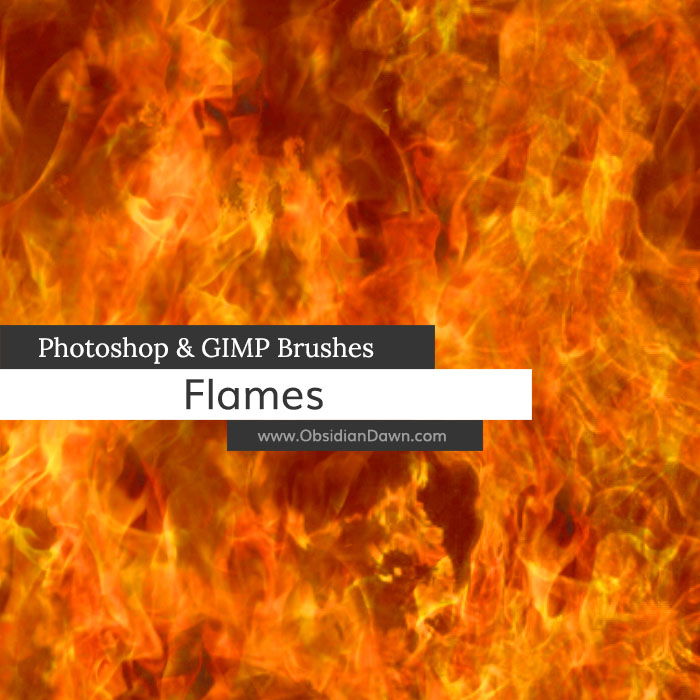
A set of Photoshop & GIMP brushes composed of various flame shapes.

Be sure to check out our tutorial on how to create realistic looking flames using these brushes!
Programs: Photoshop 7+, Photoshop Elements 2+, Gimp 2.2.6+
Brushes: 16
Size: 2.43MB
Download the brushes
Download the image pack
Please read my terms of use before downloading!


22 Responses to “Flames Photoshop & GIMP Brushes”
O WOW love the new look n ill have these thx lol
i had em b4 but i lost all my brushes n ur lesson
rawks!!!
Thats was a perfect flame effect great!!
perfect
just perfect thak you very much
thank for the brushes… they work great!!! =D Its hard to find useful brushes running on photoshop 7.0 which is such an old version.
just great, thank`s
Thanks for the brushes! The SS-fire-patterns.pat file doesn’t seem to be included in the .zip downloads available on this page.. At least I didn’t get them.
Any ideas?
Thanks again!
Sorry, I’m all set… just had to look under the patterns tab! ;)
thanks I used it.
Thanks for the brushes I will test them and let you know how I manage
hi thank you for your brushes they are awsome .once agian thank you
Thanks for the flames! I used them in a couple of photos I did :)
here they are: http://hishamkhalifa.com/?p=217
Danke für den tollen Pinsel. Jetzt hab ich endlich meinen Flammen Spiegelung in den Augen hin bekommen.
Thanks for many useful brushes :)
Can’t wait to use these! Thankyou soo much!
i just wanna ask if u have devil brushes??:)
Afraid not. Not yet! :)
I’m able to make the pattern of fire with the many different brushes but are in black/gray and not color. I downloaded the Brushes and Image Pack.
@Bob: Yep, that’s the way that Photoshop brushes work. You need to choose the color before you use the brush, and it’ll show up in that color.
If you’re looking to create realistic looking flames using these brushes, my suggestion would be to try out my “Realistic Flames in Photoshop Tutorial”, which is under the Tutorials section on that top bar. It’ll have you use these brushes and the Fire Patterns in order to create really realistic looking flame.
Hope this helps!
its look like realistic fire flame, if you relly know what to do with these amazing flame brushes (BIG THANK)
This looks very nice,
thanks for sharing this..
Can you use these for photoshop elements 6.0?
@Britt: Yes, they’ll work, as it says in Photoshop 7+ (which includes all of the CS series), GIMP 2.2.6+, AND Photoshop Elements 2+, which includes any numbers after 2. :)
Enjoy!
Leave a Reply
Other Links
Member Center
Getting Started
Affiliates
Helpful Links
Follow Us
By Program
Latest Downloads
Popular Now
Web Design and All Content
© 2004-2009 Obsidian Dawn