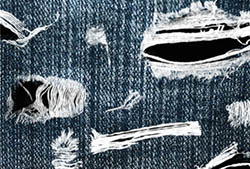
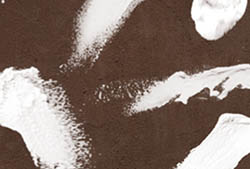
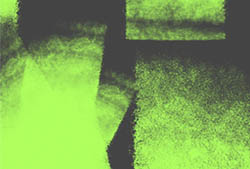
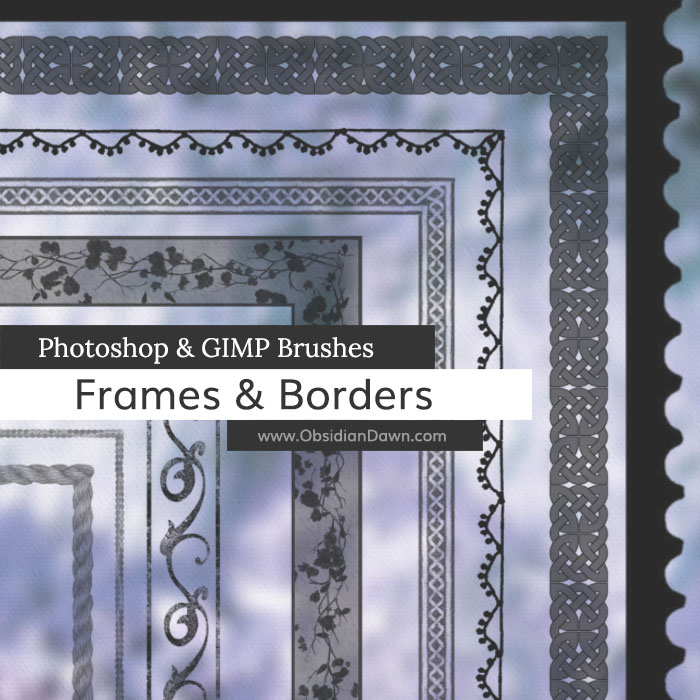
A set of Photoshop & GIMP brushes composed of various frames & borders.

This set was made exclusively for Photoshop Support. You can view all of the information on the set on their site, as well as a tutorial that explains how to make the most of some of the brushes!
Go now to the Frames & Borders Photoshop & GIMP Brushes on PhotoshopSupport.com!

These brushes are still subject to my terms of use!


30 Responses to “Frames & Borders Photoshop & GIMP Brushes”
How can i downloud this pack of brushes? The option isnt here on the page to download. Thanks!
p.s. love your brushes :)
Diva want to download?
just click on:
go now to the frame & borders photoshop& GIMP brushes on photoshopsupport.com
Diva: I sent you the answer via email. Fhia, thanks for the help! I forgot to come and write the answer here, as well. :)
i want to download these brushes but here is no button to do this
Please help me
Amir: Read the page. It has a link to click to “Go now to the Frames & Borders Photoshop & GIMP Brushes on PhotoshopSupport.com!”
That’s what you’d click.
I guess I need to make this damn link bold or something. I didn’t realize so few people read content. :P Bold it is!
Hi Steph, I found and read and used the download just fine. And again thanks so much for these. I just love the frames! You are the greatest!
Hugs,
Jo
Thank you for being so generous with your designs… they are great! I wanted to try out these frames but when I downloaded from the photoshopsupport.com page I got the SS-Water II file instead, is it just me?
Thanks-
Kelly
Nevermind, I found what I was doing wrong…Sorry to waste your time! Great frames, and I love the tutorial!
Stephanie,
I really loved your brushes, they’re awesome!
Thank you! ♥
Anna
Hi,
I downloaded these brushes yesterday but I could not find a pack of images to download. All the other brushes had the image folders but the brushes had to be downloaded on a different page and there were no images. Are they available?
Thanks for your time.
Jackie
Thank you so much for your more than quick reply re the images folder for windows.
I don’t think there are many places that are as quick or complete with replies,. You not only do great work but seem to be a great person. Thank you again for being You.
Thank you for your brushes – they are great!!
One question, can I make a rectangular frame square (or size them in any way)? I tried free transform but it didn’t work – do I need to put the frame on it’s own layer to free transform?
Thanks again!
@Merry: You sure do. And it’ll stretch the whole thing… in some cases it may work, and in others it may look odd. But if you put it on its own layer and then free transform, that’ll do exactly what you want, yep!
Good luck!
Hi Stephanie,
Thank you for sharing your amazing brush sets! The download link for this brush set on photoshopsupport.com seems to be broken. It takes me to a nothing is found; keep looking page.
Hi I realy wanted to try some of your stuff but the link for these on photosupport is broken (as post above says)
rgds
Ed
@Jenny & ether: I’ve emailed you both the file. I’m working on fixing that problem currently. If there’s anyone else that runs across that problem, please email me and I’ll happily send you this set. In the meantime, my apologies for the inconvenience!
Hi Stephanie, can you please also email me the file. I’d really appreciate it!!
@thara: It works again now for download, but sure. Emailed.
@everyone: The download on Photoshop Support now works again, so you don’t need me to email it to you anymore.
how do i make the border fit on a picture in gimp 2.2.6?
thx
@tom: Not sure, I’ve never used GIMP. Sorry! These are mainly Photoshop resources and tutorials, but GIMP added the functionality to use them.
However, you should be able to put each thing (the brush and the photo) on separate layers, and then resize them as need be. The directions I give for making them fit still apply, even though the actual procedure may differ (and you can look each part up, how to do it in GIMP if need be).
Sorry I couldn’t help more!
its easy ppl just click on link and got to how to install, DL
thanx for frames ;)
Hi! I love your designs, and I was wondering if I could use them in my scholarship design? I have to create an album for a ficticious musical group. Thanks so much!
*meant to say scholarship entry, not design whoops :)
Hi Stephanie!
I have one question.. I have download your frames and little bit tried it. And I missed one thing, that I can’t change the color of the frame. The only color is black. If I choose for example red,pink color then the frame color is grey.. Or maybe I just don’t know how to make coloured frame??
I would be appreciate if you would answer me..
Thank you :)
@Kristina: What it sounds like to me is that you don’t have a RGB “document” open. Go into Image > Mode, and click on RGB. Look first, and see if Greyscale has a checkmark next to it – I bet it does! You can set it to RGB when you open a new file, as well. File > New, and then where it says “Color Mode” choose RGB.
Let me know if that doesn’t fix it!
Ola boa noite!
Gostaria de fazer o download destes brusches de bordas…
Mas o link não funciona…rs
Pode colocar para mim por favor o link?
Amei seus brusches são lindos!
Desde já muito obrigada!
@Marly: If this link wasn’t working, then it was temporary. You must go to the other website that I link above, and then click on the download link on their site to get the brushes.
(Se este link não estava funcionando, então era temporária. Você deve ir para o outro site que eu link acima e, em seguida, clique no link para download em seu site para obter as escovas.)
Muito obrigada!
Consegui baixar…rs
São lindas!
Fica com Deus!
” Thank you!
I managed to download … rs
They are beautiful!
Stay with God! “
Love the brushes! Really of great use.
I realy what this brushes but I can’t downloud can you help me pls!!! I realy love than help
Leave a Reply
Other Links
Member Center
Getting Started
Affiliates
Helpful Links
Follow Us
By Program
Latest Downloads
Popular Now
Web Design and All Content
© 2004-2010 Obsidian Dawn