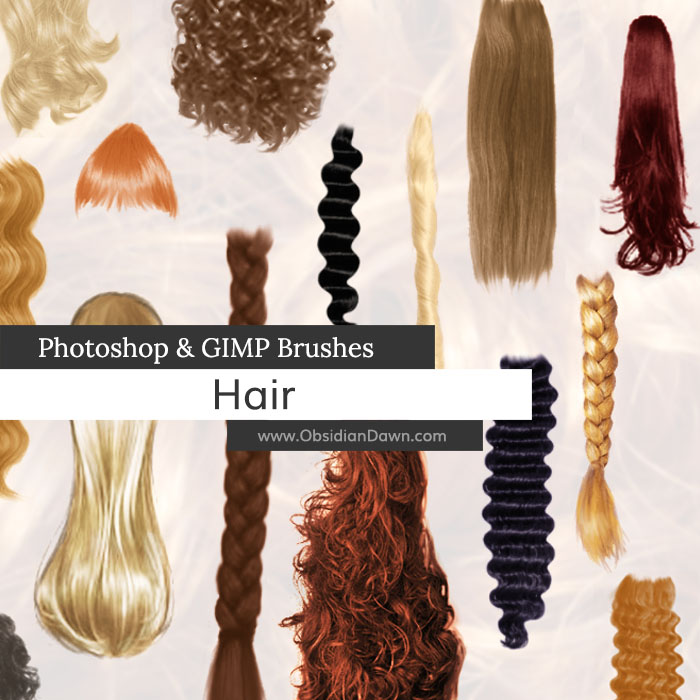
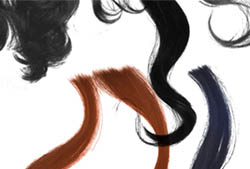
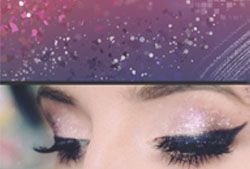
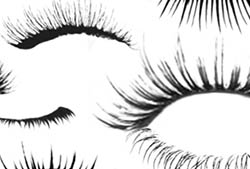
A set of Photoshop & GIMP brushes composed of various types of hair.

Includes: bangs, braids, wavy, straight, curly, ponytails
Programs: Photoshop 7+, Photoshop Elements 2+, Gimp 2.2.6+
Brushes: 22
Size: 1.28MB
Download the brushes
Download the image pack
Please read my terms of use before downloading!


17 Responses to “Hair Photoshop & GIMP Brushes”
Hello,
I have gimp 2.2.6, and it doesn’t seem to download?
please help. Thank You
@Kirstin: It’s not downloading, or not installing? Are you unzipping the file? I just got it to download alright, so I’m not sure what the trouble was… perhaps it was just temporary. If you had it downloaded okay, but couldn’t install it, check my sidebar for how to unzip files, and how to install the brushes. Hope this helps!
You need to extract the files…
BTW OD i luv ur brushes =]
They’re simply UNIQUE
These are great!
…..
Just plain awesome!
and how do you extract them ?
it’s not working
it says they are pictures if i download the image pack
and they are not there if i choose ‘the brushes’
please reply
@Lauren: The image pack is just a bunch of JPGs used to make up the brushes, yes. The brush pack is what you want – and I just downloaded it myself and checked it to make sure the ABR file is there. It IS there, so perhaps you just got a corruption in your download? Try it again. You need to unzip the file once you download it, and put the ABR file into your photoshop > presets > brushes directory.
Ok, so I’m using GIMP 2.2.6 and it downloads but I tried to unzip it and doesn’t.
This is what it says :
The file “/Users/…./Desktop/SS-hair-strands.abr” does not appear to be compressed or encoded. It is advised that you obtain further information about the contents of this file from the sender or provider of the file.
And when I change the file type to .zip and I unzip it it just makes the same zip folder thing.
What’s wrong?
Ok, so I’m using GIMP 2.2.6 and it downloads but I tried to unzip it and doesn’t.
This is what it says :
The file “/Users/…./Desktop/SS-hair-strands.abr” does not appear to be compressed or encoded. It is advised that you obtain further information about the contents of this file from the sender or provider of the file.
And when I change the file type to .zip and I unzip it it just makes the same zip folder thing.
What’s wrong?
Fun set – thank you!
how do you get them on to photoshop? i’ve downloaded them, but they won’t show up when i try to load them.
like wonder hair
Thankyou!
Great brush :)
always an angel :)
This video’s really good for help with downloading… http://www.youtube.com/watch?v=Y24udIF93Ck
As I am preparing to relaunch my website with new and interesting images time is of the essense yet I’m unwilling to compromise on Quality. These brushes are such a God-send! Thank you so much!
I am sincerely greatful! I was going to attempt hair completely on my own, but I’m sure you’d do a much better job.
Leave a Reply
Other Links
Member Center
Getting Started
Affiliates
Helpful Links
Follow Us
By Program
Latest Downloads
Popular Now
Web Design and All Content
© 2004-2009 Obsidian Dawn