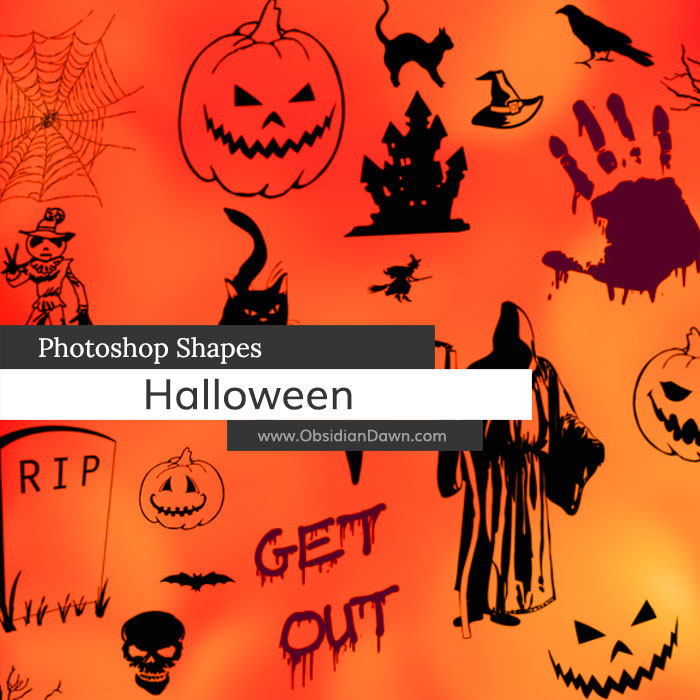
A set of Photoshop & GIMP shapes composed of various vector Halloween images.
This set includes several bats, black cats, a bloody handprint, cobwebs, coffin, evil eyes, “get out”, ghost, gravestone, jack o’ lanterns, pumpkin, raven, scary face, skeleton, skulls, spider, spooky tree, vampire teeth, a witch, and more!

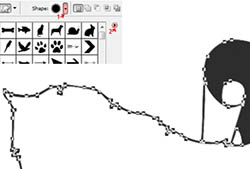
Thank you to mjranum-stock from deviantArt, whose stock image I used as a reference for the vectorized grim reaper.
Programs: Photoshop 7+, Photoshop Elements 2+
Brushes: 33
Size: 280KB
Download the shapes
Download the image pack
Please read my terms of use before downloading!


12 Responses to “Halloween Photoshop Custom Shapes”
awesome! reeeeally xcool, thanks very muxch
sorry for the x is that my keyboard is broken ¬¬
haxve a nicxe day
i really enjoyed this brushes
THAT IS SO COOL NO LIE SEND BACK
hi!
i’m a graphist and iwant to put my PSDs,brushes and… in your website
please contact me as soon as you can
parham: As it states on my terms of use page, webmasters MAY put my brushes and resources up on their pages. HOWEVER, you MUST LINK BACK TO MY WEBSITE PAGES FOR THE DOWNLOAD. You can NOT host the file on your site.
If that’s acceptable, then feel free to add whichever you’d like. :) Just no tutorials.
GREAT shapes and thank you so much for sharing! :) LOVE your work and really appreciate your generosity! Have a BEAUTIFUL day! :)
thank you so much for these wonderful images
Thanks so much for this!
It’s amazing. Thank you so much :)
Thanks so much for the brushes you always publish I use them often! As for the shapes I am a new digital scrapbooker and am curious on how to use the shapes and how they are different from brushes. I use photoshop elements 8. Thanks!!!
thank for sharing these wonderful images
You should also say in the ‘for programs’ after effects cs5.
Thanks for the files :)
@rod: I say that they are usable in Photoshop 7+, and then in my FAQ, I explain that that means every Photoshop that’s come out after 7, including all of the CS series. I can’t list every single version of Photoshop that they work with on every single page, and update it each and every time Photoshop comes out with a new version. :) So that’s the best I can do, I’m afraid.
Leave a Reply
Other Links
Member Center
Getting Started
Affiliates
Helpful Links
Follow Us
By Program
Latest Downloads
Popular Now
Web Design and All Content
© 2004-2010 Obsidian Dawn