
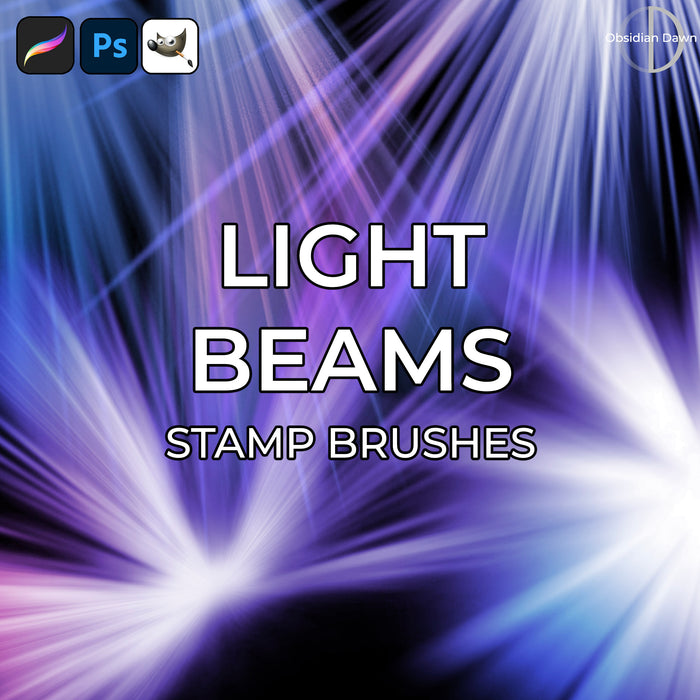
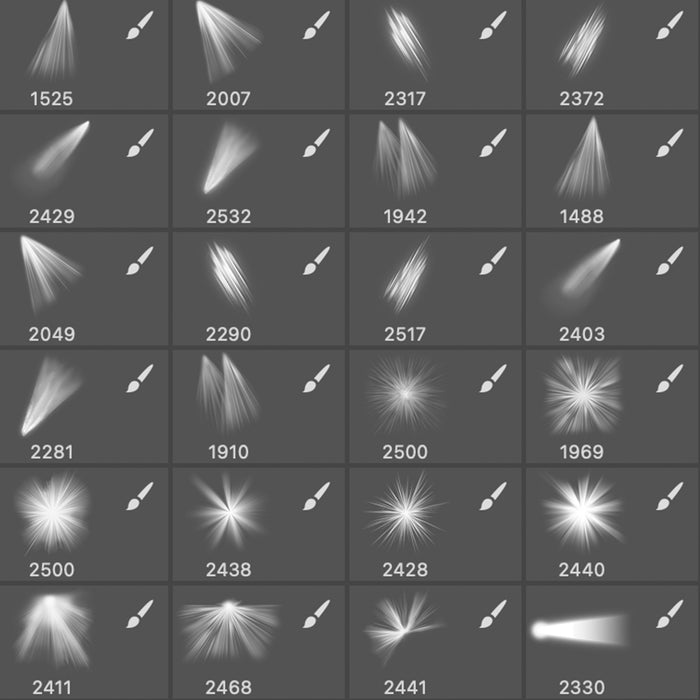
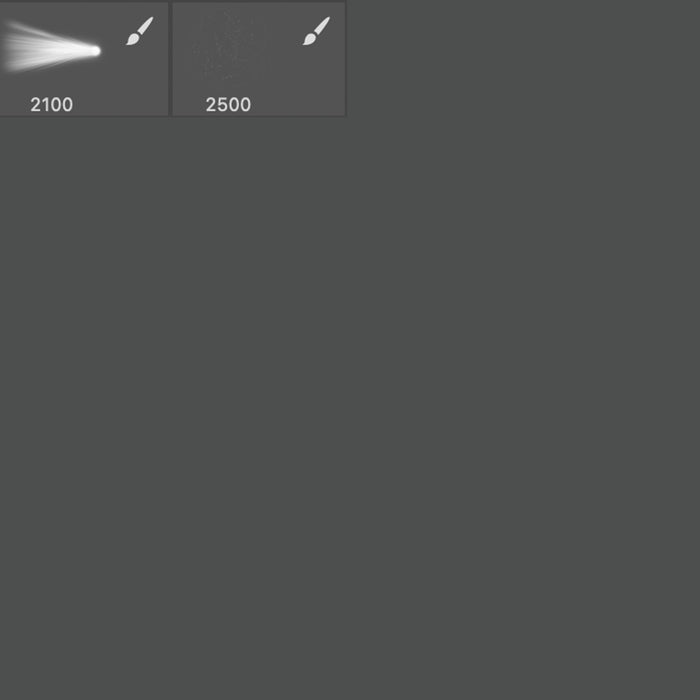
A set of Photoshop & GIMP brushes composed of various light beams and rays of light. It includes beams like those from spotlights, sunlight like you would see coming through branches, lighthouse light beams, sunburst type effects (full circles as well as half and three quarters of the burst), and even some particles to add to your beams of light to make it look like floating dust.
These are extremely high resolution, averaging about 2250 pixels in size.

Programs: Photoshop 7+, Photoshop Elements 2+, Gimp 2.2.6+
Brushes: 26
Size: 30.7MB
Download the brushes
Download the image pack
Please read my terms of use before downloading!
Random Brush Tip: When making your own Photoshop brushes, everything that’s pure white will come out transparent. Everything that’s black will be a solid color (whatever color you’ve chosen to make your brush stroke with), and all the grays will be semi-transparent. Make sure that you keep that in mind when designing them!


62 Responses to “Light Beams Photoshop & GIMP Brushes”
thank you so very much for making these brushes available to me. They are beautiful.
Sabina.
thank you so very much for these awesome brushes – best of all they are free of charge! just used your lightbeam brushes for an artwork.. thanks again obsidian dawn!
Thank you That is really Awesome brushes i like it very much
Hi there. I have been having a great time with some of your brushes. I used the light beams brush above and also your ss-distressed brushes to create some long drips. Thankyou so much for creating and sharing these brushes. below is a link to my photo stream on flickr. Cheers Mary.
http://flickr.com/photos/27953587@N02/
Sorry. Try this link instead. Mary.
http://flickr.com/photos/27953587@N02/3044930365/
Looks great, Mary! Please feel free to add that to my new Obsidian Dawn group on Flickr here: http://www.flickr.com/groups/obsidiandawn/
Thanks for the link!
Wow! I absolutely adore all of your brushes, and the best part is that they’re available to almost all versions of Photoshop!
These light beams are probably my favourite though; I use them on almost all my work :) It adds a touch of reality to it.
Thanks!
Here is another photo in flickr that i used these brushes in. Many thanks for sharing. Mary.
http://www.flickr.com/photos/27953587@N02/3063414804/
Could someone please tell me how to get this to the point where I can open, and use it? I have Elelments 6.0 and don’t have a clue. I’m actually new to elements.
I down loaded it but, it says that it cannot open. I know there is more to it than that, but, I don’t know what it is.
Verneitta: If you look in my sidebar, I have a couple links that were made just for you! :) The first one is “Unzipping the File” – which explains how to unzip/extract the ZIP file. The second one is “Installing Brushes,” which explains how… well, how to install the brushes once you have the ZIP file unzipped. It’s made for Photoshop 7, but it should be basically the same in Elements.
Let me know if you have any further questions, after you check those out!
Thank you very, very much for the qucick response and the information.
I did it, and they are awesome.
Thank you Stephanie, very much. I won’t have a problem giving credit where credit is due.
One of the most beautiful of photoshop brushes I have used!
This is one of the most stunning and beautiful PS brushes I have used. My church invitations turned out great! Thanks!
You are brilliant! These beams are fantastic. Thanks for sharing them!
These are some really great brushes. Thank you so much not only did I find what I was looking for but I have been greatly inspired. Thank you so much.
Many blessings!
AJ Dagger
Really amazing ………………….
Thanks for sharing these great brushes………
[...] Where No Beast Can Be Found My lateless. SelfPortrait.Photoshop+NikonD80.Stock image. CustonLightBrush. [...]
So pretty,thank you for sharing.
I have been using your light beams again but this time in a much more suttle way. I used them to illuminate my face without creating any beam affect. It was just what the photo needed. Thankyou for sharing. Here is a link to flickr but I will add it to your stream anyway. Cheers Mary.
Sorry in my excitement to get things done I forgot to add my link. Deeeerrrr.
http://flickr.com/photos/27953587@N02/3193564410/
Thank you soo much I was looking for somethign kind of like this for a ghostly appearance…I will make a great pic with these and send you a link.
Thank you for sharing! Your brushes are all so wonderful!
[...] Download Brush grátis Ligth Beams (30,7 MB) [...]
You have taken my GIMP experience to a whole new level, tyvm ^^
once agian thank you somuch to share you brushes
Thanks yet again for letting me use your brushes.x
These are wonderful. Thanks so much.
I shall zap everyone will the lightbeams! Sweeeeet.
Awesome brushes!
Thanx ^^
i was looking for brushes like these for a quite a while now
These are probably my favourite brushes of all time. They even beat Annika von Holdt’s magical, unique brush-creations. I used them a gazillion times and each time I work with Photoshop I feel like using them… they stand for light, and light is what keeps us alive. Big thank yous for making these, and for making them completely free, it’s so generous of you.
Krisztina
estan chvrs
chvr+¡¡¡¡ the page
[...] 下载 | 下载页面 [...]
[...] 下载 | 下载页面 [...]
[...] 下载 | 下载页面 [...]
wtf these are so gay and messy!
ewww who would want to use these ughh
@jacob: Sorry that you didn’t like them. :)
These are wonderful – thank you so much!
WOW!! just what i been looking for!! i just KNEW you would have these!! :) thank you sooooooooooooo much for sharing your talent!! i was a failure at trying to make these! lol Have a SUPER day!! :)
thank you so much……. they’re beautiful.
Hey can sum1 plz upload this on megaupload??lol really I can’t even download ,says connection cannot be reached ,If not it’s cool ;) :(
@Jay: I assure you, the upload works! Just tried it, and it worked fine for me. Not sure what the trouble may have been, but try it again?
@ Steph ,Honestly I tried like 20 times I don’t think it’s you but me,lol but it’s cool I just put the url into a proxy server and went through,Thanks ,brushes are awesome ;)
Thank you for these beautifull brushes. C’est coooool.
Hi, I can’t quite get them to load onto photoshop. can you use these brushes on elements?
@reea: Yep, any version of elements from 2 onward will work with them. Did you follow my tutorial in the sidebar? It’s the same for Elements, basically.
very much helpful…:) tenx..:)
Stephanie
Thanks for these they are great! They download and install fine. For those that complain they cannot install – hey go read the instructions! I would delete Jacob – !
Thankyou :)
These were great!
I used your brushes ,thank you http://www.flickr.com/photos/janellem_capalini/3988600498/
Thanks so much for these brushes. I was working on a contest and was stymied how to get the effects I wanted. Perfect solution to my problem!
U R awesome my friend! Thank you for the brushes. :-)
I am loving these brushes so much. Thanks for sharing
Wonderful brushes! I downloaded the Light brushes, I was struggling to create my own gradient ovals for a headlight effect using PS Elements 5. Then thankfully I found your super light brushes. I’ll be using your brushes and giving you credit for them in my blog. This will help me with a detail for my Flash Dev class project I’m working on.
Don
Hello! These look like beautiful brushes, but for some reason my computer won’t load them. :S Anyone else having the same problem?
@Kara: Are you unzipping the file? What version of Photoshop (or GIMP) do you have? Are you putting them into the right folder? Check out my tutorial on installing brushes (in my sidebar), and let me know if you still have any problems! I’d be happy to help you through em, but I need a bit more info. :)
[...] 下载 | 下载页面 [...]
[...] Le pinceau ayant permis de réaliser la projection de lumière sur Sho Fuwa est trouvable ici. [...]
Very, very nice!
I can’t thank you enough for making these. ♥
sweet brushes perfect for the job :)
Leave a Reply
Other Links
Member Center
Getting Started
Affiliates
Helpful Links
Follow Us
By Program
Latest Downloads
Popular Now
Web Design and All Content
© 2004-2009 Obsidian Dawn