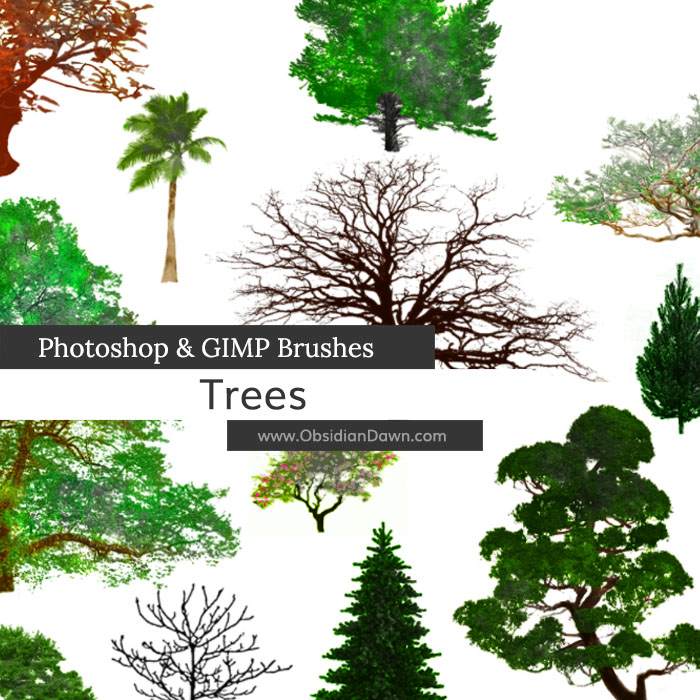
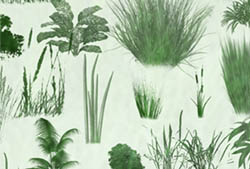
A set of Photoshop & GIMP brushes composed of various trees.
Includes: bonsai, a palm, numerous dead or leafless trees, tons of “leafy” trees, several pines, a few oriental trees, and a willow

Programs: Photoshop 7+, Photoshop Elements 2+, Gimp 2.2.6+
Brushes: 26
Size: 6.20MB
Download the image pack (for those without Photoshop & GIMP)


How do I use/download it for GIMP?
Click on “Installing Brushes” in the sidebar – that’ll get you going.
life saver!!!!!!!!!!!!!! thx bro
How do I bring the brushes on to GIMP?
You follow the instructions in my installation tutorial, which you can find a link to in my sidebar (“Installing Brushes” is what you want). Enjoy!
Thank you so much! :)
thanks for sharing I download these
Just want to say thanks for these brushes, its people like you that make it easy for people like me who are still only in the early stages of developing there skill in photoshop. Again thank you very much. S.
thanks you for these brushes.
Woow! It’s lovely :)
How do you make them two different colors?
Go into my tutorials section and click on “Multiple Colors with Brushes”. That’ll explain it. :)
Thank you very much!
Are these brushes and the other ones supposed to be in black and white?
Is the image pack in color? … What is an image pack? Does it have anything to do with GIMP? How would I go about downloading it?
All of these questions are answered in my FAQ.
The image pack is the same thing as the brushes, in JPG form. It’s made for people that are using programs other than Photoshop and GIMP, so that they can convert them into brushes in whatever other program they want. They are NOT in color – they’re the same thing as the brushes.
If you’re looking for a tree in full color, and you don’t want to go through some of the extensive things that you need to do in order to make brushes look that way, then your best bet is to find an image of a tree and use that. These aren’t the best choice, when you want a realistic looking tree – in greens and browns. It IS possible, however, and that’s what my “Multiple Colors with Brushes” tutorial explains how to do. (and that’s what I did for the preview image)
These are amazing and beautiful brushes. Thank you so much for sharing them with everyone. They are an amazing help for someone without a tablet! ^^
~ Mel