
Aug 2 2006

Water Photoshop & GIMP Brushes

Category: Brushes | Tags: , , ,

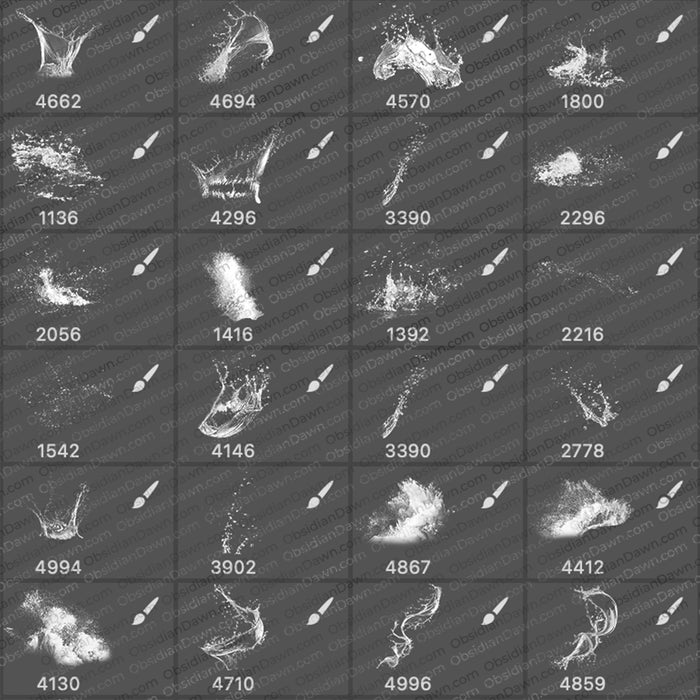
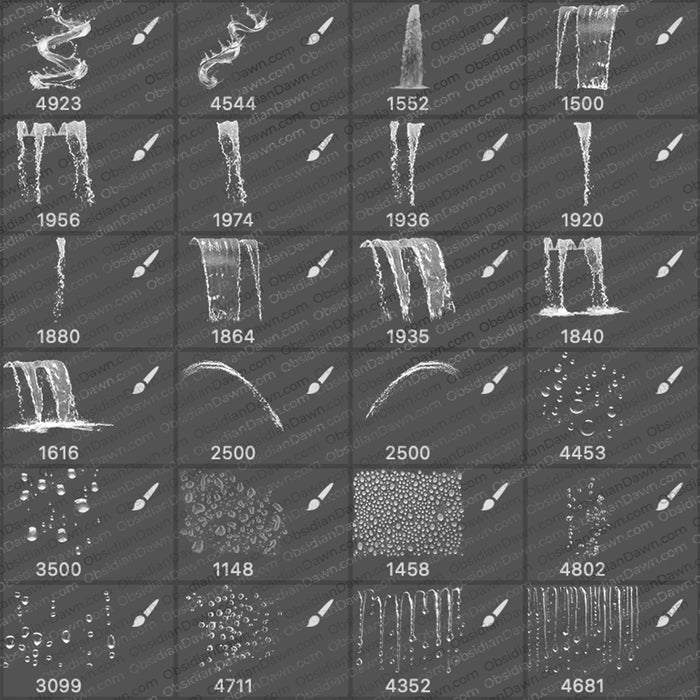
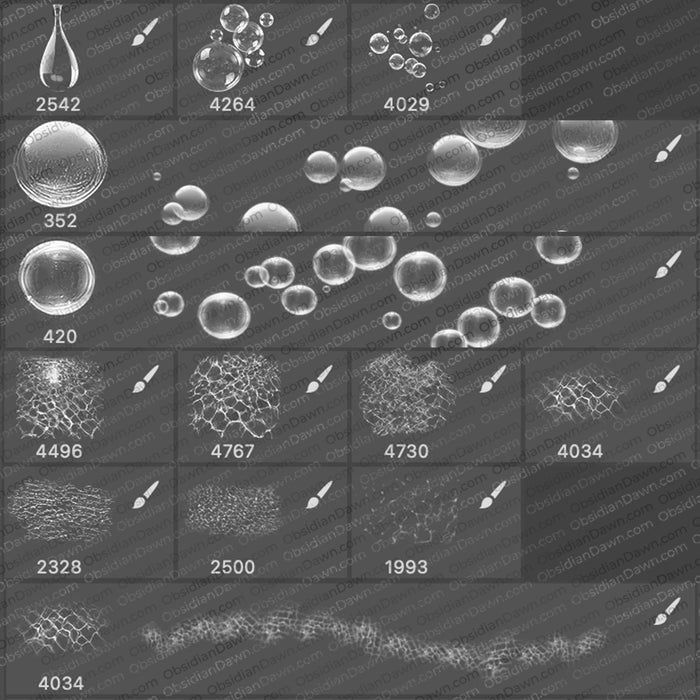
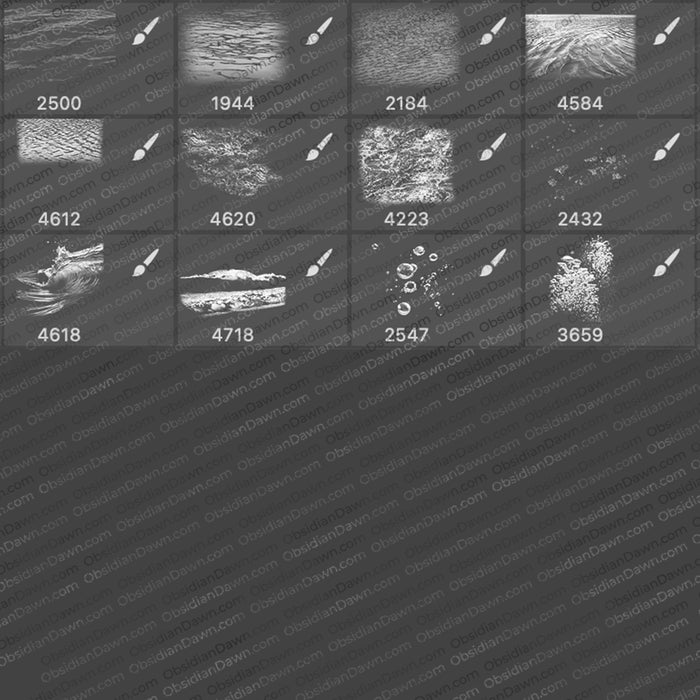
A set of Photoshop & GIMP brushes composed of various water shapes. Try various colors for these. Water is a tricky element with lots of lights and darks. Some were made to be used with white/light on a darker background and others were made to be dark on a white/light background.

Water Brushes

We also have a high resolution Water Photoshop & GIMP Brushes set.

Includes: bubbles, drops, tears, ripples, rain, foam, splashes, ocean/sea foam textures, waterfalls, and waves

Programs: Photoshop 7+, Photoshop Elements 2+, Gimp 2.2.6+
Brushes: 36
Size: 12.6MB


>> Download the brushes
>> Download the image pack

Please read my terms of use before downloading!

20 Responses to “Water Photoshop & GIMP Brushes”

  1. David Hawkins

    Hi I used your Brilliant water brushes here:
    http://www.photoshoptalent.com/photoshop-contest/3521/flying-doctors.html
    Thanx

  2. [...] vous aider à la réalisation des effets d’eau, des gouttes de pluie ou encore des larmes. Pack I brushes d’eau pour photoshop, Le second pack est le même mais avec une résolution supérieure Pack II brushes d’eau pour [...]

  3. Thank you for the bubble brushes, im new to this and look forward to using them.

  4. monkeywing

    fantastic!

  5. leafoley

    I love all your brushes, they are fantastic

  6. [...] picture files website here: [link] Details File Size: 12.6 MB Image Size: 52.2 KB Resolution: 500×300 Download Also [...]

  7. Tony Kabuto

    Nice work, i helped me a lot thanx!! :D

  8. Adorable

    Hey, i was wondering what I do once I extract the files. How do I get them on Gimp?

  9. Vera

    Hello! Thank you for creating wonderful brushes.
    I used them here: http://www.pxleyes.com/photoshop-picture/4a89e201a7758/watching-you.html

  10. Sandy

    Beautiful! Thank you. :-)

  11. dAdiCris

    Thank You Very Much!!! XD

  12. j

    Hi
    I used your stock here…
    http://www.flickr.com/photos/jimsalbum/4350239054/?edited=1
    Thank you very much
    James

  13. Veronika H.

    THANK you for all your brushes!! I don’t have paypal yet but I may donate something to you in future because I really feel I can’t just take & use them and say: fine.

  14. liv

    It won’t work for me!

  15. @liv: A little more information on how it won’t work, and I can certainly help you get it working. :)

    Do you have Photoshop 7 or higher? (Including all of the CS series) Or Photoshop Elements 2 or higher? Or GIMP 2.2.5 or higher? If you have one of those, the brushes should work for you. However,if you’re trying to use them in another program, you’ll need to download the image pack rather than the brushes and make them into brushes yourself.

    Check out my “Installing Brushes” link in my sidebar, that’ll walk you through it. :)

    Then let me know if you’re still having problems and what’s going wrong.

  16. Really very nice collection, i must use these in my work. Thanks.

  17. Fantastic brushes that I have incorporated into a tutorial – thanks for this valuable resource

  18. Jackie

    From the first day I stumbled on to your Brushes I was hooked there is not a word that can cover the true meaning of thank you and fantastic

Leave a Reply

See Your Image here - Submit Now!
Obsidian Dawn on Facebook